This subreddit is devoted to discussing all aspects of keyboard layouts and typing efficiency. This includes:
- Comparison of alternative layouts to Qwerty, such as Colemak, Dvorak, etc.
- Experiences of switching layouts.
- Support and resources for those considering switching.
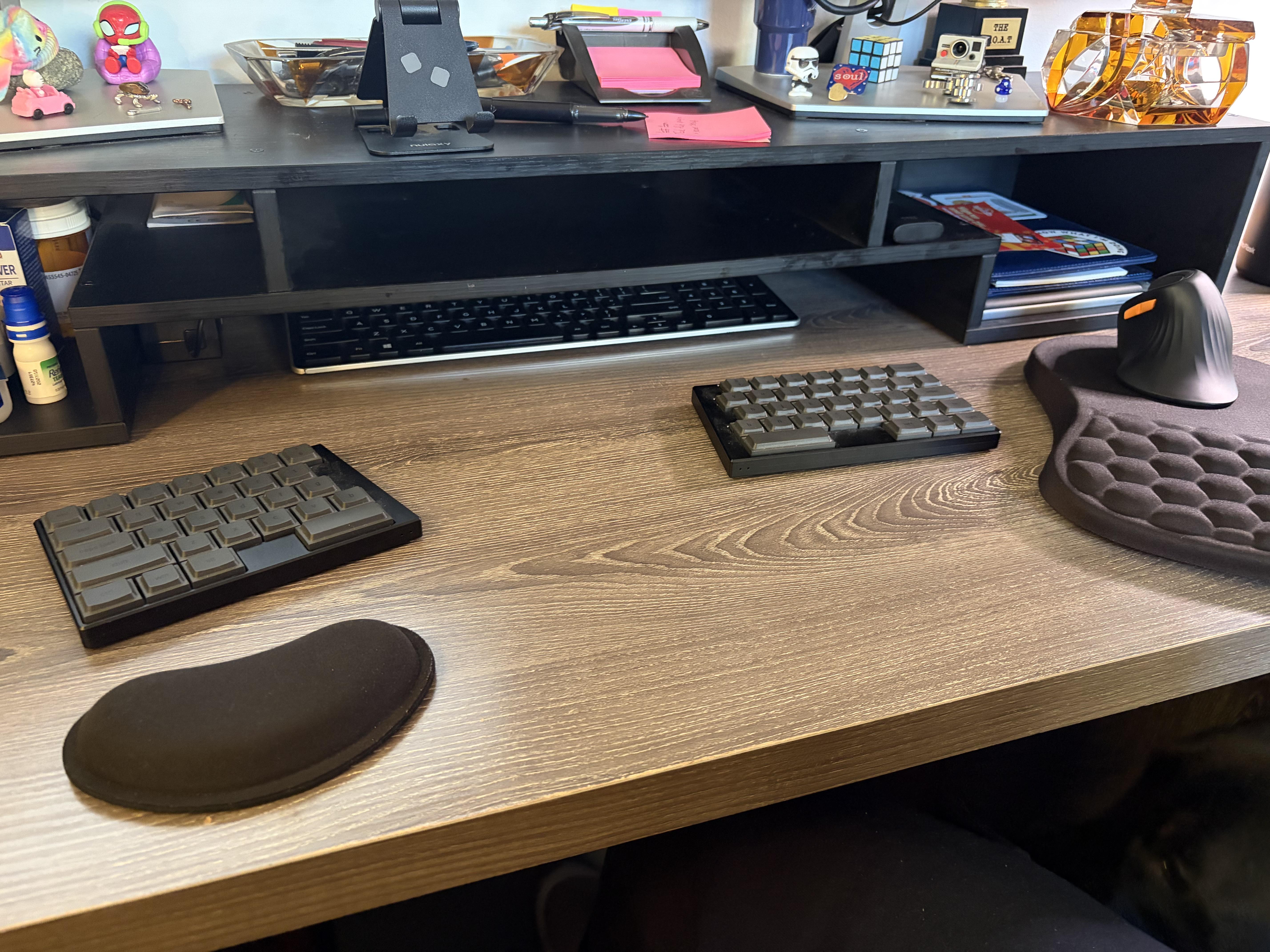
- The use of non-standard keyboards designs.
What's wrong with Qwerty and the standard layout?
So many things:
- The most frequently typed keys are scattered around the edges of keyboard. Letters that are infrequently typed (e.g. J and K) are in prime positions! For more details, see the layout heatmaps.
- The two most common consonants in English, T and N, require diagonal stretches from the keyboard's home position.
- There are frequent, difficult combinations of letters such as DE and LO because these are typically typed with the same finger. For example, try typing 'Lollipop' with a Qwerty keyboard.
- If you are a programmer, some frequently needed symbols, such as brackets and mathematical symbols, are situated at the far right of the keyboard, presumably intended to be typed with your right pinky, an overused weak finger.
- Frequently needed modifier keys, e.g. Shift, require an awkward motion involving one of your pinkies holding down a shift key at the corner of the keyboard, while another finger presses the key. It might seem normal because you're used to it - but it's unergonomic and there are better methods out there.
- You have two thumbs which could easily be used for independent functions, but this opportunity is wasted due to the overly large single spacebar on standard keyboards.
- The standard keyboard design has a built-in stagger. This was necessary in the typewriter era because of the way that the levers and typehammers worked, but there is no real reason - other than familiarity - for this to persist into the information age. If the keys are to be staggered at all, they ought at least to be arranged symmetrically - to match your hands.
All these flaws make it harder and less comfortable to type than it could be, and make it more likely that keyboard users experience health problems such as RSI, or at least lead to inefficient and error-strewn typing.
Solutions
There are both software and hardware solutions to all these problems available. There are alternative keyboard layouts and other neat tricks that deal with many of the problems, and entirely new hardware designs that address others. You can mix and match these as you please: some people stick with standard keyboard hardware but use an alternative layout configured in software; others continue to use Qwerty but choose an ergonomically designed keyboard, and yet others do both.
Some modern ergonomic keyboards have entered the market, which take a completely different approach, such as the Keyboard.io Model 1 , ErgoDox, and the Planck. Others keep traditional many elements but offer ergonomic improvements such as split halves and better thumb-key access, e.g. Matias Ergo Pro, UHK.
Those who own these products often highly recommend them, but not everyone can or wants to use non-standard hardware. The good news is, even with traditional keyboard hardware, there is a lot you can do to improve your typing experience. For that you need to consider using an alternative layout.
Alternative Layouts
Several alternative layouts have been developed. The two most popular today are the Dvorak Simplified Keyboard, and the Colemak layout. Plenty of others have appeared in recent years too, such as Colemak-DH, Workman, MTGAP, Norman, Minimak.
Note: this is not a place for layout wars. Comparisons or discussions of merits/demerits of various layouts is OK, but let's remember that using any optimized layout is better than Qwerty.
People who have switched will often rave about how much better their experience of typing has become. Some find there is an increase in typing speed, but more importantly, nearly all experience a huge gain in comfort. Only once you become adapted to typing using a well-designed, ergonomic layout, do you fully appreciate the benefits, and realise just how unsatisfactory Qwerty was all along. If you spend a large part of your day at a computer keyboard, there is potential for a huge quality of life improvement.
For more information for those thinking of switching layouts, see these links in the Useful Resources Sticky Post
Switching Layouts
There are plenty of good reasons to switch layouts... but also some good reasons not to:
- It takes some time to learn, during this phase your typing will become worse for a period, typically several weeks.
- Unless you maintain proficiency in two layouts, you'll have difficulty using other computers.
- Some workplaces have locked-down computers or disallow installation of non-approved software.
- It makes you 'different' from almost everyone else.
These drawbacks can be mitigated though:
- You can keep your preferred layout configuration on a USB stick, in the cloud (e.g. Dropbox or github) so that you can quickly access it when you need it.
- There are solutions that don't require installing software with admin rights - for example using AutohotKey on Windows.
- There is increasing availability of programmable keyboards which let you define your own layout without the need to install software or change settings on the computer.
- It's possible to use a USB remapper dongle which allows you to use a standard keyboard, with keystrokes mapped to any custom layout within the hardware.
In short: if you use a keyboard a lot, are independent-minded and appreciate efficient solutions, you should seriously consider learning an alternative keyboard layout.
Other keyboard efficiency ideas
In addition to - or even instead of - changing your keyboard layout, there are some other neat hacks you can apply to your keyboard.
- Extend or Navigation layer: For most people, a common task using a computer is navigating around and editing a document. This means frequent use of keys such as arrows, home/end, page up/down, and cut/copy/paste. To access most of these functions on a standard keyboard, you need to move your hand away from the "home" position. By using a special layer for navigation, such as Extend, you can use all the common editing features instantly and without needing to look down at your keyboard.
- Progammer layer: If you are a programmer, or have frequent need for certain symbols such as
{ } [ ] + - = _ then it's a good idea to map to easily-accessible keys on another layer. For example, here is an example of a Progammer's extension defined on RightAlt (AltGr).
Glossary of common terms
Same Finger Bigram (SFB): Pressing two keys with the same finger in conjunction.
Disjointed SFB (dSFB): Pressing two keys with the same finger, but separated by x letters.
Same Finger Skipgram (SFS): Synonym for dSFB.
Lateral Stretch Bigram (LSB): A bigram where your hand must stretch laterally, as in using the middle finger following middle column usage on the same hand. An example is be on QWERTY.
Alt-fingering: Pressing a key with a different finger than would be typed with traditional touch typing technique.
Alternation: Pressing a key with the opposite hand than you typed the last.
Roll: Typing two or more keys with the same hand, moving in the same "direction". For example, on QWERTY, sdf would be a roll, but sfd would not.
Redirect/Redirection: A one-handed sequence of at least three letters that 'changes directions'. For example, on QWERTY, sfd would be a redirect, but sdf would not.
Hand Balance: How much work each hand does for a layout. For example, a 35%:65% hand balance would mean that the left hand types 35% of keys, and the right hand types 65%.