r/Affinity • • 18h ago

General Apple Pencil for iPad A16?

4 Upvotes

Which one should I choose? I am trying to decide on the 1st gen Apple Pencil or the USB-C Pencil for my A16 iPad to use in Affinity for iPad. Specifically photo editing, such as; removing things from backgrounds, selecting specific objects, new layer with mask, etc. I know one has pressure, the other does not, but I don’t understand if I NEED the pressure one.

r/Affinity • • 17h ago

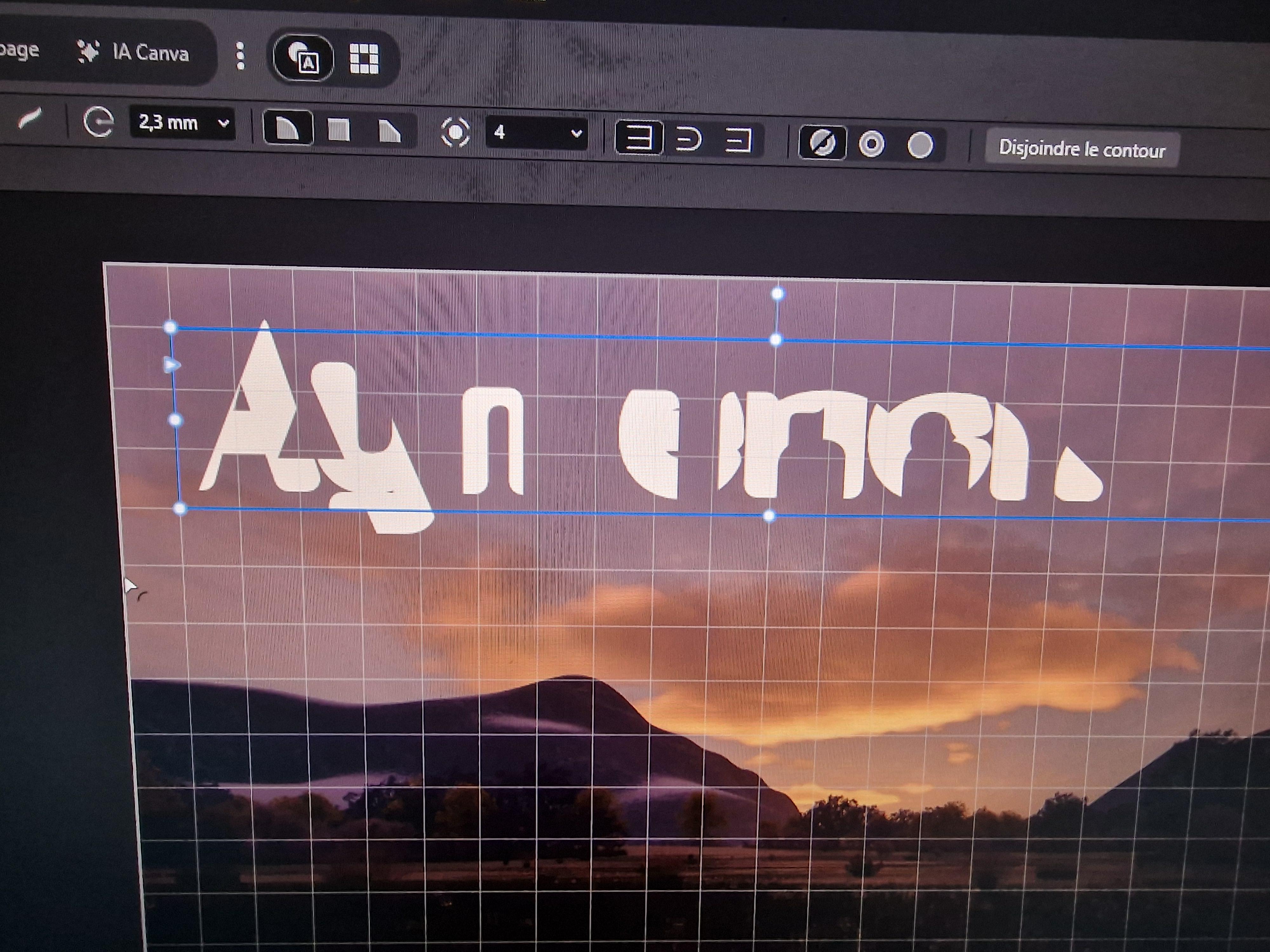
Photo Contour tool Question

Post image
3 Upvotes

Newbie here, I was trying to give a contour to my text so it pops more but each typo I use turns out like this and can't seem to find an answer elsewhere as to what I am doing wrong anyone knows what I'm doing wrong? Thanks 😊


r/Affinity • • 12h ago

Photo Object Selection Tool on newer iPad Mini's with the A Pro chip neural engines.

0 Upvotes

I see the Object Selection Tool only works on M chip iPads. Now we have the A20 Pro Mini iPad, which has a neural engine more capable that the M1 on my Macbook Air that is still snappy, do you think this limitation could be lifted or am I looking at this to simply?

Reason I ask is I had an M2 iPad pro, mainly for Affinity. One main workflow was speeding through selections with the Object Sel. Tool and refining with the pencil. With Affinity 3 now on iPad I'm ready to upgrade from 2, but I would prefer an 8 inch mini for portability. I understand the A20 pro neural engine is more powerful than that M2, even if the iPad pro has other benefits.


r/Affinity • • 15h ago

General Watch 2026-11-28 19-48-23

0 Upvotes

Hey, I have created two different selections using the Pen Tool. Now I want to delete the selection of the guy's outer line, but for some reason, pressing the Delete key on the pixel layer doesn't work.

I have shared a video for clarification. Here are the steps I followed:

  1. I created two different shapes using the Pen Tool.
  2. I pressed Ctrl + LMB on the thumbnail of the layer of pen tool shapes layer to make a selection.
  3. I went to the main layer and pressed Ctrl + Shift + I to invert the selection.
  4. I pressed Delete, but nothing happened.