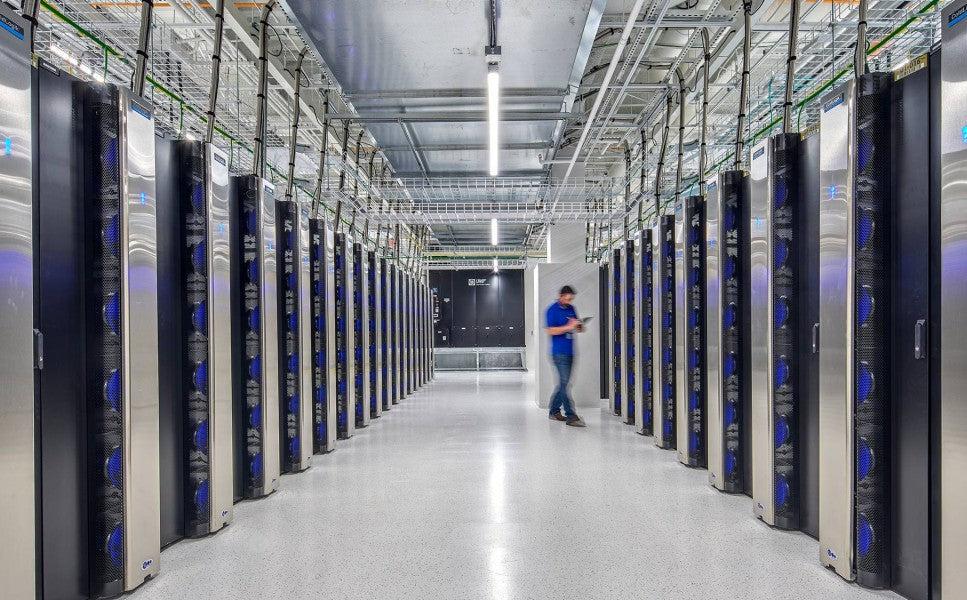
Could a 560B medical model compressed to 1.51 BPW do more than merely load on one DGX Spark? A creator tested it on a synthetic insurance appeal using that machine's 128 GB unified memory. The test was a fictional $7,842 ER claim denial, with a synthetic policy, denial letter and medical record totaling 29,541 input tokens. There was no retrieval step.
The creator reports that the model challenged all three planted denial arguments, found four misleading policy sections and drafted an appeal. It also made a $24 arithmetic mistake. The run reported 28 decode tokens per second, but the 64.5-second time to first token and 684-second total are part of the usable experience too. For a self-hosted document assistant, this is a better test than a fit-in-memory screenshot: it shows what the quant did with a long, cross-document task and where human checking was still necessary. It is one synthetic example, not a validated insurance workflow.
Hi, is it worth it to go for 1TB 16 channels with 2400 LRDIMM memory? Got pretty good deal for 3000-3200 euro total (memory only), but don't know if it is worth it to go for more than 384-512GB with such slow memory. Can you share your experience, if it is worth it to go for dual CPU build or just stick to 6-8 channels?
TL;DR: My RTX 2000 Ada Generation is permanently power-braked by the platform (HW Power Brake Slowdown: Active since day one). It draws ~24W instead of 70W and SM clocks collapse under load. NVIDIA says the brake is a platform-side signal that end users can't fix. I've ruled out software, BIOS, the BMC↔GPU management channel (MCTP) and even upgraded the PSUs from 2×800W to 2×1600W — brake identical. Looking for anyone who has actually beaten HPE's power brake.
System:
Symptoms (deterministic since installation, identical across driver/BIOS changes):
Under load: power.draw pinned at 23.7-24.0W, SM clocks collapse from 1965 to 450-675 MHz, P2 state, temps fine (45°C). Idle honors locked clocks (-lgc 1965 holds at idle), mem lock holds under load, core lock gets overridden. Net effect: roughly 1/3 of expected generation speed (17 t/s on DeepSeek-R1-1.5B, ~1.5 t/s on Qwen3-27B IQ3_XXS — model 100% in VRAM, not CPU offloading).
What I've already ruled out:
Context: NVIDIA moderator Robert Covella has addressed this in two threads on the NVIDIA developer forums (V100 on an HPE DL388; RTX 6000 Ada on Supermicro): the power brake is "a separate input to the GPU, mostly unique to HPE servers" — the platform asserts a hardware pin (PWRBRK#), it's a systemic platform behavior, and the only known workaround is taping off a specific PCIe pin, which he explicitly does not recommend. Both threads end with "contact the server vendor."
My questions:
Next steps on my list: PMC/System ROM flash via Intelligent Provisioning (F10), then a slot swap test. Happy to post measurement logs if useful.
Info: I generated this post with AI because english isn't my first language and I really didn't have the nerve anymore to write this myself tbh lol
Disclosure: this is my own project, posted with the mods' approval. Nothing is for sale yet and there are no prices; I'm checking whether there is enough demand before I invest in tools and parts.
The idea: you send in your own card and get it back with double the VRAM.
- RTX 4090: die and memory move to a 48 GB clamshell PCB; the card comes back as a 2-slot blower.
RTX 4080 Super: the same on a 32 GB PCB.
RTX 2080 Ti: the memory chips on your original board are swapped from 1 GB to 2 GB (22 GB total), with a modded VBIOS.
Why not just import a 48 GB card: you keep your own die (no guessing whether there is a cut-down 4090D inside), shipping stays inside the EU (no customs or import VAT), there is a warranty on the work, and every card gets an intake test, photos and a stress-test log before it goes back. Compute stays the same; it helps where memory is the limit (bigger models, longer context).
My questions: would you use this, and for which card? What would you need to see before you would send in a card you paid that much for?
I am not trying to rule the world I just want to make a good AI Roleplay machine. That’s it. I am trying to figure out the best things to buy and learning how to build and why things work the way they work so I don’t break everything and I know how to fix it when it inevitably freaks out. 😂 I will eventually buy a fourth because I read that everything works better with either 2 or 4 or 8…ect. Any tips, recommendations, tricks, reading material. I’m already browsing the forums but thought I would try this as well.
I've been working on an RTX 4090-focused fork of NInfer, mainly targeting long-context inference, local coding agents, and native Windows support.
NInfer is already an impressive inference engine, but I wanted to see how much performance could be extracted from Ada Lovelace without upgrading to a 5090.
Here are some results from my recent benchmark runs.
Test setup
NVIDIA RTX 4090 – 24 GB VRAM
AMD Ryzen 9 9950X3D
64 GB DDR5 RAM
Windows 11
Native SM89 / CUDA 13.4
Huihui Qwen3.8-27B GSQ-RCO IQ3_S Vision
DFlash2 speculative decoding
RK4V4 KV cache
NInfer RTX 4090 v0.1.4
Long-context DFlash2 benchmarks
All values are decode tokens per second.
Draft tokens
64K context
128K context
176K context
K5
242.75
206.39
214.87
K7
272.74
240.60
263.93
K9
247.57
202.86
241.25
K11
258.70
215.03
228.06
K15
242.20
189.58
229.13
Interestingly, K15 performed best in the separate 32K sweep, reaching 313.16 tok/s, but K7 consistently performed better at longer contexts.
At 176K context, K7 improved decode throughput by approximately 22.8% over K5.
These are controlled engine benchmarks using a fixed corpus, 512 measured decode tokens and two runs per configuration.
N-gram speculation for coding workloads
I also tested N-gram speculation on copy-heavy C++ refactoring tasks with approximately 21K input tokens.
Metric
N-gram OFF
N-gram 15
Decode tok/s
256.68
568.08
Average wall time
14.83s
9.16s
Exact outputs
4/6
4/6
The outputs were identical between both configurations.
Obviously, 568 tok/s is not general-purpose generation speed, but for copy-heavy code editing, the improvement is pretty interesting.
Long-context prefix caching
Another interesting result at approximately 175K input tokens:
Cold request: 72.68 seconds
Repeated request: 0.441 seconds
Continued request: 0.399 seconds
Reused prompt tokens: 175,103
This is particularly useful for local coding agents that repeatedly send large conversation histories.
These are warm-prefix results, not cold inference throughput.
Concurrent prefill
With a short request arriving while a 64K request was being processed:
Concurrent prefill disabled: 21.28s TTFT
Concurrent prefill enabled: 1.16s TTFT
Overall completion time for the request pair remained approximately the same.
Other features
Native Ada Lovelace SM89 CUDA builds
Portable Windows binaries without local CUDA compilation
OpenAI and Anthropic-compatible APIs
DFlash2 and MTP speculative decoding
Quantized KV cache
Hybrid prefix caching
Built-in browser monitoring dashboard
Live GPU utilization, VRAM, temperature and power monitoring
Draft acceptance and token throughput monitoring
Experimental CUDA Graph optimizations
Model-specific launch profiles
Real-world serving
Across 1,831 completed requests with DFlash2 K5:
Median decode: 146.6 tok/s
P90 decode: 215.5 tok/s
Median long-prompt prefill: 2,345 tok/s
The controlled benchmark results are significantly higher than these real-world serving numbers, so I wanted to include both.
I'm still experimenting with longer contexts, speculative decoding configurations, CUDA Graphs and coding-agent reliability.
The benchmark campaign includes 143 completed measurements, with raw numerical results and reproduction scripts available in the repository. Long-context retrieval accuracy and broader coding quality still need further validation.
Would be interested to see what other RTX 4090 users are getting with NInfer, llama.cpp or ExLlama under comparable conditions.
Three years of lab reports can hide a trend that no single out-of-range flag captures. A creator tested that problem using a 5.12-BPW quant of LingSante-3.1-air-VL on one DGX Spark. The test used four images in one prompt: three years of fictional blood reports plus visit summaries, with trends planted so the answer could be checked. The creator reports that the model read all 87 lab values, matched the out-of-range flags and noticed falling kidney function and hemoglobin even while individual values remained inside their stated ranges.
That last point is the useful part of this demo: cross-document trend recognition is a different task from OCR or copying red flags. The reported footprint was 74.37 GiB and the one-run speed was 48 tokens per second. The creator's 94.89% top-1 agreement figure was measured against the unquantized model on text inputs; it is not a vision-quality score for this case. This was one synthetic patient and one run, not a medical benchmark.
We're Synthetic Minds, we build Astral Inference Server.
Sharing this here because a contributor ran the numbers the way this community asks for them, on hardware people actually own.
GitHub user lkyprogramer maintains inkling-4090-engine, an unofficial community fork of Astral Inference Server, ported to and validated on a single GeForce RTX 4090 (sm_89) for Inkling 2 Mini. The fork is not affiliated with Synthetic Minds and the measurements below are theirs, not ours.
Hardware and precision: one GeForce RTX 4090, Inkling 2 Mini as the unsloth UD-Q4_K_XL GGUF, compared with llama.cpp running the same file.
Results, decode path: Decode with no draft: 143.1 tok/s against 74.7 tok/s for llama.cpp, which is 1.92x. Decode with the DSpark draft: 173.9 tok/s against 90.5 tok/s for llama.cpp at k = 3, which is 1.91x. KL divergence against llama.cpp: mean 0.0018, p99 0.023. llama.cpp compared against itself at -ub 512 and -ub 1 gives 0.0020 and 0.028, which is a useful sense check on that spread.
Nearly 2x, said only beside those figures and that setup. It carries no claim for other GPUs, other quants or other models.
The port also surfaced and fixed a stream-ordering bug in our code that affects all GPUs: synchronous uploads and fills now finish on the legacy stream before Astral's non-blocking streams start work. We are looking at bringing that fix upstream.
About to throw my 9070XT in the server downstairs, and I have some goals but don't know which model is going to be my best option for the job. Looking at these models:
Qwen3.5 9B
Gemma 4 12B
GPT-OSS 20B
Inkling 2 Mini
My goal is to create basic tools for it, such as the ability to chat with it via a private discord easily. Additionally, I hope to use it to track and build a full map of my home network, my server rack, and hardware in all of the machines I use. I personally use obsidian and want to see if I can feed it information and have it build the markup files for a very detailed map using obsidian. Ideally I'll feed it info about my VMs and what software I'm running on each, then I can pipeline it CVEs and have it alert me when one that lines up with my services needs to be patched.
I also want to see if I can feed it docs on all of my hardware, such as motherboard specs, raspberry pi pinouts, etc. Then have it be able to reference that information if I'm asking quick questions.