r/MSFS2024 • u/wirtualnelotnictwo • 7h ago
r/MSFS2024 • u/BakerNator77 • Jan 04 '25
Known bugs - can we keep these in 1 thread please
For new bugs please report directly to Micrsoft via Microsoft Flight Simulator Forums
Charter and VIP missions not appearing on map - all planforms
Using the max fuel/repair. Causes game to crash - all platforms
Not being able to respond to ATC...eg for Xbox left D pad. Solution: access your comms manually and select the response from the menu.
Check here Latest Bug Reporting Hub topics - Microsoft Flight Simulator Forums for some solutions.
Please add yours below.
r/MSFS2024 • u/wirtualnelotnictwo • 7h ago
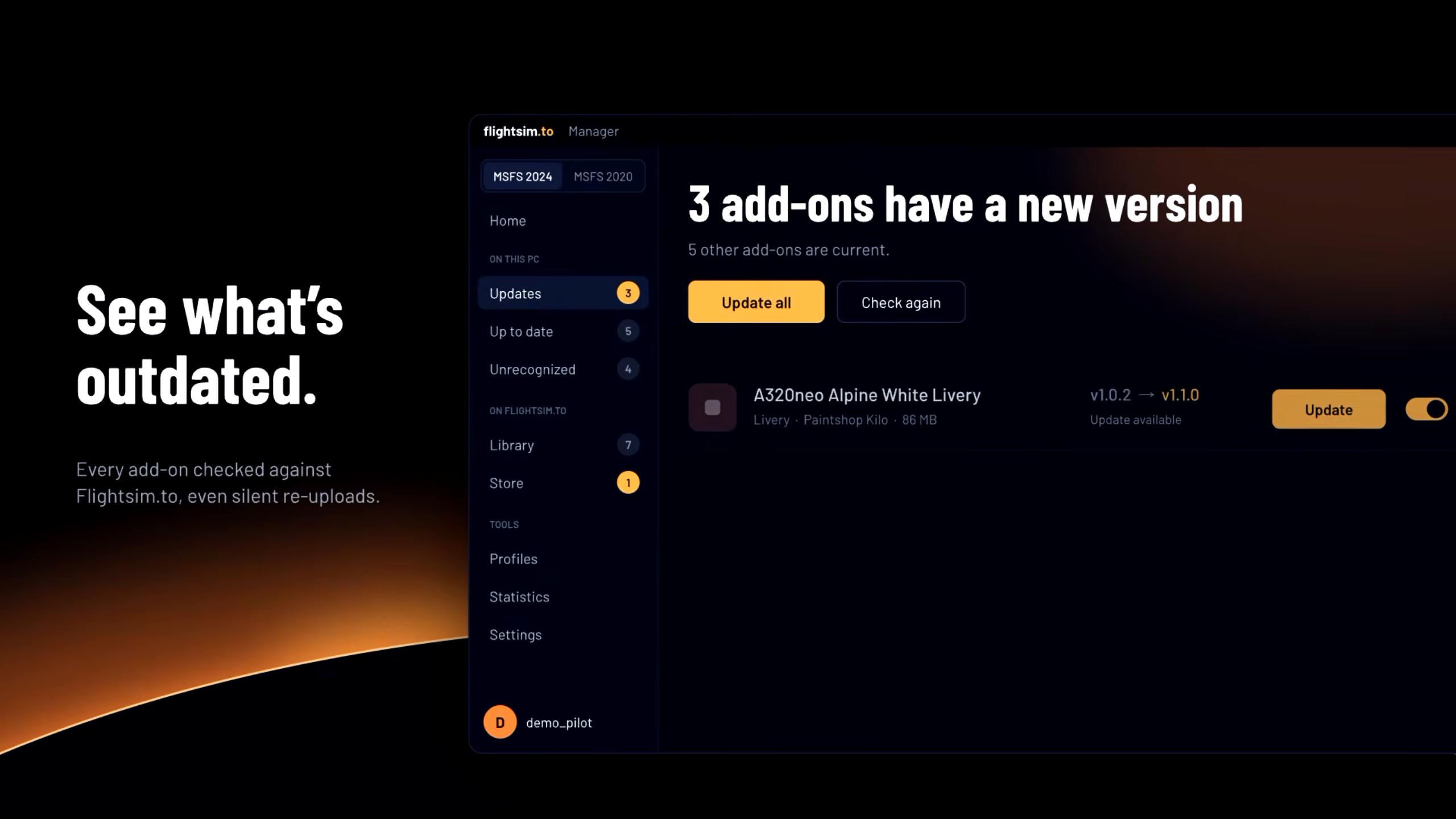
Flightsim.to launches Flightsim.to Manager for MSFS 2020 and 2024 with automated updates, profiles, and external drive storage
r/MSFS2024 • u/airbusflyer95 • 23h ago
Problem with flight controls
I spent a long time flying in P3D and finally switched to MSFS2024. It has already been worth it, especially because there are up-to-date sceneries now and the tech looks great visually as well.
Unfortunately, I'm running into trouble with the settings now. The aircraft and everything else are ready and good to go. For hardware, I have a Saitek Cyborg Evo, and of course it isn't natively supported. Recognized, yes. During a few test flights with the inibuilds A350 and the Fenix A320, and a very quick flight with the Asobo A310, it was obvious the controls are total word not allowed. I could barely land the A350—it feels like stirring jelly. In P3D I never had such a feeling or problem.
What I’ve noticed is that things are generally fine during takeoff. As I approach landing, however, it becomes increasingly difficult and unstable. I provide an input, and it feels like I have to wait a full second for a reaction. By the time I’m just above the ground, it’s too late—executing a flare becomes completely impossible.
I’ve even tried turning off all the assistance settings, but that didn’t help at all.
I’m not sure where the problem lies. I find it hard to believe that it’s solely due to my old joystick. Besides, the same thing happens with the Fenix A320, so it’s not an iniBuilds-specific issue.
I have no idea what else I can do to actually be able to use the sim :(
Not sure if its the sim or the joystick. I can not find the problem :(
r/MSFS2024 • u/PatienceBackground64 • 17h ago
Is there anyone from Inibuilds/pmdg/bluebird here who can help me?
r/MSFS2024 • u/wirtualnelotnictwo • 1d ago
CowanSim releases native Robinson R22 Beta II for MSFS 2024 featuring rebuilt flight model, interactive walkaround, and HeliSAS
r/MSFS2024 • u/jdog1981 • 1d ago
Weird Shadow Effect
What setting is causing this weird shadow effect? This is just an example. Its everywhere there is a moving shadow. Id like to turn it off or fix it. Thanks
r/MSFS2024 • u/MajorCut8159 • 1d ago
I built a free, all-in-one in-sim performance dashboard, memory guard, and launcher for X-Plane 12 and MSFS 2020/2024 (SmoothFlight)
galleryr/MSFS2024 • u/mikeyblue005 • 1d ago
Very wet and windy route EIDW-EGBB this morning - but beautiful sunrise in the cloudbase! This was a Autoland ILS into RW15..
7800X3D, 1440p, 4070Ti, 32Gb DDR5
r/MSFS2024 • u/Solid_Ad_6349 • 1d ago
Chase Camera is almost half price !
I'm not sponsored or try to promote a product but this is a MUST if you spend hours in MSFS2024 !
Changed everything for me,i cannot praise this product enough !
r/MSFS2024 • u/Goldengoonerlg • 1d ago
Black Friday In the UK
Anyone know of any great offers on a top end PC for the Ultra Settings and a nice Curved monitor? And the actual Flight Sim game?
Many thanks
r/MSFS2024 • u/wirtualnelotnictwo • 1d ago
Gaya Simulations releases Vienna International Airport (LOWW) for MSFS 2024 featuring 2026 layout and native dual jetways
r/MSFS2024 • u/CartoonistFamous7774 • 1d ago
Playing flight simulator noticed the music I was playing synced, decided to recreate it
r/MSFS2024 • u/Izy4Life • 1d ago
I built a free tablet companion for the FBW A32NX (taxi assistant, moving map, FCU/EFIS/overhead control). Looking for beta testers, especially on MSFS 2024!
galleryr/MSFS2024 • u/wirtualnelotnictwo • 2d ago
FlightFX details Embraer ERJ-145 progress for MSFS 2024 with 181 EICAS messages, 217 circuit breakers, and data-driven flight model
r/MSFS2024 • u/Undd91 • 2d ago
Autopilot.
I’m having a hard time with the autopilot in 24. I’ve recently jumped over from 2020 and never had issue in that sim.
I am finding the my auto pilot keeps on disengaging - at random intervals - during climb, during cruise and during descent. I have check all my joystick key binds, mouse controls and even looked at my keyboard binds but cannot find anything that I use that would trigger it to disengage.
It does not happen in horizon sims 787 or PMDGs 777 but in all the Microsoft airliners it’s terrible. Is it just a crappy bug in their system? I found the A330 also had autopilot issues regularly during flight, so much so it made flying it pointless.
r/MSFS2024 • u/FieldMedicOG • 2d ago
In response to old low and slow...
Some of my favorite craft are the ones you have to work at
r/MSFS2024 • u/wirtualnelotnictwo • 3d ago
iniBuilds releases Global Jet for MSFS 2024 across PC, Xbox, and PS5 featuring Vision Flight Deck and Synthetic Vision HUD
r/MSFS2024 • u/Plus-Age1318 • 2d ago
Will my PC run MSFS 2024 smoothly with these specs? (i7-12700K / RTX 3080 12GB / 32GB RAM)
Hi everyone,
I’m thinking about getting Microsoft Flight Simulator 2024 and wanted to check if my current setup is good enough to run it smoothly at decent settings. Here are my specs:
- CPU: Intel Core i7-12700K
- GPU: INNO3D GeForce RTX 3080 (12 GB)
- RAM: 32 GB DDR4-3600 CL18
- Motherboard: MSI PRO Z690-A WIFI DDR4
- Storage: NVMe SSDs (WD Blue SN570 2TB / WD Black SN750 1TB)
- PSU: 850W be quiet! Pure Power 11 FM
What kind of performance (FPS and graphics settings) can I realistically expect at 1080p or 1440p? Would you recommend any specific settings or tweaks (like DLSS) for this hardware?
Thanks in advance for your help!
r/MSFS2024 • u/dbunds • 3d ago
MSFS 2024 Boeing 707 UNS-1 FUEL Page Lockout Bug Found and Fixed
UPDATE — November 25, 2026: PATCH RELEASED!
The initial public beta is now available!
What began as an investigation into the Boeing 707 UNS-1 FUEL page lockout has developed into a comprehensive source-code audit, identifying 30 engineering findings, including programming defects and unfinished functionality.
This first release incorporates 16 corrections and has successfully completed ground and extended flight testing.
Highlights:
- Eliminated the FUEL page lockout.
- Restored automatic return to FUEL page 2 after weight initialization.
- Corrected stale destination distance calculations on the PERF and FUEL pages.
- Corrected mathematical errors in navigation sensor accuracy calculations.
- Corrected several flight plan management, waypoint selection, GPS indication and ETA calculation defects.
Installation is simple: Download the ZIP, extract the package folder into your MSFS 2024 Community folder, and fly. No Developer Mode or additional software is required.
FREE DOWNLOAD — v0.1.0:
https://github.com/dbunds/WTB707-UNS1-Community-Patch/releases/tag/v0.1.0
The GitHub repository also contains the complete technical audit, changelog, installation instructions and validation records.
This is only the beginning. Future development will focus on correcting remaining defects, completing unfinished original UNS-1 functionality and eventually introducing additional capabilities while preserving the character of the Boeing 707.
Feedback and reproducible bug reports are welcome!
---------------------------------------------------------
original post
I recently tracked down and fixed a reproducible bug in the Working Title UNS-1 used by the Microsoft Flight Simulator 2024 Boeing 707-320C. What started as one extremely annoying FUEL-page problem ended up turning into a much larger source-code audit.
The original problem
The problem that started all of this was the FUEL page locking itself out.
After initializing the aircraft's fuel/weight information, I could leave the FUEL page and continue using the UNS normally. But when I later tried to return to FUEL, the unit could effectively stop responding on that page.
Other parts of the UNS could still work, but the FUEL page was basically gone for the rest of the session.
I searched repeatedly for reports of this specific behavior and could not find a documented cause or fix.
So I started digging into the actual UNS implementation used by the 707.
The breakthrough
With the MSFS Coherent GT debugger attached, we finally caught the failure:
RangeError: Maximum call stack size exceeded
That immediately changed the investigation from "the FUEL page freezes" to "something is recursively calling itself until JavaScript runs out of stack."
The culprit turned out to be the FUEL page's lifecycle handling.
Its onResume() routine could call:
navigateTo('/fuel#2')
But that navigation could cause the page to resume again before the requested subpage state had fully settled.
The effective sequence became:
onResume → navigateTo → resume → onResume → navigateTo → ...
over and over until the JavaScript call stack overflowed.
The fix
The fix was actually small once the root cause was understood:
stop performing that recursive page navigation from inside the FUEL page's own resume lifecycle handler.
After applying the fix, I repeatedly tested sequences such as:
NAV → FUEL → NAV → FUEL
including after fuel initialization.
The stack overflow did not return, and the FUEL page could be reopened normally.
This one is confirmed in the simulator, not just inferred from the source.
Then we looked at the rest of the code...
Once the source was open, it made sense to audit the rest of the UNS implementation.
That uncovered quite a bit more.
One of the most surprising discoveries was in navigation-accuracy calculations.
Several formulas use JavaScript's bitwise XOR operator:
^
where the mathematics clearly requires exponentiation:
**
In other words, code that was apparently intended to square values in position-variance/ANP calculations was instead performing integer XOR operations.
That defect exists in the public Working Title source lineage and also remained present in the newer UNS implementation shipped with the Boeing 707.
Other findings include:
- PERF destination-distance values that could become stale because the calculation was not properly reactive to aircraft position.
- The same stale-position dependency on the FUEL page.
- Flight-plan indexing errors.
- Incorrect handling of an active-leg index of zero.
- Waypoint and airway-selection edge cases.
- UTC/date handling problems.
- Cases where a perfectly valid numeric value of
0was treated as though no value existed. - Async SID insertion that is not properly serialized.
- Async STAR/approach insertion that can overlap operations or fail without properly propagating the failure.
- Route-import logic that can begin modifying the active flight plan before the imported route has been completely validated.
- A waypoint-insertion UI path that can indicate success without verifying that the insertion actually succeeded.
- FPL waypoint ETA/ETE display code that is literally marked
TODO, even though the prediction engine already calculates the required data. - A TUNE page whose original COM/NAV/ADF/transponder layout is still visible in the source, while the actual page currently just displays
NOT AVAILABLE.
The audit now contains 30 tracked findings of varying severity and type.
The current local cumulative build addresses 16 of them. The original FUEL-page problem and the PERF/FUEL reactive-distance fixes have also been confirmed in MSFS itself.
What the GitHub repository is right now
There is now a public project repository:
GitHub: dbunds/WTB707-UNS1-Community-Patch
But to be very clear:
THERE IS NO PUBLIC PATCH DOWNLOAD THERE YET. (now there is)
Right now the repository is the project's public engineering record. It contains the bug investigation, audit results, validation status, issue tracker, planned fixes, development roadmap, and technical documentation.
That is intentional. I don't want to publish a package until the release build, installation method, licensing/provenance details, and final validation are handled properly.
Where this is going
The immediate goal is a properly packaged public beta for the MSFS 2024 Microsoft Boeing 707-320C, with distribution through GitHub and Flightsim.to.
That release is coming soon, but it is not ready yet. (beta is ready)
Longer term, this project may grow beyond being a collection of patches. The direction is toward a separately maintained UNS build, progressively replacing inherited code with our own implementation while preserving compatibility with the 707 and the familiar UNS interface.
For now, though, the priority is fixing confirmed defects without breaking what already works.
And I'm particularly interested in hearing from other 707 users:
Has anyone else had the UNS FUEL page become unresponsive after initialization and then been unable to get back into it for the rest of the flight?
That was the bug that started this entire project.
r/MSFS2024 • u/Ravenloff • 2d ago
Good Primer For HOTAS/HOSAS Keybinds?
I have a dual Virpil Constellation Alpha setup for space sims, but don't have a dedicated throttle yet. I do have the el cheapo Logitech Flight Quadrant, so three analog throws and six digital buttons there. In addition, again for space sim, I have two Tartarus Pros, one with 19 buttons, one with 21, mounted in old heavy duty phone stands vertically in front of my joysticks. It's the sooooper early days of my sim-pit.
I picked up MSFS2024 at launch and messed around with it a little bit, but decided to wait until it had cooked some more and more mods/DLC were available, like the bridge packs and such. BUT...now I'm ready to dive in.
Given what I'm working with up top, can you point me toward a good how-to on keybinds? Best practices, what controls I want to concentrate on and how best to bind/tweak them? I'm a complete newb at study-level flight sims, if that helps.
On note I can think of is that I don't expect to use the left grip for much, but it's there if someone thinks it would be useful.