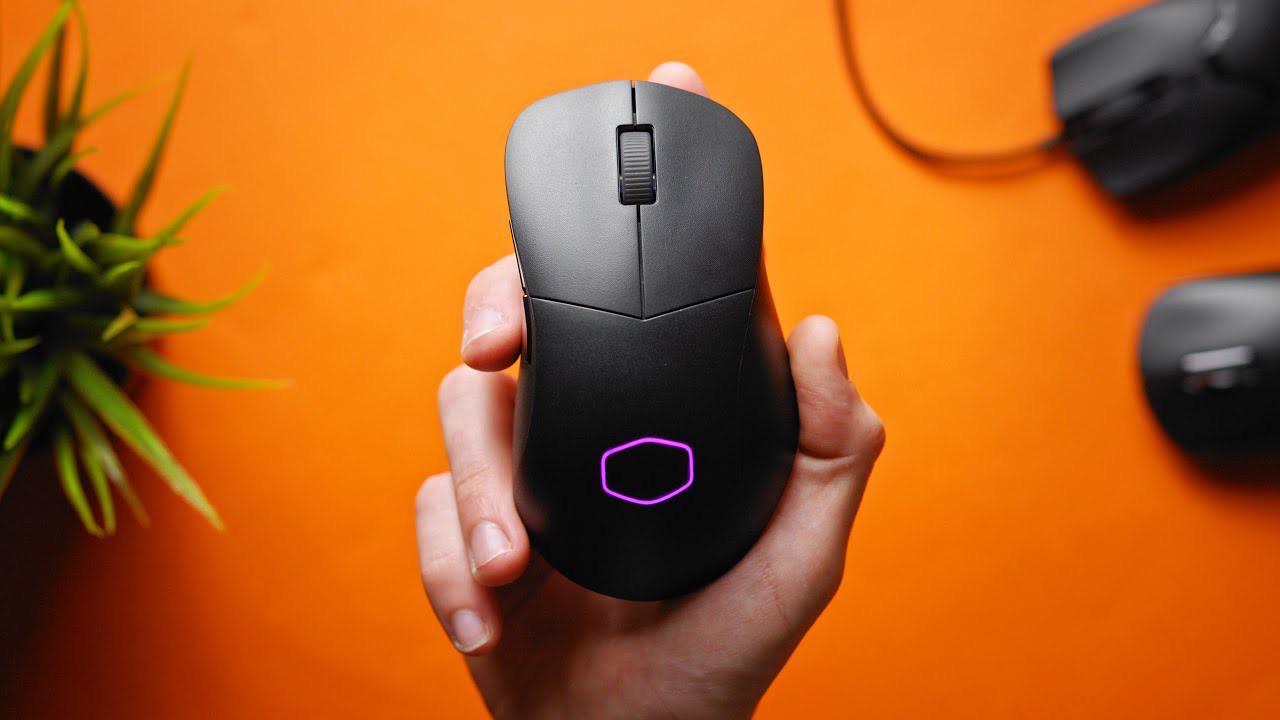
What began as a simple quest to find a new mouse, to stop buying MMO mice in the hope that they could fill my Rival 500’s shoes (RIP), has turned into a full blown consumerist Goldilocks story so that I can find the mouse that fits juuuuust right.
It started affordably, on AliExpress and FB Marketplace, where else?! The first few to join the crew were a VXE R1 SE, a Glorious O 2, and an Attack Shark R1.
Many have come and gone, but here’s the current stable. Terra Pro, VT3 Max Gen-2, Helios Go XD5, Leviathan V4 GT, X2H Crazylight, Zero, Beast X V2 Mini, and HTX Mini Asym.
Just wanted to say thanks /mousereview for the rumor buzz, informative reviews, the constant FOMO, and your inadvertent financial enabling. Here’s looking to 2027, and another year of buying mice because their hump is 2mm taller. AMA?
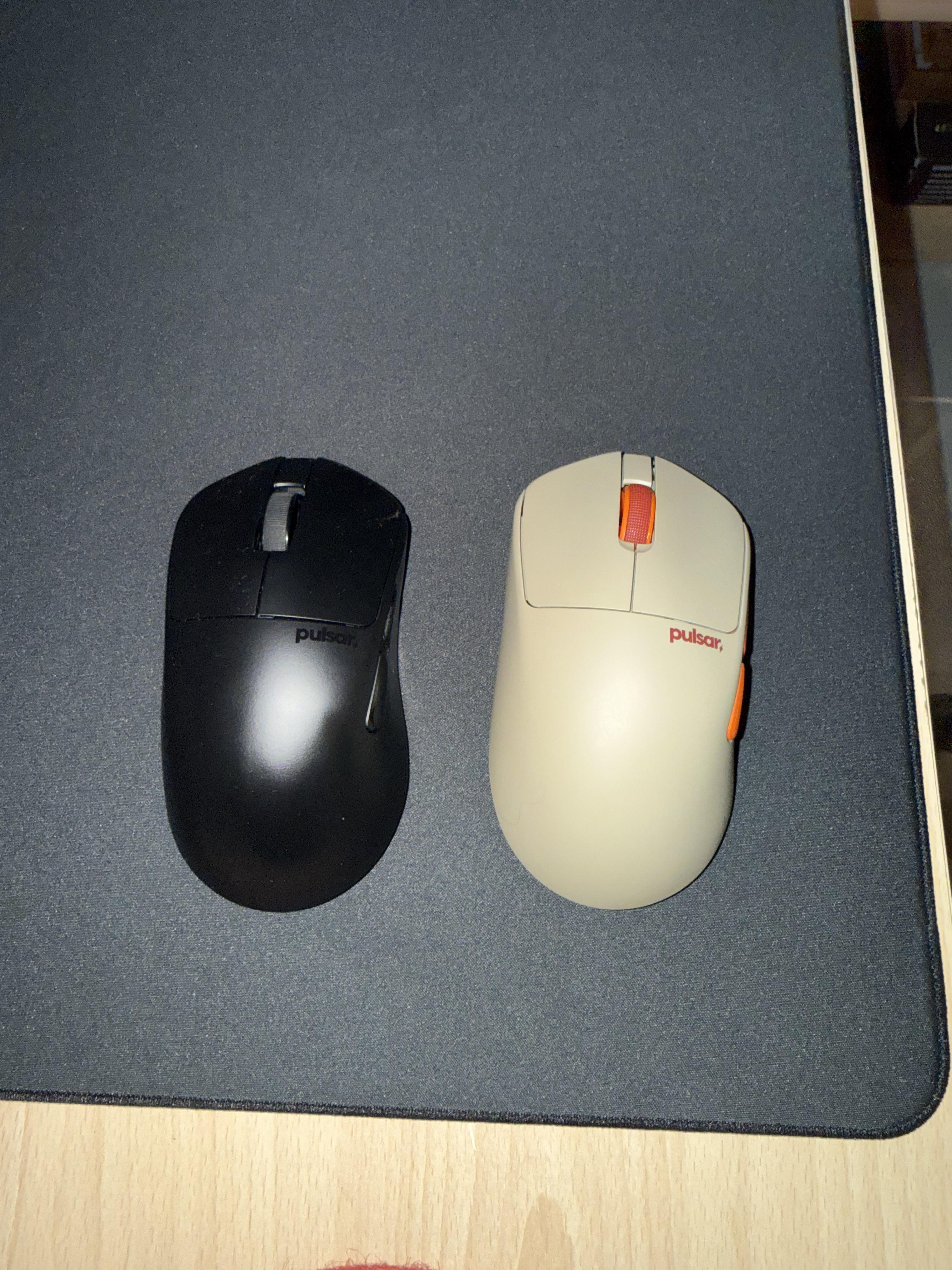
I played a lot of CS1.6 years ago and recently got back into CS2. I primarily used a Microsoft Intellimouse 1.1a back then (I’m left handed) and one of the things I noticed when looking for a new mouse was that true ambidextrous models were few and far in between. Despite some bad reviews, I took the plunge and got myself a Pulsar X3 LHD. The original model (in black) was pretty good and the crazylight version (desert) is absolutely fantastic!
I’ve used both for over a year now and the clicks are tactile and light, I’ve experienced no sensor/tracking issues and both units performed great out of the box. I was really hoping this would be the case, really wanted to support a manufacturer who was making a product catering to the tiniest minority of users!
Small Teardown of a Reddragon M990 RGB Mouse. I would say... Construction is ok. But not more. Big Plus are the 16 Buttons on the Left Side. LED Technic is a older Generation
Honestly, it's kinda weird writing this as I felt this mouse felt great in my hand having tried multiple Superlight mice and clones. The mouse started to feel off in my hand about 2 weeks ago and every flick and off game movement just started being irritating.
I never thought any side buttons were a problem or that the mouse wheel was bad. On the X3 though, it got bad fast. Started to feel mushy instead of normal clicks. The HITS system is great, but I started to miss a click sound from my mouse and I didn't notice any improvement in my reaction time or click time being less that my Deathadder v4 pro that I'm going back to for the moment.
I hope of course everyone else having the x3 or x2 are having good time using it, but it just wasn't the mouse that game me the ''IT'' feeling in the end. Ended up only losing 20 euros for the mouse, but now I'm looking elsewhere to what buy next, maybe the new Zowie EC1 - EW 8k coming out soon as I use palm grip?
The Swiftpoint Z3 is by far the best mouse I have ever used, I have always been really picky about my mice and was hesitant at first to try something completely new. Coming from using the G602 and then the G604 the shape and button placements being so different had me worried I wouldn't like it, but wow was I wrong.
I had been sorta in the market for a new mouse for a few of years, knowing the G604 was discontinued and that the mouse would die eventually I wanted to find a replacement before any intolerable issues arose. I came across the Swiftpoint Z2 before but dislike the drag of wired mice so have always avoided them. I saw an ad for their new wireless mouse so had to go check it out. Seeing it was brand new and that I could get a discount by preordering I took the risk on something new and bought the mouse. Fast forward a couple of months and my new mouse arrives.
Right away I can tell I made the right choice, the case was nice and sturdy, the mouse feels great in the hand, the different parts were simple to swap. I fiddle around with everything and get a feel for how I want the mouse to work for me, setup the software. (The software X1 is by far the best and easiest to use of any PC hardware software I have ever used). Now its time to game.
Never had any regrets, I work from home and am an avid gamer, I spend a lot of time with my mouse and I don't think there is a better mouse out there for me then the Z3.
I think anyone who has opinions about their mice should check it out and try it out if you can, they are doing some unique things here and you may just find it to be perfect for you, like I did. https://www.swiftpoint.com/products/swiftpoint-z3-ea
I tried for over a year to force myself to use it, I just can’t anymore. My palm on my thumb side is too fatty so I naturally want to lift my left part of my wrist which causes discomfort and causes me to want to hold it the mouse at an angle. My pinky is tucked under my ring finger, feels like I struggle to put them somewhere comfortable otherwise.
To be quite honest, I just don’t have the experience to even know what’s wrong with it exactly, but these are my thoughts to narrow down my issue. I have 17.5ish x 10cm hands. Last pic is one of the grips I try to use every now and then but as you can see it looks fucked and feels fucked plus my pinky drags on the pad like that which I hate, but I feel like it gives me the best performance if I can keep it off the pad. I want to it to be at the most, just as heavy.
Was thinking of some kind of pulsar or xm1r, I’d really prefer wireless, please help.
Edit: prior to the superlight I used a g502 for like 10 years if that matters
Hey everyone! Just posted my review of the Lamzu Maya S V2.
This is my first mouse review, so I'd appreciate any feedback. I share my thoughts on the shape, clicks, build quality, weight, and overall gaming performance.
Feel free to check it out and let me know what you think!
I just got my SLX Achilles today and finished up a 4-Hour gaming sesh on escape from tarkov arena. First off I just want to say this is the first time I have had a pleasant experience with FinalMouse, although they have always had good customer service and have fixed my issues, this is the first time I've gotten a flawless unit. Exceptional build quality, really good switch implementation, and great wireless implementation.
All that being said, you know when you have hundreds, if not thousands of hours in a game, you know exactly what losing a gun fight feels like before it even happens? Well I have so many hours in Tarkov, I know when I'm going to most likely win a gun fight and when I'm going to lose a gun fight and today as I was playing with my analog switches for the first time ever, I kept noticing a gun fight situation where my muscle memory would tell me im going to lose this 1v1, but to my surprise the response time to shoot is so fast with these analog switches that I would actually end up winning the fight, this happened constantly all day today as I played, I am very surprised just how much of an impact it actually makes, I really felt like it was just marketing for the most part
Looking to buy a mouse for my fiance, they have Tourette’s and one of their ticks is smacking (fairly lightly) the mouse on the desk. It’s not something they can help but I find the noise distracting when trying to work.
Anyone know a well built mouse or any diys I could do to reduce the noise. We have a large desk mat, and I’m planning on getting a thicker one to absorb more noise. But the majority of the noise seems to echo from the the empty space inside the mouse.
I'm looking for something that feels the exact same way and has the same size, can be wired or wireless. I've had the mouse for about 4-5 years now, and i'm having trouble with the side buttons and the scroll click not registering
Hands are 21x9 cm I'm actually buying it for my brother who has similar hands in size to me his are actually a little bigger. My budget is probably 80$ cad at most. Any suggestions would be greatly appreciated.
So I've been using 400DPI on a 1440p 180hz display for a while now, but I saw some people say that higher DPI is better. I tried setting 1600DPI, but I just don't like it, it's too fast for me. I tried compensating with lowering windows sensitivity, but it seems to scale weird and isn't the same. So is the difference worth sacrificing comfort? I play lots of different games, FPS, mmorpg's and more. Some games also don't have great sensitivity settings so setting a very low sensitivity would be impossible. Or should I up my DPI for games like CS2 for increased performance and use normal DPI for casual use and games where it doesn't matter that much? The mouse is Lamzu Maya X if it matters.
Hiyo! I enjoyed the original g pro x mouse, upgraded to the first superlight which i've mostly enjoyed, especially the shape of both. They are my favourite. I want to stray away from logitech as both my mice have had: double click, faulty scroll-wheel, and very delayed side-buttons. I'm interested in the mini as i've generally heard good things and might enjoy a smaller mouse. And the maya seems to also generally be well-received which perhaps an issue with battery life or the switches. I'm unsure what sort of mouse is best for me, any suggestions would be appreciated. Thanks.
Note: My hand size is 18.5cm by 7.5cm (used attackshark suggested method)
Disclaimer:Keychron sent me the mouse for free to review but that doesn't affect my opinions, everything in this article is my own thoughts after testing it for almost a month (sorry Keychron for this delay).
Peripherals are the tools that let me push my ceiling, so I review mice the same way I review pads and boards: no marketing haze. The Keychron G6 HE is the first mouse that made me take Hall-effect clicks and hot-swappable batteries seriously without paying $180-200 for the privilege because I think it's really ridiculous. Keychron built its name on mechanical keyboards, not ultralight competitive mice from the start so it’s may not perfect, but at ~$90 it punches way above its weight.
Specs:
Size: 123.7 × 63 × 41 mm
Weight: ~49 g (Swappable Battery version), ~42 g (Built-in Battery version), or ~41 g wired without battery
A clean box. You get the mouse, the TurboLink 8K receiver (which doubles as a battery charging dock ), 2 batteries, an ultra-thin USB-C-to-C cable with a USB-A adapter, extra PTFE skates, and the manual. You can watch my unboxing video here.
Quite a neat unboxing experience
The TurboLink is the real accessory. It has four programmable buttons, LEDs you can map, and a clear cover so the spare battery sits in it and charges while you play. Swap time is genuinely a few seconds.
A Nixie tube-inspired dongle maybe?
The cable is one of the best stock ones I've ever tried: thin, flexible, low-drag, with an angled connector so it doesn’t fight you as hard in wired mode (Keychron please sell this separately).
Cable comparison with one from brand A
Stock skates are generic pure PTFE (4 corners + sensor ring). Decent out of the box, balanced rather than ultra-fast, and they work fine on both cloth and glass after a short break-in. Nothing revolutionary, but no urgency to swap them immediately.
Shape, Weight, and Build
123.7 × 63 × 41 mm, symmetrical, medium size with a fuller hump and rear. It’s in the same potato family with G Pro series, a modern ambidextrous claw-palm shape that is safe, familiar, and easy to pick up, just that G6 HE has a waist that is slightly tapered downward. Palm, relaxed claw and even aggressive claw feel natural. Pure fingertip on smaller hands starts to feel a bit long because of the rear support (my hand size is 18.5cm x 9cm for you guys to imagine).
Weight is the practical win: ~49 g with the swappable battery installed, ~41 g if you pull the battery and go wired. That’s light for a mouse that carries a replaceable pack. Balance stays even enough that it doesn’t feel front or rear heavy.
Build is the part that let me down most. Keychron had to send me the second unit because the first one were missing 4/6 of its screws. Mild creaking if squeeze the sides a little hard on my units and I fixed it by putting a small amount of Permatex on the joints. Some fellow reviewers have reported that the base on their units shell feels uneven and they have to open to fix it. In actual gameplay with normal grip pressure it stays locked. Coating is an excimer-cured (according to Keychron) soft-touch: dry, grippy, and holds up better than a lot of “premium matte” that turns slippery. Black is a fingerprint magnet when the frosted translucent colors (mint, lavender, ice, etc.) will look cleaner longer but I'm not sure about their sturdiness because none of the translucent mice on the market have been praised for their long-term durability.
MagOptic Switches and clicks
It may looks like normal optical/mechanical switches at first
Optical Mode: fixed actuation point, behaves like a normal high-end optical switch.
Magnetic Mode: 12-step adjustable actuation + 11-step Rapid Trigger. Total travel is very short (~0.65±0.07mm). You can set left and right independently, even turn one side's RT off but you can only have one mode at once.
The physical click feeling is still there, which is both the strength and the compromise. Unlike Logitech’s haptic approach on the Superstrike (where the feels are generated differently), here the mechanical snap and the HE trigger can desync depending on how shallow you set actuation. Very shallow settings (lower than level 5) feel fast but will register before the tactile click and may cause accidental inputs. Moderate settings (level 5-6) land closer to the physical snap and feel more natural.
Rapid Trigger works for spam but on a mouse button in tactical FPS the practical advantage is smaller than on a Hall Effect keyboard. It helps with burst fire or rapid utility, but it doesn’t magically turn your aim into something else. I mostly stayed in Optical Mode or Magnetic setting (level 4-5 actuation point, RT level 5) for ranked. The option is nice to have and the physical click keeps the feedback familiar instead of pure haptic.
Clicks overall are snappy, precise, and spammable with good rebound. Side buttons are mechanical microswitches with good implementation. Scroll is a 24-step optical encoder: light tactile, low noise and they have Scroll Guard mode for those who want to skip the first notch with customizable rolling time.
Sensor, polling rate, and my settings
It's no surprise to see PAW3955 on mice this price range. Up to 40K DPI, 750 IPS, 60G, tunable LOD (roughly 0.7-1.7 mm range), motion sync, the usual modern feature set. Dual Nordic nRF54LM20A for the dual 8K. Tracking is clean although on testing apps like InputLab it does shows some abnormally in the graph at 8k polling rate. No weird spin-out or tracking quirks on the pads I use.
Note: The pads I used are Pulsar eS PD170, Talongames Hydrogen, Artisan Hien Soft, Mitsuki Koku, Tekkusai Kohaku Midnight, Razer Gigantus v2 Pro Max Speed, Kurosun Ninja v2, Fnatic Jet, Wallhack SP-004.
To me, 2K polling on 1600 DPI is the sweet spot for playing. Flicks, tracking and micro-adjustments feel unfiltered and stable enough.
Battery
With 2x swappable 350 mAh modules, my playtime is almost the same with official numbers and I can say that they optimized it well. On magnetic mode, roughly 30 hours at 8K, 80 hours at 2k, 190 at 1K (the Optical mode consumes more energy so less playtime, I haven't tested it in Optical mode enough to have exact numbers). In practice, the numbers matter less because you can hot-swap in seconds and have the spare charged in the TurboLink dongle. This is the best way to design an 8K mouse by far. No more “I have to charge my mouse" or go wired mid-session.
Early firmware had some cons (competitive mode lag, recognition after battery swap, LED behavior). Most of that has been cleaned up with updates so check for updates on first setup (it's version 1.2.8 for the dongle and 1.0.8+1 for the mouse at the time I write this review).
Software
Keychron Launcher is one of the cleanest web-based drivers I've ever used (with AI assistant??). Tabs are organized, settings are explained, and there are live visualizers for Optical and Magnetic mode so you can actually see what the button is doing. Settings save on-board. No bloated desktop app required (although they have an downloadable app that helps you control your apps with G6 HE's buttons, sounds risky to me). Open-source firmware is planned, which is a nice signal even if the full public drop is later (Q1 2027).
Magnetic modeOptical modeKeychron AI
In-game feel
At 2K/1600 with Optical Mode (or moderate Magnetic), the G6 HE just plays. The shape is safe enough that I didn’t have to relearn my grip as I have totally switched to fingertip recently. Stops feel clean. Flicks land where I expect. In Valorant and CS2 the light weight + short-travel clicks let me play more aggressively without the mouse fighting me.
The MagOptic options are a bonus rather than a must-use function. Most of the time testing I just leave it in the above setting - a setting that feels like a really good optical mouse and forget the magnetic side exists.
Verdict
The G6 HE is one of the best value wireless mice I’ve used at this price. You get a modern PAW3955, dual 8K, a genuinely useful swappable battery system with a cool dongle, MagOptic clicks with physical feedback, and a safe medium symmetrical shape - all for ~$90. It doesn’t match the refinement of a $200 Superstrike in pure click tech, and some units still show major QC (deform, creak, button consistency), but the trade-offs are more than fair.
Buy it if you want a light, modern wireless mouse with practical battery freedom and the option to tune clicks without spending flagship money. Skip or demo first if you need a smaller shape, if you’re extremely sensitive to any shell flex, or if you expect magnetic mouse clicks to feel as transformative as a Hall Effect keyboard.
My boyfriend has recently gotten a gaming laptop to take on his ambulance at work to both game when he has the time and study for his paramedic school classes. It’s our anniversary soon and I want to get him a mouse because he’s been complaining about his track pad. I wanted to get him the viper v4 but I’ve heard mixed reviews of people saying to just get the v3 because there’s not much difference when playing and it’s cheaper. Which one should I get him?