I'm going to stop spamming this page, but I just thought I'd show one more game for today because I see a bunch of people asking for some older games. This is the Xbox 360 version of X-Men Origins: Wolverine running natively on my iPhone.
This is using a static recompilation method where the 360 game is being decompiled and then recompiled to run on the Metal GPU cores of the iPhone. Still a lot more optimization to do, but so far I was able to unlock the frame rate and target 60 FPS, pushing over the 30 FPS lock from the original Xbox 360.
I haven't found a workaround for the PC version, which has a bit more DRM protection, and I'm not sure it's worth the effort at this point to try to circumvent the copyright protection, which is technically not legal and also technically very difficult.
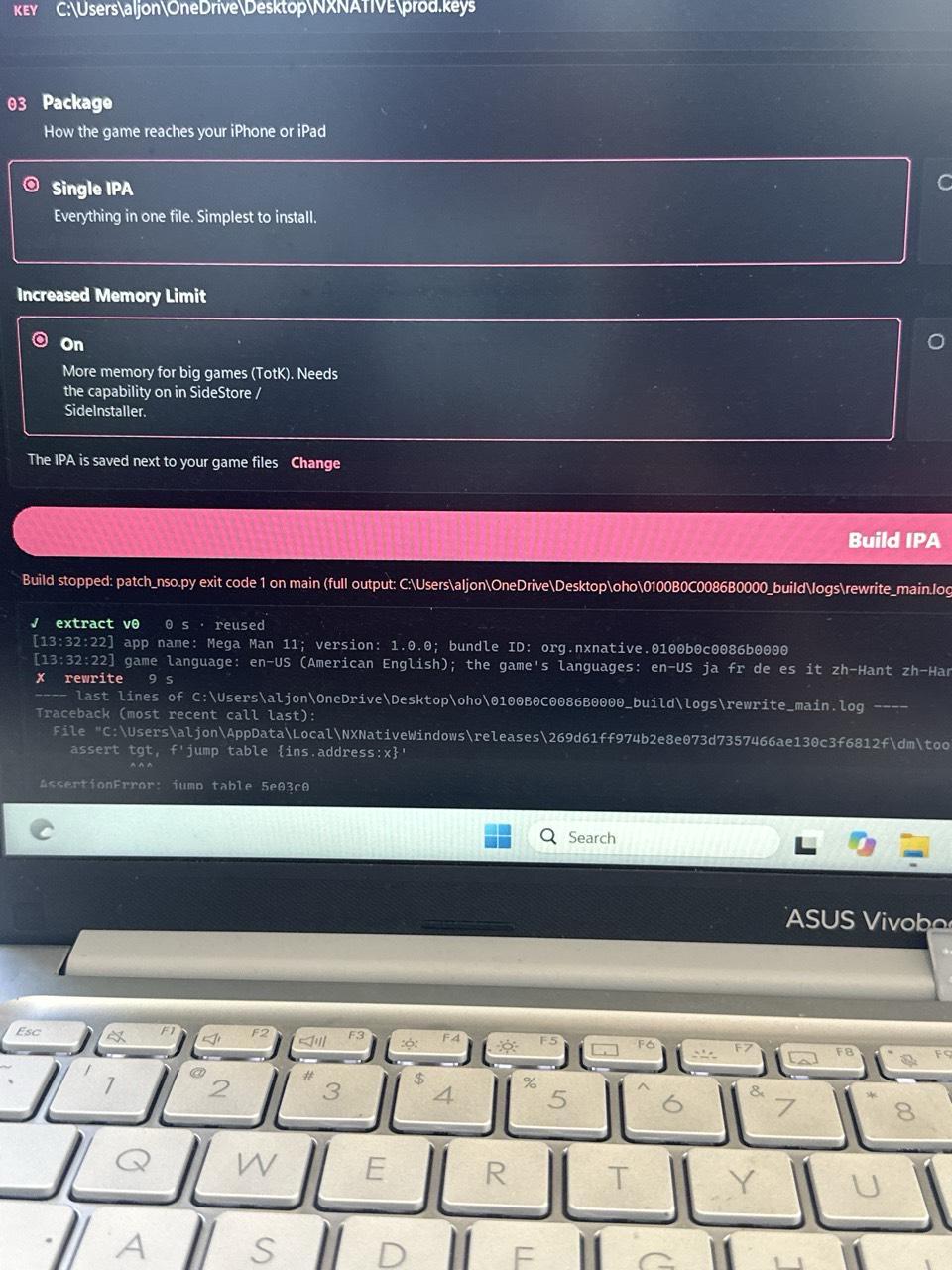
Is it normal for TOTK and BOTW to stutter and lock to 30 FPS from 60 after a few minutes? I've tried building TOTK and BOTW IPAs with Nx2apple and NXNative Easy Builder on Windows, and I somehow can't get a stable 60 FPS. I use an Iphone 17 pro.
The IPA built with Nx2apple also had a few more options on the pregame window but crashes when I try to lower the render resolution slider. If I don't touch it, it works.
The game build was alright but as you can guess the game doesn’t run past the menu screen and crashes cause the ip13 only has 4gb of ram I tried using iram+ with the same results
that is the log fiile and no matter what i do -dlc/no dlc update/no update, it gets stuck there. I ported hollow knight successfully just a few days ago
I wanted to share a side project I've been building over the last couple weeks: FF7Recomp for iOS.
But Why? I was inspired by the FF7 Recomp Android project, ff7-recomp-android, and wanted an iOS version so I could get that same native, modded FF7 experience on my iPhone Duo that I get on my AYN Thor — complete with a dual-screen-style upright layout and status panel.
How it works (no game files included) It's a static recompilation of the PC version of FF7 (built on top of the android recomp/FFNx work, rendered on Metal with CoreAudio and FFmpeg movies). Because iOS can't compile on-device, I packaged a Mac app (FF7Recomp Builder) that takes your own Steam install of FF7, lifts it once, and builds an .ipa you can sideload onto your own device with SideStore, AltStore, Sideloadly, or my personal favorite FlareStore. Nothing from Square Enix is distributed in the repo or releases.
What Works:
Playable on iOS with Bluetooth/MFi controllers or a customizable on-screen pad (toggle individual buttons, drag/resize layout per screen size)
iPhone Duo upright layout with a dedicated status panel, plus standard landscape
Built-in guide reader with GameFAQs search and offline saving (TXT, HTML, or PDF) — on the Duo upright it swaps right into the bottom status-panel slot while the game keeps running
Built-in Get Mods browser pulling from 7th Heaven catalogs with drag-to-reorder load order (I've tested Echo-S, Enhanced Stock UI, and SYW Unified Battle Textures on-device and they run smoothly)
Save states, 30/60/120 FPS options, proper pause/resume across locking the phone or PiP audio, and one-tap log export / bug reporting if something crashes
Being upfront about how it was built & where I need help I want to be totally transparent: Its vibecoded with Claude, and so far I've only been able to test it on my own iPhone Duo (through the first reactor, though the full game should be playable) and in the iOS Simulator. I've been squashing real-device bugs as I hit them — mostly save-state and iOS audio-session quirks — but there's only so much one person on one device can catch.
If you have a Mac, a Steam copy of FF7, and an iPhone or iPad to sideload onto, I'd love feedback, bug reports (there's a built-in Share logs / Report a problem button), or test runs further into the game and on other iPhone/iPad models. Full setup instructions, screenshots, and the roadmap are on the GitHub repo.
Edit — v0.3a is up:
Just pushed v0.3a with a few big quality-of-life updates if you're trying it out:
16:9 widescreen is now the default for field, world map, and battles (with a 4:3 Original toggle in Settings › Picture).
Direct Steam download in the Builder: you no longer need FF7 already installed on your Mac. Scan a QR code with Steam Guard (no password typed into the app) and it pulls just the ~3.6 GB needed.
Intel Mac support: the Builder is now a universal app (macOS 14+). Only tested under Rosetta so far, so if anyone on an Intel Mac tries it, I'd love to hear how it goes.
If you're updating from 0.2.5, just build a new IPA and install it over the old one — your saves, mods, guides, and pad layout stay intact.
I know it’s still being developed but ibuilder is the fastest, easiest method I’ve found to convert Switch games into native apps. Everything runs directly on your device so you don’t need to fuss with transferring large IPA files from your Mac / PC onto your device. Also no more having your jobs timeout if you’re using GitHub runners to build your ipa. And if you import your SideStore cert into it you can play your converted games directly inside ibuilder. I am not affiliated with the project, just a user who finds it really performs well.
I was able to set up Zelda OOT using nx2apple with their windows 11 v 1.5.0 launcher but realized after that it doesn’t have the kid with a sword capabilities like resolution scale, frame gen, etc. was hoping to have those options and see how it plays on my Duo.
Otherwise, nx2apple has been decent for 30fps.
Anyone got a similar set up to kid with a sword using windows?
A while ago, I made a fork of nxnative that runs Switch games on iPhones whose GPUs can't read BC textures (A16 and older). It now has its own name and URL: nxnative-nobc, https://github.com/mianmuhammadse/nxnative-nobc (branch no-bc). It still merges upstream nxnative main.
It's now in Cartouche. Cartouche for Mac (0.8.0 and later) builds your games from this fork when the iPhone you've paired reads no BC. Otherwise, it builds from nxnative as before. You pick this in Settings › Builds › Build for: the paired iPhones, or a model from a list. If you change it, the games are built again at the next batch. A game built for your Mac alone stays as it is.
Installing from your Mac. If your iPhone is low on storage, Cartouche installs a game by streaming it from your Mac, so the full game never has to sit on the phone first. Since Cartouche 0.16, you can do this over a cable as well: plug the iPhone into the Mac, and it connects through the cable. The two don't need to share a Wi-Fi network. Without a cable, Wi-Fi still works. If you use Wi-Fi, use 5 GHz. It was much faster for me than 2.4 GHz.
I tested the setup myself with Assassin's Creed IV, built with the fork and installed from my Mac. In handheld (720p) mode, it runs at 30 fps on my phone and works perfectly fine.
Credit to the Cartouche developer for building all of this. I only supplied the fork.
What it covers
NVN games and Vulkan games. BC1–3 are converted to ASTC, and the rest are decompressed. Tested on Metroid Dread, Breath of the Wild, and Until Then.
OpenGL games have no conversion yet.
Not every upstream game has been run on the A16. Check each game's note.
Bugs: Issues are in the repo. Please attach your app's Documents/log.txt.