r/PcBuild • u/iN0_Sc0peD_JFK • 1d ago
Troubleshooting Advice - Hardware Help with D Ram issue

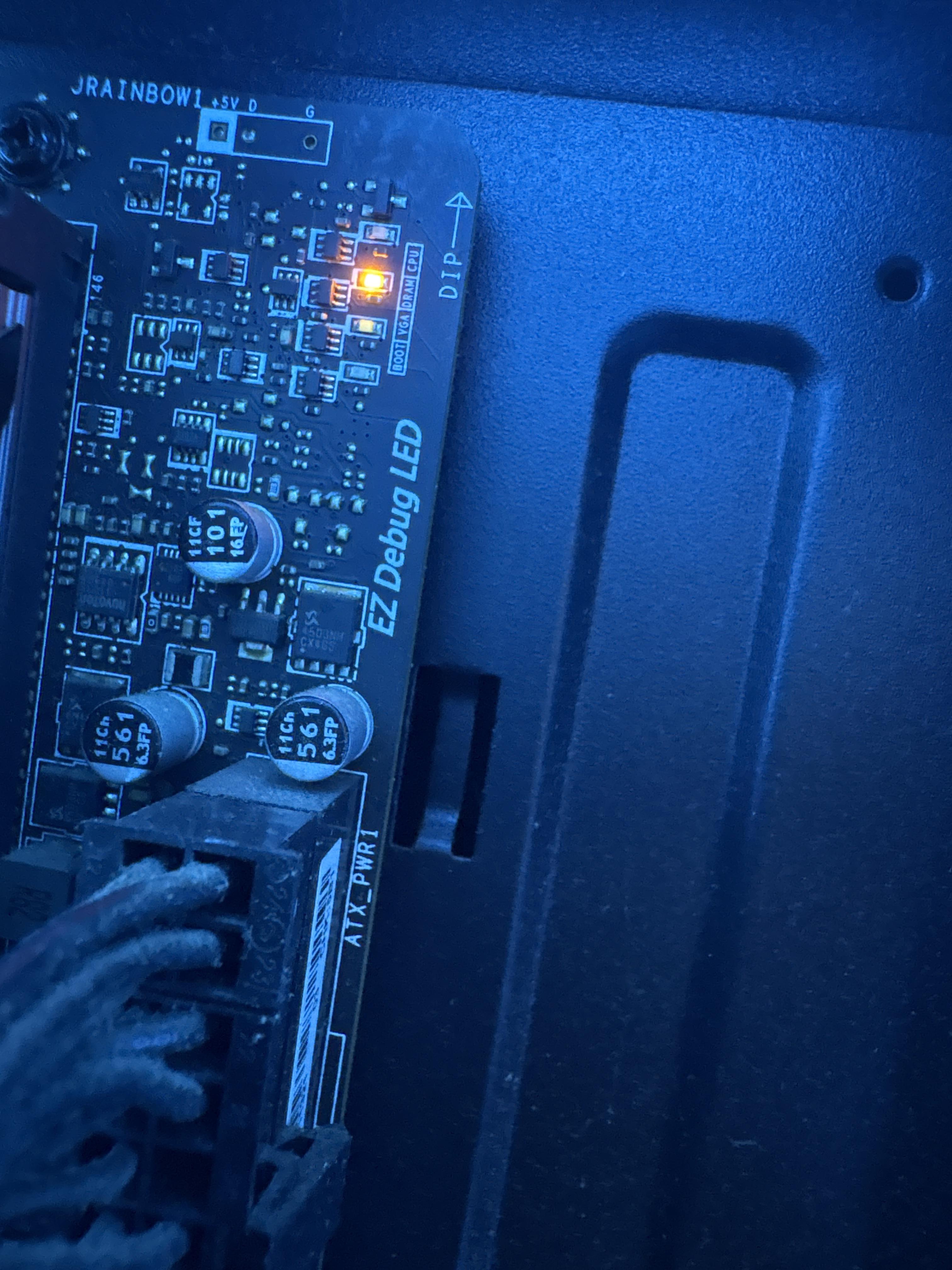
Hi Guys!
Issue: DRam light warning
Steps tried to rectify:
- Removed sticks from both slots, cleaned and installed
- Populated a single slot at a time with both sticks at different times to check if my slots are bad or my sticks are bad.
- Removed CMOS for 10 mins to reset
• Conclusion: Still unsure if the slots are bad or the sticks are bad
More context:
- I live in a country that has power surges and load shedding more often
- Ram sticks are 2 Adata 8gb DDR4’s 3,200
- mobo is a MSI b560m-a pro
I really don’t know how to solve this by myself without having to go to a PC repair shop and I don’t have cash to do this for another 2 months.
Please let me know if I’ve not done any steps to see if I can troubleshoot this by myself
4
Upvotes
•
u/AutoModerator 1d ago
Make sure your post includes enough information for people to provide helpful advice and avoid confusion!
Make sure your post includes:
Your post could be removed without this information! Feel free to edit or provide this information in an additional comment.
You can find more info (and troubleshooting advice) in our posting guidelines
We're part of a wider PC & Technology Network of Communities! Join our Discord server: PC Help Hub where members from all associated subreddits are welcome, you may get a faster response there!
I am a bot, and this action was performed automatically. Please contact the moderators of this subreddit if you have any questions or concerns.
2
u/Steven5029 1d ago
Pray you can reseat them and the light goes away unless you’ve been over clocking then try to get to bios and see if you can turn off whatever setup you have on it
2
u/guy_inh00die3 1d ago
Can't the repair shop people just do a quick slot in if it just boots up or not? If they are nice people it wouldn't really cost anything. And if it doesn't boot up contact the support for rma