r/R6Extraction • • 10d ago

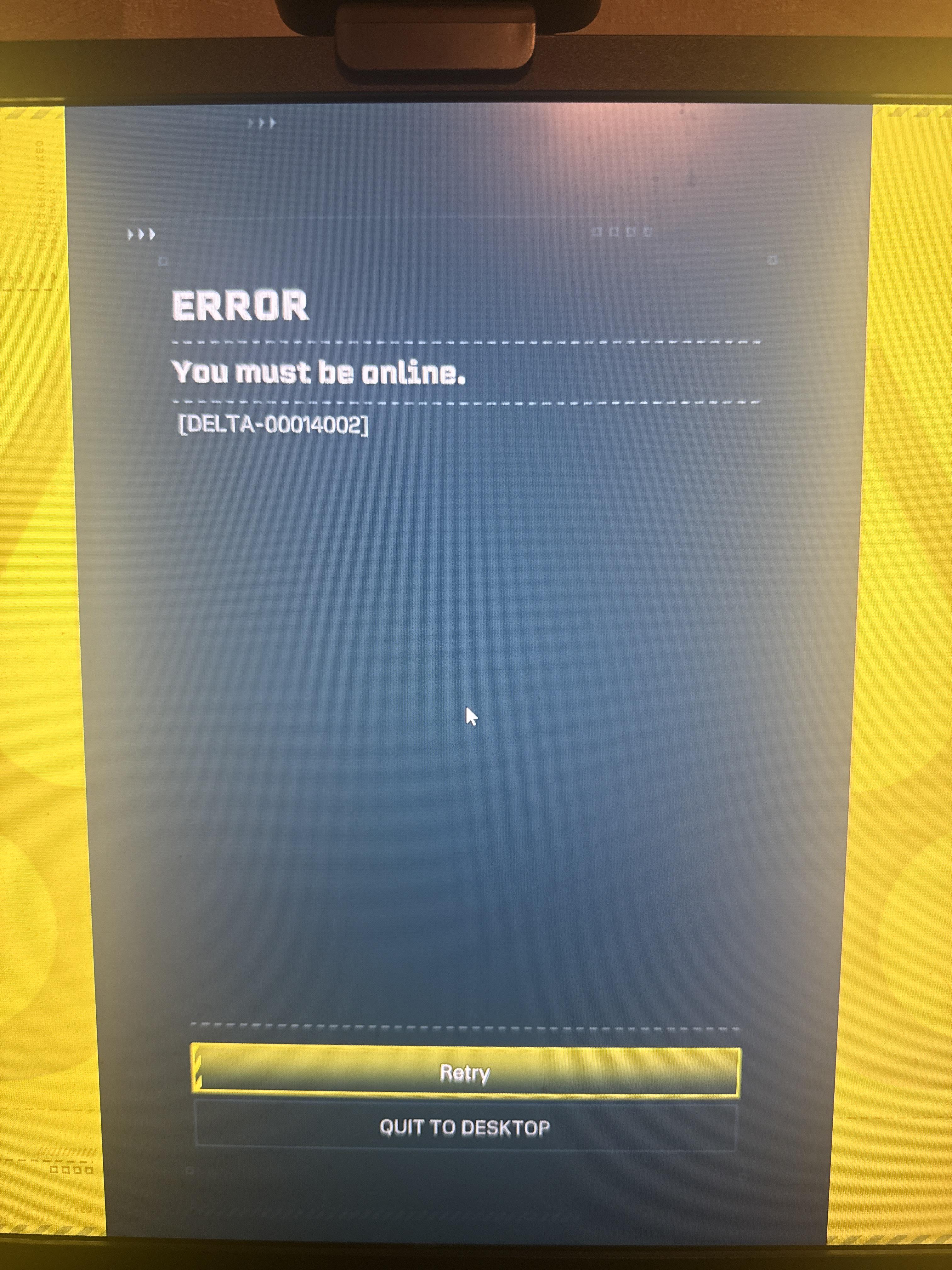
Question Online Error Code Help?
Post image

Tried playing demo version of the game keep getting met with this.

Have tried making sure profile is set to online. Have verified the files.

Not sure if demo is even available to play anymore but any help would be appreciated:)

16 Upvotes

24 comments sorted by

9

u/bub200 10d ago

Its some new bug. These fixed it for me:

  1. Set your visibility mode to Online if not already
  2. After launching the game, Ubisoft app will close (or minimize) itself. Alt tab to desktop, reopen the Ubi launcher, go back to game and it should let you past this screen

5

u/pagedivinfrek 9d ago

Hi, thank you for the response. Unfortunately this did not seem to work. Am gonna keep trying.

3

u/KLGBilly 9d ago

neither of this worked for me. kind of absurd, i'm literally living with family members who worked on this game and can't play

2

u/TechnoDoomed 9d ago

Wow, that's kind of an honor, not gonna lie. I love this game.

I'm also afflicted with this bug, so if you ever find a solution, let me know. If I find a way to solve, I'll let you know.

1

u/Creepergotpwnd 6d ago

Thanks, the second option you gave actually helped me get past the error the OP is getting

4

u/aby_1618 10d ago

I'm having the same issue since last 2 weeks and I contacted the support and they've just been giving me the basics like... Check your internet connection, check your router or restart a computer and stuff like that. First time I tried changing my network, it worked but since then it's been the same. I tried doing the same thing again and it didn't work so I don't know. Just leaving this comment to see in case anybody has any other solution

3

u/pagedivinfrek 10d ago

Hi, thanks I’ll try changing the network. Might uninstall and redownload and see if it works as last resort.

2

u/aby_1618 10d ago

Yeah I did all that too but it didn't work for me. What's absurd is I'm able to play R6 Siege completely fine. Let me know how it goes

2

u/pagedivinfrek 9d ago

Ya siege is working fine for me too. Network change didn’t work sadly.

3

u/TechnoDoomed 9d ago

They made me give them the info and necessary files, just to tell me support for the game ended years ago. And just like that, case closed.

2

u/Lurz79 8d ago

Darn it! That's a shame for Ubisoft!

2

u/towlarg 8d ago

My friends had to deal with this for a while. One figured out that all you have to do is press Windows key. I'm on Xbox so I never had the problem, and I'm dumbfounded to how he figured it out.

1

u/pagedivinfrek 5d ago

Thank you! Tried it out crazy enough worked.

2

u/VaderXTR 8d ago

You are the greatest one bro :)

1

u/Lurz79 7d ago

Hmm I can't find any logic about that but I tried - didn't work for me

1

u/mformigo 6d ago

what do you mean "press the windows key"?
i know which one it is, i'm not asking that 😛

press it when exactly?
it is supposed to trigger something?

1

u/towlarg 6d ago

Right, I forgot to leave more details

After the opening cutscene and you're sitting on the "press any key" screen, use the Windows key. It works pretty consistently for my friends. But that's only after you confirm your ubisoft connect status is set to ONLINE, you can't play the game while invisible for some reason.

1

u/mformigo 6d ago

Thanks mate!!

I guess that worked..?!
..i'm just surprised, i pressed the windows key but the error stil popped up.
then i clicked retry, while continuously pressing the key and somehow it started to load up.

Technology never ceases to amaze!! 😆

1

u/TechnoDoomed 6d ago

It works! Just as it's fading to black and returning to the main screen, you need to press Windows key for a moment and return to the game and not press any other key. It will say "Connecting to servers". You wait and it works.

2

u/Lurz79 6d ago

Just tried like you said, damn ...somehow it works 👀 :)

0

u/HeavyTeam4181 6d ago

не работает эта схема.

2

u/Original-Mango-4866 2d ago

Try alt tabbing instead of windows key that worked for me

1

u/mformigo 6d ago

getting this same error (again)..
..this already happen the week before this last one.

at that time, the service status page (https://www.ubisoft.com/en-us/game/rainbow-six/extraction/status) showed outages in all services across most platforms, but now it shows everything operational for all platforms, so why this error??

is ubisoft purposefully sabotaging the game?
are they trying to shut down the servers and using this as a way to push players to abandon the game?
that way they can say "no one plays the game, we shut it down" 🙄