r/Stadia • u/Material70095 • 21h ago
Photo Turned a $12 dev board dongle into a BLE receiver for up to 3 Stadia controllers, with vibration support, with no software required
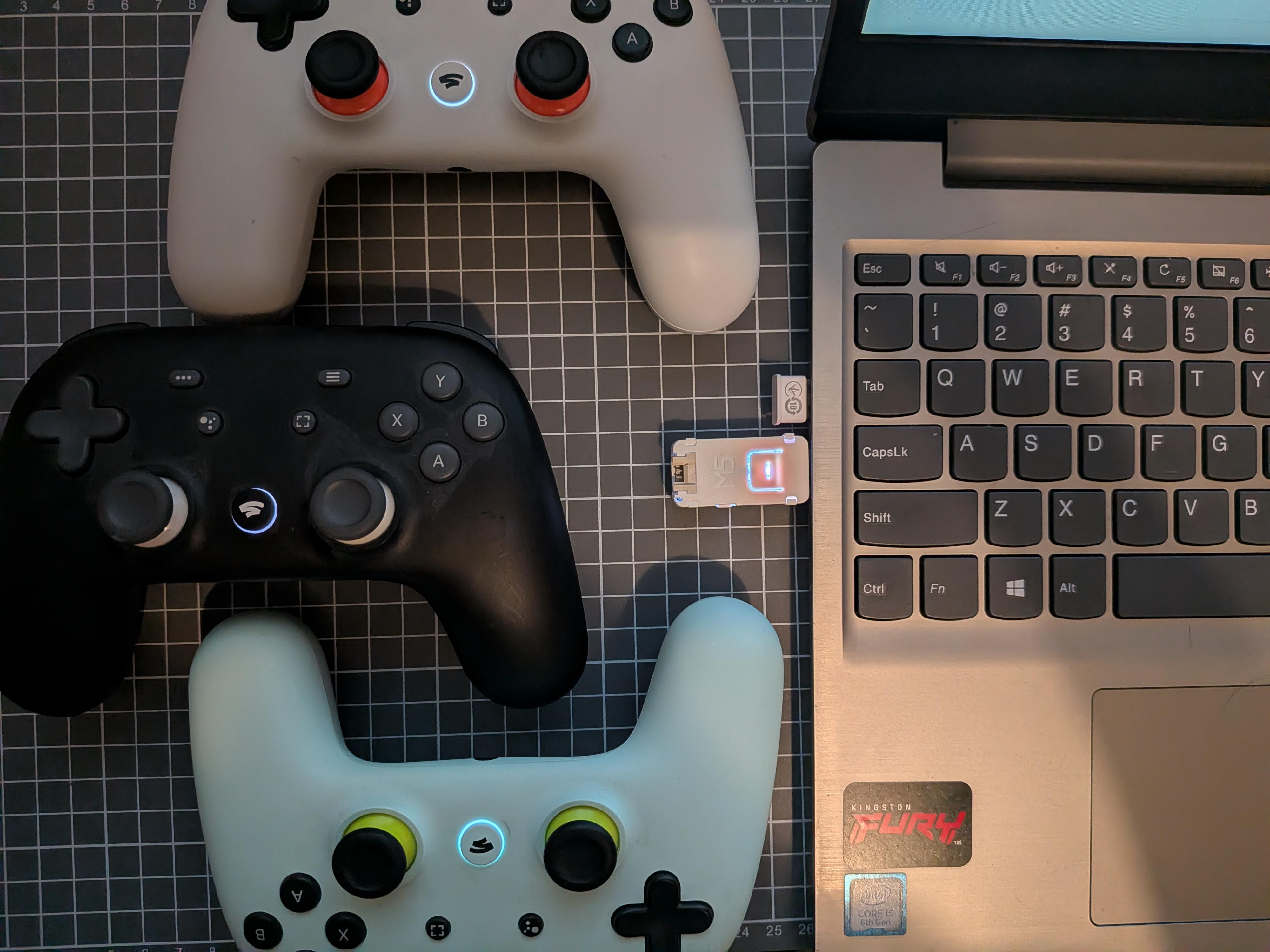
The source code can be found here: https://github.com/preciziei/stadia-dongle-esp-atoms3u. Installation instructions can be found at the bottom of this post, as well as in the README
The board I'm referring to is the M5Stack AtomS3U. I've been owning it for a couple of months without putting it to good use. The idea came to me as I wanted to connect one Stadia controller to my PC, I was sick of connecting it via cable just for the rumble to work, having to install background software, drivers. Linux/Android support is certainly better than Windows, but that's not an issue anymore.
Taking inspiration from how stadia-vigem used to emulate xinput controllers, I've researched similar hardware projects and stumbled upon this incredible project; without it, my port wouldn't have been possible so by all means, show your support to everyone that contributed to this, they're awesome!
Most notable features and changes so far include:
- auto connecting to your controllers when plugging the dongle in
- full vibration support wirelessly across both Windows and Linux, with no external software needed
- added support for a 3rd controller, by dropping the broken mouse mode, which freed up an USB IN endpoint (ESP32-S3 has only 5 IN endpoints, one is used by the board itself, three by the controllers, and the last by the utility HID interface)
- mapping the RGB to match the board, and altered the color scheme of the controller more closely
Please note that I have used AI for this port, and if you encounter any problems, feel free to open an issue on GitHub.
Easy installation guide
What you need:
• An M5Stack AtomS3U board • A Chromium-based browser (Chrome or Edge)
Flash the Dongle
- Open the web installer: https://preciziei.github.io/stadia-dongle-esp-atoms3u
- Plug the AtomS3U into your PC.
- Hold the side button for ~3 seconds until the LED turns green, then release it (this puts it into download mode).
- Click Connect, select the board's COM port, and click Install Stadia BT Dongle.
- Once finished, unplug the dongle and plug it back in. The LED should now be flashing orange.
Pair Your Controllers
- Put your Stadia controller into pairing mode by holding the Stadia button + Y until the ring flashes orange.
- It will pair automatically with the dongle (supports up to 3 controllers at once).
Troubleshooting
• Controller won't connect? Unplug the dongle and plug it back in. • Still not pairing? Power the controller off and back on, then re-enter pairing mode (Stadia + Y). • Worst-case scenario: Factory reset the controller by holding Assistant + Capture for ~8 seconds, then try pairing again.


