r/YouTubeThumbnailHub • • Jan 30 '26

Read This First

Post image
7 Upvotes

This guide includes this subreddit's required rules, plus helpful tips, for requesting a critique.

✅ Step 1: Help Others First (Required)

Before each critique request you post, give quality feedback on two (2) other recent posts with the “Thumbnail Help/Critique Request” flair. (Yep, that’s two fresh reviews each time you ask for feedback, not just once when you first join.) Think of it as giving the kind of help you’d want to receive; it keeps the community helpful, active, and growing for everyone.

  • Use constructive criticism

    • What was done well? What could use improvement?
    • Use the "Ultimate Thumbnail Guide" pinned to the top of the subreddit and share which guidelines the thumbnail passes or fails.
  • Try to help new posts without much feedback yet
  • Low-effort feedback (e.g., simple votes or one-word replies) does not meet the posting requirements.

✅ Step 2: Start an Image Post (Required)

  • Create a new Image-type post.
  • Upload your thumbnail image(s), then hit Next to enter your post title and body text.
  • One video per post

    • Multiple images are allowed, as long as they are for the same video.
    • A style swatch of other videos as a second image can be included for reference only.

✅ Step 3: Write a Post Title Asking for Help (Tip)

Addressing the potential reviewer increases your chances of receiving feedback and your post going to a wider audience on Reddit. Use a clear and engaging title that shows you're looking for help.

  • "What do you think? Is it clickable?"
  • “First thumbnail attempt - Any feedback appreciated!”
  • “Need help with this horror video thumbnail.”

✅ Step 4: Video Title and Summary (Required)

In the "Body Text" field, tell us your video title and a one-sentence summary of your video. A thumbnail cannot be evaluated in isolation. Without knowing the video title and a brief summary of the content, it’s impossible to determine if the visual design is relevant, effective, or aligned with the title and the message of the video. Example:

  • Title: [Video Title]

    • Write a current working title(s), even if you're unsure about it.
  • Summary: [Brief explanation of what the video is about. One to three sentences is fine.]

    • Brief Outline, On-Camera or Faceless, Tone, Viewer Benefit, and Core Hook

✅ Step 5: Mark the Correct Flair (Required)

Make sure to choose the right flair:

  • For feedback on your thumbnail design → Use the “Thumbnail Help/Critique Request” flair
  • For how-to or general questions about thumbnails (not on your thumbnail), titles, or CTR → Use the “Question” flair

✅ Step 6: Respond to Comments Quickly (Tip)

  • Increased and early engagement fuels reach to the greater YouTube community on Reddit.
  • Thank people for their help and ask questions for further understanding.

🚫 Important Reminders

  • ❌ No links, only images
  • ❌ Only one video per post (multiple versions of the same video's thumbnail are okay)
  • ❌ No reposts or thumbnail revisions unless approved by mods → Instead, post updated versions as a comment inside your original post. Reply to those who helped you to let them know that you have an update.
  • ❌ No advertising thumbnail design services or other products/services in a critique request, including indirect language such as "I made this for a client".

✅ When in Doubt

Feel free to send a Mod Mail if you're unsure, or read the full subreddit rules.

By following these steps, you help keep the subreddit fair, useful, and focused on real growth.
Give feedback. Get feedback. Grow together. 🚀


r/YouTubeThumbnailHub • • Jul 27 '22 Bravo

Tips and Tricks Ultimate Thumbnail Guide: Your Checklist to Improving CTR on YouTube Videos

134 Upvotes

How To Create Good Thumbnails For YouTube

This guide pulls together the most consistent advice from top YouTube “Thumbnail Tips” gurus and videos, and condenses it into a simple, practical checklist you can use when designing new thumbnails or reviewing old ones.

They are roughly organized according to importance, and while there’s always room to break the rules creatively, some thumbnail principles are so foundational that they’re rarely worth ignoring. So, use this rules as guidelines, but only break them judiciously.

Examples of Effective Thumbnails

Take some inspiration from over 100 thumbnails from a variety of niches including gaming, cooking, vlogging, and more. https://imgur.com/gallery/100-great-youtube-thumbnail-examples-how-to-make-good-thumbnails-3Z1bbzm Make sure to hit the "Load ## More Images" button after the initial scroll to see all 100+

Thumbnail Formula: 80% Theory 20% Design

  • "Too many creators focus on design and neglect the theory. People don’t click on pretty thumbnails, they click on videos they want to watch. Don’t forget that." - Jay Alto

    • Theory = Fundamentals that get viewers to click
    • Design = Technical side behind building a thumbnail
  • Drawing attention, building a curiosity gap, understanding the target viewers, and matching the thumbnail with the title with the content is more important than your art, design, and Photoshop skills

Visual Hierarchy

Give the more important element the most focus.

  • Rank your selected elements in order of importance.

    • Priority 1 = Get the viewer's Attention
    • Priority 2 = Appeal to the viewer's Interest
    • Priority 3 = Hook viewers by creating curiosity
    • (Thanks to Jay Alto for his 9-part tweet on this.)

Want to learn more on design theory from the master? Web search for "Gumroad Jay Alto How To Make Effective Thumbnails" for his digital course.

Elements:

Elements include words, symbols, people, product photos, and backgrounds. A group of one type of item (like words) counts as one “element”.

  • 3 Element Rule: Ideally, keep the number of elements to 3 or less. Up to 5 can be acceptable in very rare cases.
  • Keep it simple and not busy: Cutout/mask elements to outline them or bokeh/blur distracting/busy backgrounds
  • Avoid unnecessary items
  • Channel Logo Avoid putting your channel logo on the thumbnail 99.999% of the time. It's clutter and wasted space. And remember, your logo is already right next to the video title anyway.

Text:

Fewer words on the thumbnail (and title) statistically lead to higher click-through-rates. Follow these guidelines and keep it short and punchy:

  • Quantity: 4 Words Maximum
  • Colors*: Stick with Black or White, Maybe Yellow (* Unless you understand composition and color theory, i.e. you know what you’re doing.)
  • Visibility: Use Outlines or Over a Contrasting Light or Dark Background
  • Size: Keep text LARGE
  • Font: San-serif, Thick/Bold/Block style font, No script/handwritten thin fonts
  • Don’t Duplicate the Title: Don't waste the opportunity to create intrigue by putting the same words on both the title and thumbnail. Simplify by removing the words or create curiosity with different words:

Create Curiosity:

The best thumbnails and titles create a “curiosity gap”, they tease just enough info to make you need to click to find out more. It's all about the FOMO if they don't watch the video.

  • Tease,
  • Create Curiosity/FOMO,
  • Communicate Value,
  • Trigger Emotion,
  • Show a Pain Point,
  • State the End Goal,
  • Before/After,
  • Benefits instead of Features,

    • “Productivity App Review” → “Get 3 Extra Hours a Day”
    • “Elden Ring Lore Deep Dive” → “This Changes Everything You Thought You Knew”
    • “4K Rain Video” → “Fall Asleep Fast”
  • Tell a Story with Imagery,
  • Pixel Blur an element

Pass the Shrink Test / Blink Test / 6-Foot Test:

  • How well can you quickly discern what the thumbnail is trying to communicate or read the text quickly and for the first time seeing it when the thumbnail is small/mobile size (or from far away)?
  • Run the blink-test on others who haven't seen the thumbnail before. Ask them what they expect the video is about.

Quality:

  • Use Clear, High-Resolution images
  • Professional: Ask yourself, does this thumbnail look “rookie” or would this thumbnail be mistaken for a large YouTuber’s?

    • Even though thumbnail theory matters more than design, the visual quality still sends a strong signal.
    • If a viewer sees a low-effort or poorly designed thumbnail, they may subconsciously assume the video itself is low quality and skip it to avoid wasting time.
  • 16:9 Ratio YouTube recommends 1280x720, and even if you upload a larger image, YouTube will scale it down to the recommended size. It's best to resize your thumbnail to 1280x720 yourself.

Audience Match:

  • Check if the style is appropriate and what your audience would expect from content like yours.
  • What do others in your niche do and not do?

No Man’s Land:

  • Avoid the Lower Right Corner: Avoid anything important in the lower right corner, especially for text, to prevent the duration timestamp from covering key parts of elements.
  • Generally, Avoid the Right Edge: Some overlay buttons show up on the right side. This is of lesser importance to avoiding the lower right corner.

Faces:

  • Consider using your face: Using a face whenever appropriate/possible can improve clickthrough rates.
  • Express Emotion: Happiness, Sadness, Surprise, Fear, Disgust, Anger
  • Look to the Camera Eyes connect with the potential viewer
  • Use Close Ups
  • Use the Rule of Thirds: Keep the eyes on the upper 1/3 horizontal line. Click here for examples.
  • YouTube Face: Although trends are leaning away from the YouTube face, generally speaking, an open mouth, whites of your eyes, and exaggerated emotion do generate higher click-through rates.
  • Make it relevant Emotion-packed, relevant faces can skyrocket attention and curiosity. But don’t just toss in a generic selfie, it must add value to the visual story.

Symbols

Consider using symbols as an eye-catching element in your thumbnail

  • Arrows: Direct the viewer's attention by pointing to a curiosity-provoking area of your thumbnail
  • Red X and Green ✔: Comparison/Before-After thumbnails can perform really well and the symbols grab attention.
  • Circles: Circling an area is another way to say "look here" as an alternative to an arrow.
  • Punctuation ! ?: Using punctuation as a symbol can evoke emotion, grab attention, and create curiosity.
  • No Emojis Emojis on a thumbnail graphic can feel amature, are not recommended, and don't generally lead to higher click through rates.

Branding:

  • Don’t use your “logo”: See above about unnecessary elements
  • Style Consistency: The general look and feel (or your face) is part of your brand that your subscribers will recognize. Whereas elements like logos waste space that could otherwise be used to create curiosity.
  • Avoid Nearly Identical Thumbnails from Video to Video: Videos that use, what often looks like an (albeit well-designed) PowerPoint cover template with only small changes from video to video, may lead subscribers to think they already have seen the video. Podcasts and Livestreams often fall into this trap.

Color:

  • Complementary Colors: Using colors found opposite each other on the color wheel works well on thumbnails.

  • Bright Colors: Thumbnails with brighter colors and higher saturated colors tend to win more clicks.

High Contrast:

  • Use High Contrast: Keeping elements over a light or dark contrasting background, increasing contrast on photos, or adding a glow or outline to elements can help make them “pop”.
  • Stroke/Outline Elements A hard edged outline can make an element pop. Only use "glows/drop shadows" judiciously (i.e. with artistic intent) as these can muddy a thumbnail.
  • Soft Borders Consider a subtle artistic or vignette style border to help make thumbnail background stand out against the YouTube background. Warning: don't let a border squeeze your elements into the center so they are smaller. Use it in the background of your main elements.
  • Avoid Hard Line Borders around the edge of your thumbnail. These generally reduce the usable space inside your thumbnail and look bad when YouTube shows rounded corner thumbnails because it either doesn't match or cuts it off.
  • Mask and Darken or Blur the Background Give your character/item in the foreground more pop by using masking tools to darken or blur the background.

Clickbait:

  • Good Clickbait: Accurately Portrays the Video, Sets Expectations, and see “Creates Curiosity” above or watch Veritasium's video on the effectiveness of clickbait.
  • Bad Clickbait: Don’t be Deceptive!
  • Mismatched expectations is the enemy of viewer satisfaction and causes high video abandonment/low viewer retention rates.

Background:

  • Bokeh/Background Blur: An option to make your foreground element stand out in a photo can be to blur or darken the background. Masking your foreground image and creating a contrasting level of lightness or darkness compared or apply some camera blur to the background can make it perceptible enough to know what the background help the main element take center stage.
  • White Backgrounds Minimalist white backgrounds come in and out of favor when there's too much Beastification Fatigue and can be appealing when done right.
  • Regarding Solid Color Backgrounds Solid color backgrounds often look amateurish. Use gradients, stock images, or subtle patterns to add depth and polish.

Composition:

  • Don't be afraid to overlap: Don’t be afraid to let elements overlap or bleed off the edges. It helps fill space and allows key visuals to be enlarged.
  • No Wasted Space Make the interesting element the focus and don’t leave gaps that dilute impact. More on this.
  • Avoid Edge Magnatism Avoid placing text or images where their edges just touch the frame, it looks unbalanced. Either pull them in or let them spill out slightly.
  • Text Behind The trend of placing text partially behind a subject can look sleek and modern, but only if done right. Use it sparingly, ensure legibility, and keep contrast high.

Screenshots/Frame Grabs/Photos

Well-composed photos work great for vlogs, they feel authentic and relatable and setup the expectation for a vlog to a potential viewer, reducing video abandoment.

  • Post Editing Add light contrast and saturation to make the image pop without overdoing it.
  • Follow Design Principles Apply thumbnail best practices. Use strong composition, visual hierarchy, rule of thirds, shallow depth (bokeh/masking), and limit visual clutter.

Invest Time in your Thumbnails:

  • Given the criticality to your video’s success that a thumbnail contributes, don’t make them a last-minute thought.
  • Create multiple versions
  • Use YouTube's A/B/C Thumbnail tester
  • Check the CTR early and adjust

Plan Thumbnails Before the Video

After you've "won the click", a successful thumbnail is all about setting the right expectations for the video

  • Write and shoot the video to deliver on those expectations
  • Mr Beast, Ryan Trahan, and most of the world's largest Creators create their thumbnails before the video for good reason. Search interviews with Mr Beast and Ryan Trahan talking about thumbnails for more info.

Work In Tandem with the Title and Video Intro:

  • Assume a potential viewer will either first, or only, see your thumbnail, but let the thumbnail lead into the title, (and ultimately the intro hook) to create a symbiotic relationship that propels a viewer into the video.
  • A mismatched thumbnail with the intro hook and video leads to high abandonment/low video retention
  • It's best not to repeat information in all three places, so build on it from the thumbnail visuals/text overlay, to the title, to the video intro. Too many videos start with "Today I'm going to show you how to x," when the title of the video was "how to x". Keep the benefits, not only "features" in mind when planning the thumbnail, title, and intro.

Find Inspiration from Competitors:

  • Research other videos covering the same topic as yours.

Compare to Competitors:

  • Would people click your thumbnail over a competing video’s thumbnail? Screenshot YouTube and paste your thumbnail against others to compare.

Catches Attention/Stands out:

  • If you don’t feel the thumbnail stands out enough, go back over all the rules above to find areas to improve

Edits:

Aug 3, 2022: Added Symbols section
Aug 21, 2023: 3 elements clarification July 23, 2024: added a tip about bokeh blurry backgrounds Aug 20, 2024: Emoji note added Mar 27, 2025 visual Hierarchy and border April 29, 2025 channel logo avoidance advice June 6, 2025 mismatched expectations clickbait note June 18, 2025 more thoughts on high contrast and borders June 25, 2025 added more about curiosity, contrast, and faces and added a section on creating the thumbnail before the video
July 13, 2025: Broke out a separate section for visual hierarchy.
July 15, 2025: Added section on thumbnail theory over design October 6, 2025: Built a Imgur gallery of 100+ good thumbnail design examples and added a section linking it to this post. Nov 17, 2025: Added composition section


r/YouTubeThumbnailHub • • 2h ago

Thumbnail Help/Critique Request Will this have a good ctr

Post image
2 Upvotes

Title - Biology Our Environment Class 10 | Project Curiomath

Summary -
A screen record session with chatgpt where I learn the chapter at a faster pace.

Thumbnail Justifications-
The centre photo is of a footage reel representing the video recording.
Remaining text are related to the concept of the video


r/YouTubeThumbnailHub • • 13h ago

Thumbnail Help/Critique Request Do you think some of these are good enough?

Thumbnail
gallery
2 Upvotes

I think I’m exaggerating a lot; currently, the click-through rate is 2.9%. YouTube is really tough, What do you recommend?


r/YouTubeThumbnailHub • • 1d ago

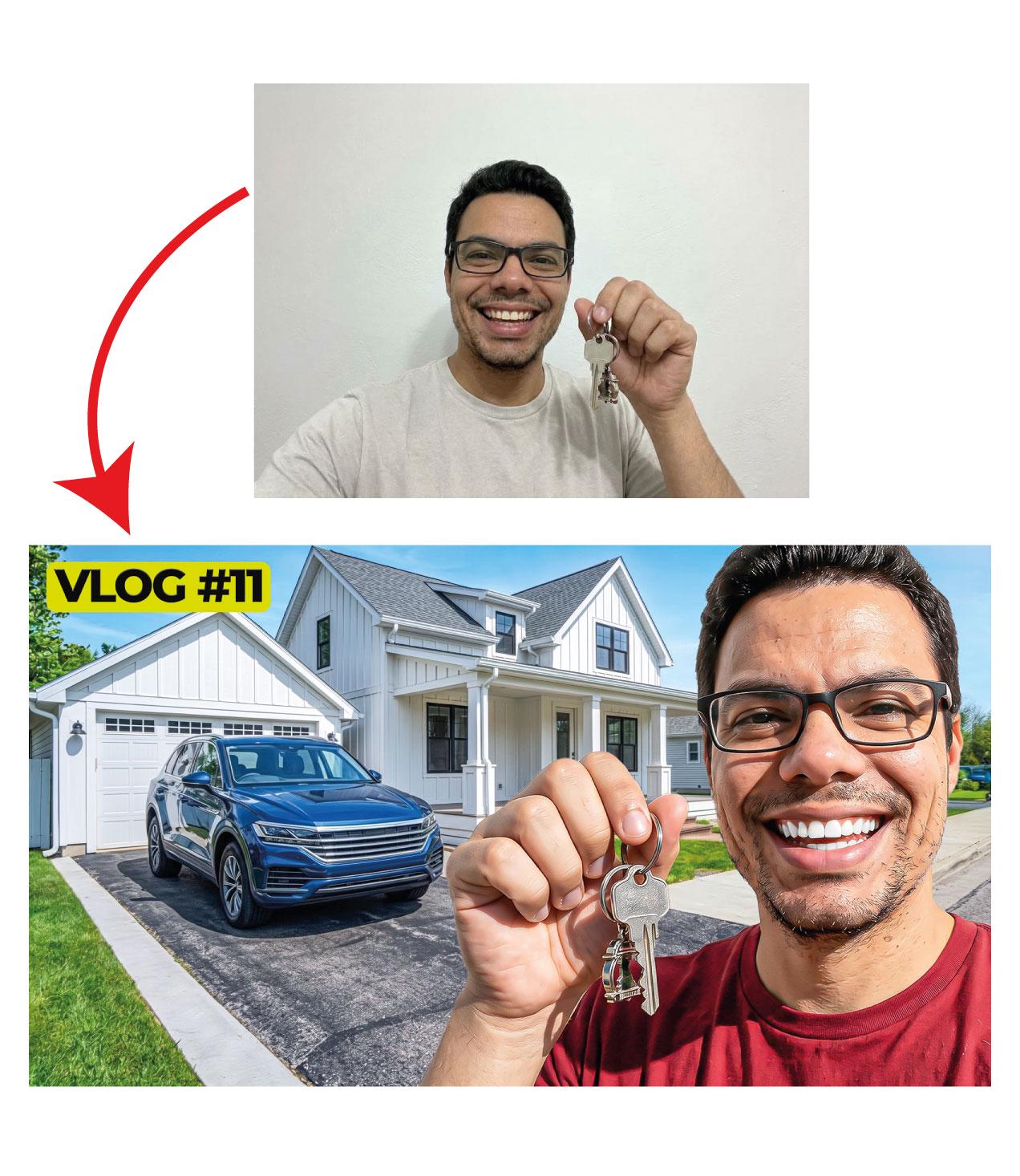
Available for work Recent thumbnail design for client!

Post image
18 Upvotes

Recent vlog thumbnail design.


r/YouTubeThumbnailHub • • 15h ago

Hiring/Help Wanted [HIRING] Football/Gaming Graphic Designer – YouTube Thumbnails – $12 Each ($260/Month)

0 Upvotes

We're RickNRory, a content creation duo specialising in EA SPORTS FC 27 Career Mode content, and we're looking for a talented graphic designer to work with on a long-term basis.

Workload & payment:

  • $12 USD per thumbnail.
  • Approximately 5 thumbnails per week.
  • Approximately $260 per month.
  • Consistent, long-term work.

What we're looking for:

  • Strong graphic design and image manipulation skills.
  • Excellent composition, lighting and typography.
  • Fast turnaround times.
  • Availability for revisions.
  • Reliable communication and consistent quality.

We currently upload approximately four long-form YouTube videos per week, consisting of edited versions of our livestreams. We're also expanding into standalone Career Mode videos.

We will provide images, gameplay screenshots and concept ideas for each thumbnail.

AI usage:

We've previously worked with designers who rely too heavily on AI. We're comfortable with minor AI assistance, but we're looking for someone with genuine graphic design skills who can produce polished thumbnails without an obviously AI-generated appearance.

Examples of the style we're looking for:

Interested?

Please DM us with your portfolio, relevant experience, typical turnaround time and weekly availability.

We're looking for a reliable, long-term designer rather than a one-off commission.


r/YouTubeThumbnailHub • • 16h ago

Thumbnail Help/Critique Request How do I add a curiosity hook to cozy vlog thumbnails? (woodworking sculpture + dad life)

Thumbnail
gallery
1 Upvotes

Hi everyone! I'd love some feedback on improving my thumbnails to get a higher CTR.

I make bi-weekly vlogs about building steam-bent wood sculptures while my daughter naps. For thumbnails I've been taking inspiration from Uncomfy. She runs a successful vlog channel about her small ceramics business, and I love how calm and inviting her thumbnails feel.

Here's what I'm stuck on: how do you add a curiosity loop, or a strong reason to click, to a slow, cozy vlog without it feeling clickbaity?

This week's video follows three days in my woodshop, plus baking a pie with my daughter. I haven't picked a title yet, so I'm open to ideas for the title and thumbnail working together.

Any tips, examples, or critiques are welcome. Thank you!


r/YouTubeThumbnailHub • • 1d ago

Thumbnail Help/Critique Request How can I make this look better/ realistic?

Post image
6 Upvotes

this video will be titled like "YT studio took over my life" or "Im a slave to YT studio"

I talk about how recently I have been checking studio too much and its affected my mental health.

But what I am looking for is how can I take a good thumbnail and make it great? how can I make this look better/ convey my message clearer? ;p


r/YouTubeThumbnailHub • • 19h ago

Thumbnail Help/Critique Request Opinion on my take?

Post image
1 Upvotes

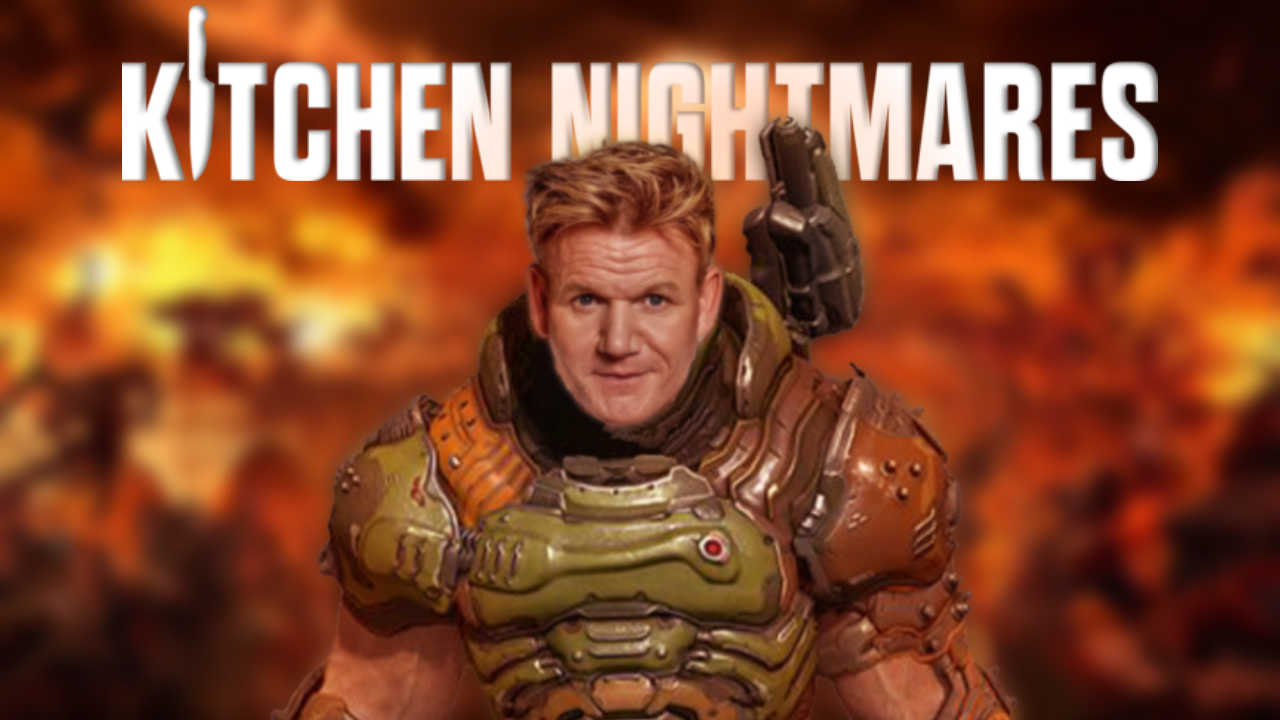
"THIS KITCHEN IS STRAIGHT FROM HELL!" | Kitchen Nightmares FULL EPISODE

First, this is only a concept and not associated with the actual kitchen nightmares channel.

Seen the kitchen nightmares channel thumbnails and its very good, eye catching and funny as hell but i also do wanna make my own take on it.

Is there anything that i can improve and is it eye catching enough that it'll make you stop and look?


r/YouTubeThumbnailHub • • 1d ago

Available for work [FOR HIRE] Minecraft YouTube Thumbnail Designer | 2+ Years of Experience | Hardcore, Survival, Mods & Challenges

1 Upvotes

Hey! I’m Quaress, a YouTube thumbnail designer specializing in Minecraft, with over 2 years of experience creating thumbnails for minecraft creators.

I can make thumbnails with a consistent visual style tailored to your channel.

I'm a designer and a Minecraft YouTuber, so I'm a small creator too. I know how much a good thumbnail matters.

What I can help you with:

  • Custom renders and effects: Posing your skin, adding clean lighting, and making colors pop so it stands out on any screen.
  • Hooking the viewer: Making sure the thumbnail pairs naturally with your title so people instantly want to click.
  • Chill and fast process: Quick turnarounds and easy revisions until you’re genuinely happy with how it looks.

I’ve attached a few examples of my work.
Fiverr: https://www.fiverr.com/s/ZozjNWk
Website: https://quaress.netlify.app/

Send me a DM here or on discord if you prefer. Username on discord is quaressmc.


r/YouTubeThumbnailHub • • 1d ago

Hiring/Help Wanted Looking to work with someone who understands YT thumbnails (CTR improvements)

Post image
0 Upvotes

Hi,

I've started a YouTube channel a few months ago and been doing thumbnails myself but really want to work with someone who has a lot of experience with YouTube thumbnails and improving CTR etc

The content at the moment is mainly reaction type videos but will also be branching out into other types of comedy content but only been using one format for how I make thumbnails. CTR's have been good on some vids and average on others.

If you'd be interested in working with me on auditing current thumbnails & future thumbnails please dm me with rates etc and we can chat


r/YouTubeThumbnailHub • • 1d ago

Thumbnail Help/Critique Request feedback please

Post image
3 Upvotes

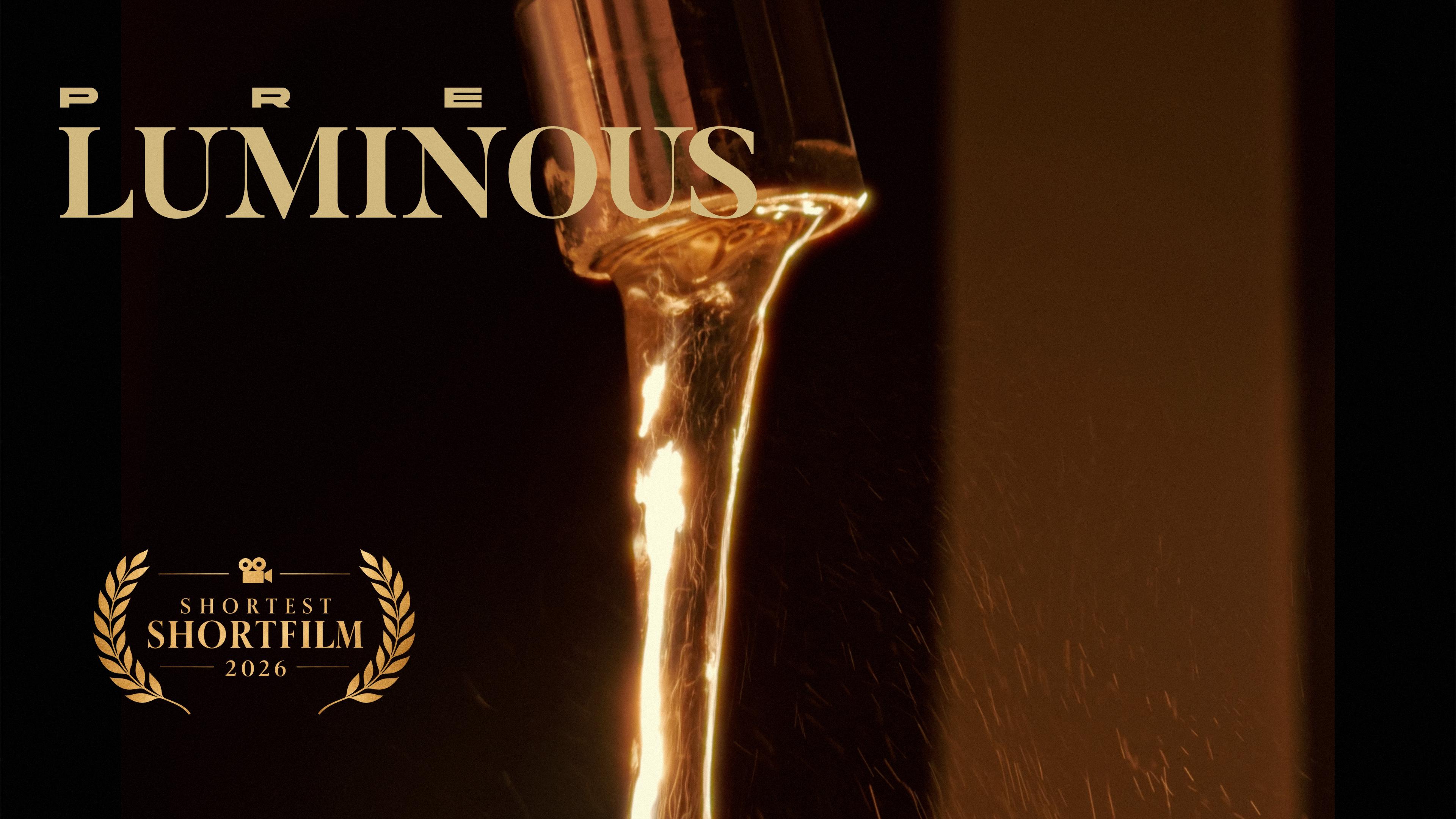
Title: Preluminous || Short Film 2026

its just a short visual poem with a few frames.

help me improve the thumbnail coz the impressions are fine but the ctr is very low.

Thank you.


r/YouTubeThumbnailHub • • 1d ago

Thumbnail Help/Critique Request I Found Out Where My Time Actually Goes...(What Changed?!)

Post image
7 Upvotes

Is it highly clickable?? I tried something unique...


r/YouTubeThumbnailHub • • 1d ago

Thumbnail Help/Critique Request Which thumbnail do you like? New series new thumbnails! (And what do you hate)

Thumbnail
gallery
2 Upvotes

Title: Bilbo, Thief in the Night Explained A Beginner’s Guide to His Ability

3 part series 1 video showcases Biblo Thief in the Night with a tease at the end of 2 decks he will be the main part off and how to play them.


r/YouTubeThumbnailHub • • 1d ago

Thumbnail Help/Critique Request Thumbnail designer

Post image
5 Upvotes

Im a YouTube Thumbnail Designer, thumbnails focused on high-CTR visuals that stop the scroll.

Here are some recent thumbnails I designed — open for work and custom commissions.

DM me if you want thumbnails like these for your channel.


r/YouTubeThumbnailHub • • 1d ago

Thumbnail Help/Critique Request Thoughts on this thumbnail?

Post image
2 Upvotes

Title is "45 Minutes of Blind Outer Wilds to Relax to". It's a blind outer wilds playthrough video. The guy the thumbnail is the outer wilds protagonist.

I've gone back and forth on this thumbnail and I think I need to move on but thoughts?


r/YouTubeThumbnailHub • • 2d ago

Thumbnail Help/Critique Request Thoughts on these thumbnails? what should i improve?

Thumbnail
gallery
2 Upvotes

title: Want to become a NERD? This show is for YOU!

(something along the lines)


r/YouTubeThumbnailHub • • 1d ago

Hiring/Help Wanted Would you watch the video the hook was this?

0 Upvotes

[[ ---

Imagine it's 1990s, 50 million bird vanished from skies—the fastest bird collapse in history. Scientists tested for viruses, pesticides, and poison, and found nothing. It took ten years to find the killer: a completely legal, one-dollar medicine that is totally harmless to humans. Yet that cheap medicine didn't just kill the birds—researchers later say it linked to about million human deaths. Yeah, let's talk about how.

---- ]]

  1. If you have to rate from 1 to 10 what would it be?
  2. Does it have curiosity?
  3. What changes would you suggest?

Thanks if you gave feedback.


r/YouTubeThumbnailHub • • 2d ago

Thumbnail Help/Critique Request So lost on what I’m doing wrong

Post image
2 Upvotes

My thumbnail click through rate is always around 1-5%. I’m not sure what I could improve.


r/YouTubeThumbnailHub • • 2d ago

Thumbnail Help/Critique Request Thoughts on my thumbnail and title?

Post image
2 Upvotes

My new video performed well for my 50 sub channel. Curious to hear what people think about this style of thumbnail design and if this is something I should stick with going forward.


r/YouTubeThumbnailHub • • 2d ago

Thumbnail Help/Critique Request thoughts on these thumbnails? what should i improve?

Thumbnail
gallery
4 Upvotes

title: (something along on the lines ; first video (it means the world to me))


r/YouTubeThumbnailHub • • 2d ago

Available for work Sharing some of my recent YouTube thumbnail work

Post image
0 Upvotes

Hey everyone! I'm a thumbnail designer focusing on gaming and IRL content. I enjoy creating eye-catching thumbnails and would love to help fellow creators improve theirs Here's some of my recent work.


r/YouTubeThumbnailHub • • 2d ago

Available for work Would you click on this thumbnail? (Title: Building the biggest pyramid in vanilla minecraft - made for Arpulik on YouTube) (FREE thumbnail offer in description)

Post image
2 Upvotes

Going to keep it simple, I do commissions and make minecraft thumbnails as above for as little as $5 onwards. Interested in getting a thumbnail made? DM me on reddit or reach out on discord (quaressmc) and make something where your diamond-tier video gets a matching thumbnail. You can get thumbnails for free if you can bring legitimate clients to me :)


r/YouTubeThumbnailHub • • 3d ago

Thumbnail Help/Critique Request Thumbnail advice needed

Post image
1 Upvotes

So this is the 3rd part of my Outer Wilds blind playthrough, with the title being "Giant's Deep is Terrifying... (Outer Wilds First Time)".

It's been up about 16 hours, got 1k impressions but only 0.5% CTR. Anything I can improve? I tried adding "First Time" to the thumbnail but it didn't look right. Ty!