r/atari8bit • • 6d ago

Atari 8bit emulator for Android
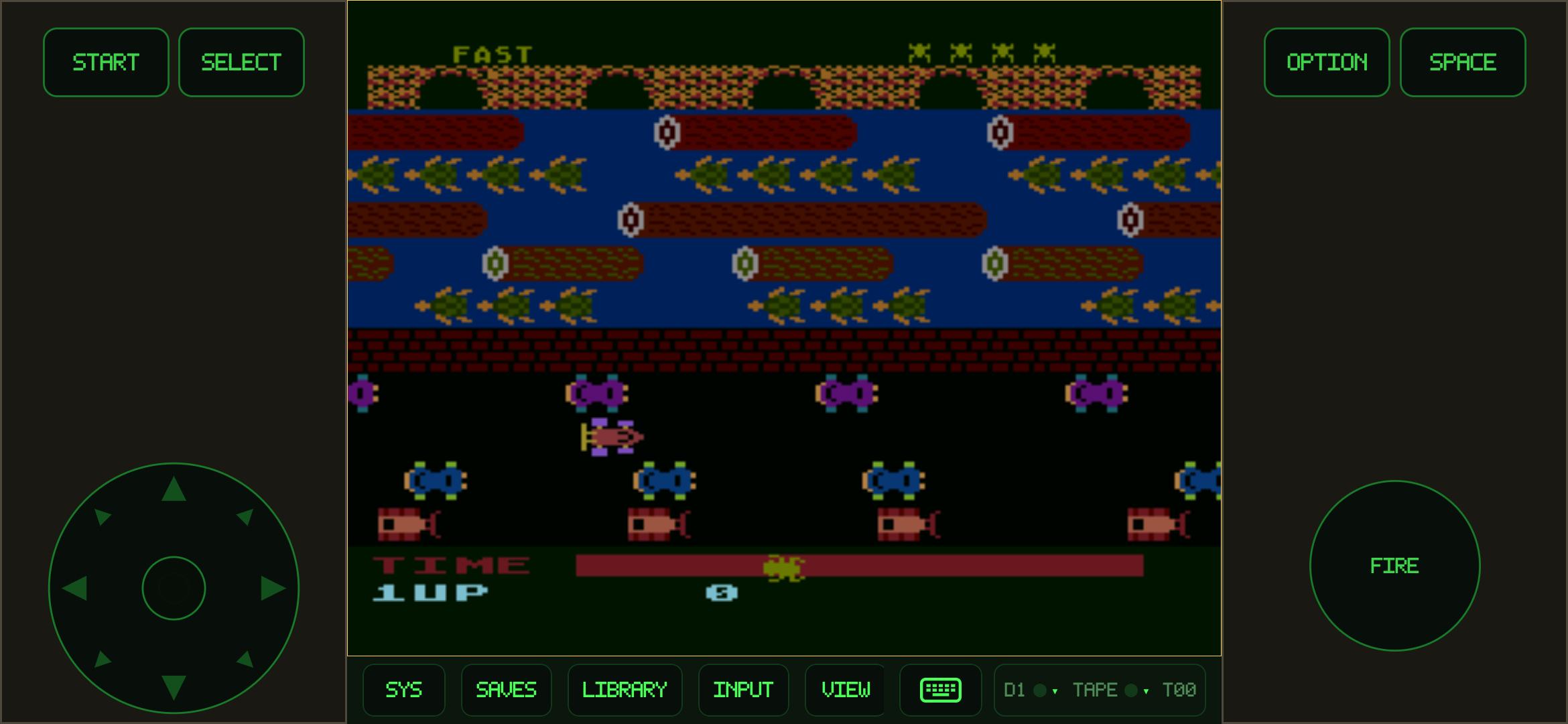
Hi all.

I've been building Pocket6502 which started off as an Apple II emulator for Android. Well, since the Atari 8-bit also uses the 6502 CPU, I've decided to add it too courtesy of the atari800 libretro core with some patches of my own. The app is basically a homage to the 6502 CPU that gave a lot of us wonderful childhood memories playing games.

The app right now supports: 800XL, 400/800, 130XE (and it's NTSC variants), Apple II, II+, IIe, IIe Enhanced, IIgs, C64, C64 NTSC, C64C.

I know my app is not the first on the scene. What's so special about Pocket6502 is the way it tackles the input systems for the emulated machine, and how it adds some simple quality of life features. It has a highly customizable input system (see https://rainbowdev-studio.gitlab.io/pocket6502/help/ for online help with many more screenshots and what the emulator is capable of):

Split keyboard strips beside the screen

Custom profiles per game: drag keys, a joystick, a D-pad or fire buttons onto the strips and label them (e.g. "F FIGHT", "C CAST")

Words: predictive typing for BASIC commands (type RU, tap RUN)

Paste text straight into the machine (you can tap text from the Atari's screen and that inserts the word into the input buffer!)

Support for external game controllers (Bluetooth / usb), keyboard, mouse, as well as emulating the Atari joystick and paddle.

CRT shaders, fast loading, and continue where you left off

Ability to start individual programs on a disk that has multiple files

You supply the ROMs for your machines of course.

I'm also collecting feedback on what features you would like to see in the app so that I can further improve it. The goal is to give users a very simple system they can pick-up and play and put down immediately. RetroArch already does a very good job emulating via libretro but I found RetroArch too daunting for beginners (there's hundreds of settings that you can tweak).

My app is $5 on Google Play, but the app is open source (GPLv3). All the source is on GitLab, so you can always build it yourself. The $5 is a convenience fee - you get a signed build and automatic updates and it helps me keep developing it.

Google Play: https://play.google.com/store/apps/details?id=com.pocket6502&listing=atari

Source: https://gitlab.com/rainbowdev-studio/pocket6502

15 Upvotes

25 comments sorted by

2

u/StarMasterAdmiral 6d ago

Does it, and if not, can it support the ability to map controller buttons to keypresses, and different mappings for each game? Then I can finally play Spelunker and other games requiring keys. Thanks.

1

u/rainbow_developer 6d ago

2

u/StarMasterAdmiral 6d ago

Excellent. Thank you so much.

2

u/rainbow_developer 6d ago

If you run into problems or you have any questions - please feel free to reach out to me.

2

u/StarMasterAdmiral 6d ago

Just purchased it.

2

u/rainbow_developer 6d ago

You have no idea how much this means to me as an indie developer. Thank you so much, great sir / madam. 💝

2

u/StarMasterAdmiral 6d ago

Thank YOU for making this.

1

u/rainbow_developer 6d ago

You basically drag and drop keys from the keyboard palette onto the external controller button, joystick, dpad controls. So for example you can drag the key "A" onto the controller's X button or left directional dpad (I'm not sure how to describe that button on your physical controller that is a dpad and it has 8 directions?)

1

u/rainbow_developer 6d ago

Here it is using on screen controls on my phone.

2

u/Shaydu 3d ago

I recall using an Android emulator a long time ago that never worked exactly right - thanks for making this! Purchase made

1

u/rainbow_developer 3d ago

Thank you! I'm currently breaking the namesake of the app. I have a beta copy that emulates Amiga as well.

1

u/rainbow_developer 6d ago

Oops. Corrected the Playstore listing.

1

u/Scoth42 6d ago

I was considering buying it since it has some interesting features but it tells me it's not compatible with any of my devices. The somewhat old Amazon Kindle Fire I could understand since it's some ancient version of Android, but it says it for my Pixel 9 Pro and Pixel 8 Pro, both running their latest updates, as well.

2

u/rainbow_developer 6d ago

Can you check what version of Android is on your 3 devices? Let me know and I will definitely look into this.

1

u/Scoth42 6d ago

Pixel 9 Pro is Android 17, 10/5/2026 security update, build CP3A.261005.005. Latest update available, or at least that's pushed to it automatically.

Pixel 8 Pro is dead in a drawer because it's a backup device, waiting on it to charge and start up which always takes an annoyingly long time, but it's at least Android 17. Probably a couple updates behind at this point, but still 17.

The old Fire Tablet is Android 9 in the backend, Fire OS 7 of some variety.

2

u/rainbow_developer 5d ago

Hmmm that's really weird. What I see in Play Console is that the Pixel 9 Pro IS SUPPORTED if it has Android 17.

Only Pixel 9 Pro with Android 15 (SDK 35) is not supported. I'm bummed.....from what I can see in the console, Pixel 9 Pro has 2 variants codenamed 'caiman' (google's internal code name) with Android 15. These 2 are not supported.

So anyway I've just turned off a setting in play console that relaxes something called "device integrity" checks. Can you try again? Your device might be blocked if you have, for example, a unlocked bootloader or a custom ROM. I've turned off that check.

2

u/Scoth42 4d ago

Well, that would explain it, I'm unlocked and rooted (I have a moral opposition to being told how I can and can't use devices I've paid for, and once I get around to it I'll be going to Graphene anyway). Threw you a purchase, I support development and appreciate Atari attention!

1

u/rainbow_developer 4d ago

Thank you so very much for the support. It means a lot to me! Please let me know if you run into problems and I will try my best to help you. 😊😊

1

u/Tkdoom 5d ago

Tell me how to play Lode Runner on it and i think you will get another $5

Or Ultima 3 or 4?

1

u/rainbow_developer 5d ago edited 5d ago

It's quite simple actually! First select INPUT - TOUCHSCREEN. Then go to INPUT - PROFILE and select the built-in profile called ”Joystick".

Then go to LIBRARY - ATARIMANIA and navigate to the L folder. Then tap on "Find" at the top right and key in "Lode". Then tap on the download button (it's a downward pointing arrow) and wait for it to download the file (should only take a few seconds). Once done, close the window and it will bring you back to your game cards view. Look for "Loderunner", tap it, and then tap on the BOOT button.

And that's all there is to it!

1

u/rainbow_developer 5d ago

Here's a video showing the entire process.

1

u/rainbow_developer 5d ago edited 5d ago

Here is a video showing Ultima IV and how you can organise disks / cartridges together under a single title. It makes swapping media very very easy once it's organized. I also found a bug in the process of making this video. In the next update, I will make the game auto recognize all the media files for each game so you don't have to do what I did in the video above if you download the content from ATARIMANIA.

1

u/rainbow_developer 5d ago

I will also design the custom keyboard layout for Ultima 3 and 4 and bundle them into the next version. That ways you don't have to deal with the SPLIT input system you see in my video. You will instead see something like this (this video shows Ultima V on the Apple II with a custom profile layout).

1

u/_Chris______________ 3d ago

Der Preis ist mir persönlich zu hoch