r/thesims1 • u/Sims1Hero • 2h ago
Screenshot/Video Alfred's humble abode away from his celebrity clientele

24
Upvotes
r/thesims1 • u/LadyBlackheartStorm • Apr 13 '25
What's different from the other Sims games?
A guide by SirenShadow (socrstchik in the TS1 community, LadyBlackheartStorm on Reddit)
Welcome to new (and returning) Sims 1 players! So you wanna give TS1 a shot? Awesome, its a great game - but it can be difficult. Here's a list/explainer of differences in this version versus TS2-4.
You can only build 2 storeys high.
There are lots of cc that let you fake higher levels though. Look for items called '3rd floor' (or 'storey'), or sometimes '4th' and/or '5th'. These will be objects that float in the air to simulate (lol, GET IT?! *ahem* sorry...) taller buildings. Those higher levels are NOT playable, however. Same with foundations/basements.
Speaking of cc, terminology is quite different than what you're used to.
'CC' is capital letters refers to the final version Maxis/EA released: Complete Collection. 'cc' in lower case is the same - custom content - but isn't really a term that was commonly used previously. Similar with 'MM': in TS1 terms, that refers to the final EP, Makin' Magic.
What later games and players call 'mods' are called 'hacks' in TS1 - if they alter gameplay from the original code. For example, a bookcase that allows you to gain more skills than the default Cooking and Mechanical would be referred to as a 'hacked bookcase'. A bed that has been altered to use more graphic animations would be called 'adult hacked' or possibly just 'adult' - and these are intended ONLY for 18+ players.
'Mods' referring to custom objects are just called 'objects'. Same for walls, floors, etc.
You have 2 types of lot: home and away. The type of away lot depends on the objects you put there. The game calls it retail if you place a functional cash register or a restaurant if you have a functional dining podium. You can have more than one type on the same lot, but if you overload the game might crash. i.e. maybe that multi-level shopping mall is best left for another version of The Sims.
Neighborhoods are generally referred to as just 'hoods'. The game gives you 9 of these at startup, and each one is different (in the sense of population and custom builds, not shape/size. Each hood has seperate Towns. In no particular order, with the English-language EP they came in: Old Town (Unleashed); Downtown (Hot Date); Vacation Island (Vacation); and Magic Town (Makin' Magic). Apologies, I don't know all of the non-English titles.
Poses are only used with the SimPose program (officially called SimPose-ium), used to make preview images of custom skins. It could also be used to edit or create new animations, although this feature may not work (or work correctly) anymore.
Neato. Now, what the heck is going on with my body/head cc?
Skins in this game are divided into a body skin and a head skin. Heads are typically organized by hairstyle, and you can't change the appearance without editing the bitmap itself.
Body skins are broken down into type:
'B' means 'body' and is an everyday skin. This is what your Sim will wear most of the time and can be changed by clicking on a dresser or wardrobe/armoire. (There are some hacked dressers out there that might be different objects, like a coat rack.) The other types (below) are referred to as 'buyables', because to change them from the default version means you have to 'buy' them from a shop on a commercial lot, like Downtown in Hot Date.

'L' means 'lingerie' and is your Sim's sleepwear

'S' is for swim - swimwear, obviously

'F' is for formal, or what your Sim wears to get married or when a hacked object calls for formalwear (I know there's at least 1 hacked doorway and 1 dancefloor).

'W' is for winterwear and is the clothing your Sim will wear on Vacation Island's winter lots. (There aren't seasons in TS1 without using hacks.)

'H' is for high fashion and is what your \*celebrity\* Sim will wear in Studio Town. Visitors to Studio Town stay in their eveyday clothing.


Further body notes:

	'N' means nude and is what your unclothed Sim looks like. Not every skin download will include a custom nude - they aren't necessary unless you're altering the base skintones (like with tattoos) or have a custom skintone (like Pale). Also, not every skinmaker made custom nudes for their skins - game coding changed with later EPs (Hot Date, I \*think\*) and opened up the ability to make full custom skins, nude included.

	'H' bitmaps are your hands. Same applies from the Nude skin - you only need them for altered or custom tones. You may find a hand bitmap that uses 'G' instead of 'H' - that means 'glove' and is the old, pre-code change way of having gloves attach to a skin. The best example of this is the original male formalwear was a tuxedo with white gloves.
Program alert!! You can use SimWardrobe, by Paladin, to customize your Sims' wardrobes without having to buy the different outfits. You can also customize the Townies' outfits! The companion program to SimWardrobe is SimMetamorphoser (also by Paladin), which allows you to change your Sim and Townies heads.
There may be other, small bitmaps in your Skin download.
These are typically accessories of some sort: a hat, jewelry, glasses, etc. They can be named anything. The CMX file tells the game what goes where. The SKN file is the mesh, and you may also have more than one of those. Each item needs a mesh (SKN) and those aren't always integrated into the body mesh. The TL:DR version is you might have a body SKN and a hat SKN. The CMX pulls it all together.
Troubleshooting! In CAS, if you are *missing* part of the body or head, its a missing or corrupt MESH (SKN). If everything shows but is *solid white*, its a TEXTURE (BMP) problem. This could be a missing BMP, or something like the wrong color scale on the BMP or the BMP being the wrong size.
I want this chair to show up on my away lots but its not in the catalog there.
Yeah, its not catted (cataloged) for those lots...
BUT I WANT IT THERE!
Okay, okay... no problem. You just need a program that lets you edit that. Program alert!! SimCategorizer by Paladin allows you to edit individual IFFs (objects) or items in .FAR (a compressed package of IFFs). SimOrganizer by Garrett Berg of Millennium Sims allows you to edit individual AND multi-part IFFs. SimCat will read a multi-part IFF but you can only edit the 'top' part (the first item listed). There's probably some others but those two are the mack-daddies and the best ones. One thing to note, though. Some items intended for away lots will NOT work on home lots. Its the way those items are coded.
What about walls and floors?
I mean those are gonna show regardless of lot...
No, silly. I really, really like this custom wallpaper but holy heck is it expensive.
Save your Simoleons.
*------*
Lol, okay. SimWallCat (Paladin) is what you want. He made a good chunk of our Very Useful Sims Programs.
You can add more 'hoods.
Just copy the UserData folder you wish and rename it. So, copy UserData3 and rename it to UserData10. The next time you boot up the game, you can navigate to this new hood. It will have everything the original hood had in it. You can have up to 99 hoods.
Final reminders: the Build catalog has a cc limit. No one knows what it is for sure. That's not meant to be cute or funny, its truth. The limit can vary by computer, but at some point you might see your Build catalog start looking funny - a stuck thumbnail or clearly non-Build item showing up. You'll know you hit your limit at that point. Its why you'll see lots of non-building objects, like plants and trees, cataloged in Buy instead. My general rule of thumb for Build cc was 'does it have growing states?', like a harvestable crop? If yes then it went in Build; if no, Buy catalog. Trees (those larger than a big shrub) also went in Build. That left Build for just windows, doors (ya know, architectural stuff) and the aforementioned plants. Walls and floors do count to this limit.
IF AT ANY POINT YOU SEE A STUCK THUMBNAIL IN EITHER OF YOUR CATALOGS, immediately save your game. A stuck thumbnail means something's wrong and your game is probably gonna lock up or crash (or both). It might be as soon as you click that stuck thumbnail or when you try to place the object, but its gonna happen.
I think that covers most of the basics.
HAVE FUN!!!
Here's a link to a SFS folder with Paladin's programs in it. Thanks for sharing, Bulbasaur001!!
https://simfileshare.net/folder/87836/
And here's an Archive.org link to SimOrganizer: https://archive.org/download/sim-organizer/SimOrganizer.zip
r/thesims1 • u/AutoModerator • 9d ago
Sul-sul simmers! In an effort to keep feeds cleaner for everyone, while also maximizing players' chances of getting their issues fixed, you are highly encouraged to post any technical issues on this thread! This includes problems with bugs, glitches, compatibility, files, etc.
Note that the existence of this thread doesn't mean you can't post about technical issues on the sub! You may do it at your own discretion.
Before posting new technical threads, please consider using the search bar in the sub to see if the issue has already been posted and/or solved.
If you are having issues with the Legacy Collection in particular, please make sure to report them on EA's official channels as well! This helps you and other players to get your voice heard by Maxis/EA and fixes be added as official updates in the future.
r/thesims1 • u/Sims1Hero • 2h ago
r/thesims1 • u/Dancing_Lilith • 21h ago

My first mass elimination and burial lot was rather messy (relax, quickly scrolling user, this is just a Sims1 subreddit): I was eliminating the sim herds with fire — then it took forever to clean up, and I was sending the lot-owners off together with their megaparty guests, creating a new family each time to continue. Eventually, at around 250 graves the whole neighborhood crashed, and I had to reinstall the game.
Now I'm doing it differently. The same family oversaw elimination of around 450 sims over a period of two human evenings, and they have a story of their own; initially, all the eight Doomsday cousins were pursuing science. Now three of them remain, one a hospital chief, and two others mad scientists-turned-criminal-masterminds. One can only wonder what the three of them might do with all the bodies.
The only time the Doomsday mansion by the river had a fire was when two younger Doomsdays had to be eliminated due to lack of character progress. Other than that, the family constantly restarts the Downtown population with lack of doors and hunger, and, most recently, with a no-door pool, which has proven to be the cleanest and quickest way.
Despite the graves already taking over a half of the lot, new townies keep coming to the Doomsdays' parties. And the parties keep rolling, as otherwise all what's left to the dwellers of the mansion is endless mourning and being spooked... I think I might stop at 500 graves, as I can see this neighborhood is already glitching, too. I also think a bit more garden work would be nice, although the Doomsdays already find their courtyard to be alright.
r/thesims1 • u/Sims1Hero • 17h ago
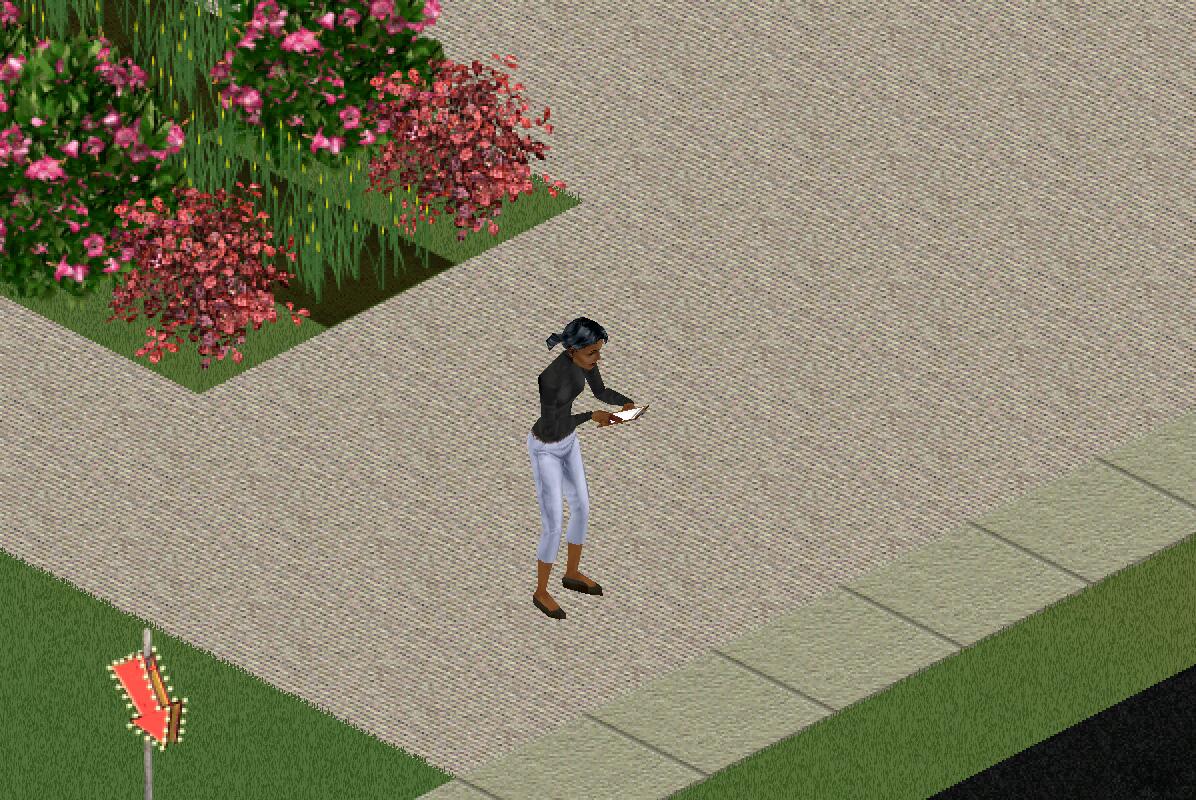
This is the lady from Studio Town and here she's is on my Sims lot.
r/thesims1 • u/lgd_2905 • 1d ago

Hello fellow Simmers, thanks so much for your continued support and amazing feedback on the early access versions of the Weathercast mod!!
This week, I focused on optimizing the rain to address the mod's #1 issue so far: lag/performance drops during rain. I tweaked several bits of the code to increase performance, including changing the rain sprite to look thinner, until the game stopped lagging on my Steam Deck (see technical details below). Please keep me posted on lag, and I can do further optimizations as needed! Meanwhile, our amazing community tested the mod on all builds of the game (Legacy Edition on Steam and on the EA app; Complete Collection; the original disk version …), and I am happy to say that the mod worked on all of them! There were no new features implemented this week, but I will continue to implement new features in the next updates, such as lightning and an unlockable system to manipulate the weather. Stay tuned for more!
My comments on Weathercast development: I am beyond happy to see such a lively community of Simmers making new mods to this beloved 26-year-old game using all kinds of approaches! I grew up playing The Sims 1, and I always wanted to develop mods, but that was a skill I didn’t have back then. Recently, I found the Sims College archive on the Secret Society of Woobsha website, which I used to learn how to do IFF scripting and modding. This website is an amazing resource for modders! Making Weathercast and Wildlife has been a very rewarding hobby, and I am grateful for your continued support! 😊
See download and installation instructions on my dedicated Patreon page: https://www.patreon.com/lgd_2905/posts/update-mod-pack-176617124?utm_medium=clipboard_copy&utm_source=copyLink&utm_campaign=postshare_creator&utm_content=join_link
Thanks!
-----------------------------------------------------------------------------------------------
Latest Update to the Weathercast Mod Expansion Pack (v1p2) Early Access! (Last Version Update: 11/28/26)
Fixes in the early access version v1p2 include: (please delete the v1p1 folder and replace it with v1p2; see installation instructions inside the download file below)
1. New rain sprite: Several members of our community suggested I’d try a thinner rain sprite. While I liked the old sprite because it was the exact one from Makin’ Magic, I made a new version by making the old one thinner, which greatly helped with performance and reduced lag. Why? The thinner droplet doesn’t require transparency, and transparency unfortunately is a source of lag since the game needs to process what’s hiding behind the raindrops.
2. Rain animation timing: Rain animation timing is one of the many tweaks I made to the code. I reworked it again to have the animation delays scattered throughout different parts of the code. For example, instead of waiting 14 ticks at the end of the animation, the game runs better if it waits 7 ticks at the beginning and 7 ticks at the end. This approach was applied to speeds 1, 2, and 3, making a smoother transition when switching game speeds and also resulting in better performance. Sorry about getting so technical, but I feel like some of you might appreciate hearing about the more technical stuff too.
3. One-time popup message after updating to the newer version of the mod: If you were using the last version of this mod and you saved the game in a lot when it was raining, the game will tell you that some objects went missing when you load it again. This is normal; it means that the rain object from the previous updates disappeared, and you will see the new rain sprite when it rains again. This only happens in lots that saved the game while raining on a previous version of this mod.
4. Different versions: This last update only has one version of the mod since I heard the Fancy version was laggy for most people last time. But I can still make multiple versions in future updates with faster rain animation speeds.
Thank you again for your incredible support and feedback!! More updates with new features will be coming soon. I will also continue to work on feedback and bug fixes. 😊
AI disclosure: This mod pack was not developed by AI. I use IFF scripting to repurpose and code new functionality and looks on existing game objects/features. These mods do not require overriding game files, and they can be simply placed inside the Downloads folder of the game. On the other hand, Google AI search has been helpful for finding old community blogs, posts, and hard-to-find information about the game.
r/thesims1 • u/Round-Elephant-598 • 1d ago

Hello, here the interior of my house - no CC (inspired by a real house btw)
thank you.
r/thesims1 • u/NewerSoGame • 1d ago
Hey all! If you ever played The Sims Online, or always wanted to and never got the chance, we're putting together NewerSO, a free fan run TSO server. It runs on the Sims 1 engine you already know, but the whole city is real people. Build a house, get a job, throw a party, and see who wanders in at 2 AM.
What's there:
• Totally free, no subscription and no box to buy
• One city to start, S.T.E.E.L
• A launcher that installs the game and keeps it updated
• Windows launcher at launch We're pre-launch right now and getting the city ready.
If you want in when the doors open, the site and Discord are below.
Website: https://newerso.neocities.org/
Discord: Join on our website!
Fan project, not affiliated with EA or Maxis. Happy to answer questions in the comments!
r/thesims1 • u/TheLuftMaister • 1d ago
I used to play this game as a child and recently came back to it for the sake of nostalgia as a young adult. I have a one sim household currently, I am finding it impossible to keep up with my sims needs, career and social life. The needs decay so fast man, he sleeps all day pretty much because they don't increase quick enough either. The rest of the time he is at work, I spend so much of his day building his needs back up. Is there anything I can do to slow time down or allow my needs to increase faster?
r/thesims1 • u/SameClerk2608 • 1d ago
Hi! Britney has made some money, and she needs to train, so she's set up a new space for it; now she has a gym where she exercises both body and mind! Train with me!
r/thesims1 • u/Sea-Expression-7794 • 1d ago
A while back I had a mod from an older sims 1 cc website where you can put this little yellow orb underneath a bed (it would go invisible in live mode)and it would assign the first sim to sleep in the bed or on a specific side of the bed to that sim,and I cannot find this mod anywhere now,would anyone happen to have this item?
r/thesims1 • u/Round-Elephant-598 • 2d ago

Building house is too much fun. I love this game so much. No CC.
r/thesims1
•
u/DefinitionNational21
•
2d ago

Sul sul, Simmers! 💚
Have you ever wondered what The Sims 1 would be like if it had its own Seasons expansion?
I've been working on exactly that, and I'm excited to finally share the first public beta of The Sims Four Seasons, a fan-made expansion for The Sims Legacy Collection!
It's not just a visual weather mod – the seasons and weather actually affect gameplay.
What's included?
🌷 Four seasons – spring, summer, autumn and winter, with customizable season lengths.
🌦️ Dynamic weather – rain, thunderstorms, snow, blizzards, hail, fog and more.
❄️ Snow accumulation – snow gradually covers roofs, plants, roads and outdoor objects, and melts as temperatures rise.
🍂 Seasonal changes – autumn foliage, falling leaves and summer fireflies.
📅 Calendar and weekends – Sims finally get Saturdays and Sundays off from work and school!
☔ Weather-related gameplay – Sims and pets get wet, Sims can catch a cold, children can splash in puddles, and rain waters garden plants.
⛄ Winter activities – winter clothing and snowman building.
🔮 Magical weather – two new spells, enchanted rain and mist, with unique magical effects.
📡 Weather station and forecasts – including a weather forecast on supported TVs.
🏝️ Vacation climates – snowy mountains, spring forests and sunny beaches.
🎵 New loading screens and original loading music.
🌍 Available in 17 languages.
Download, screenshots and installation instructions:
https://github.com/TS1-Mod-Studio/The-Sims-1-Four-Seasons
The mod is free and currently in public beta. It requires The Sims Legacy Collection for Windows.
I'd love to hear your thoughts, suggestions and experiences. Bug reports are also very welcome!
I hope this brings a little more life to a game we still love after all these years. 💚
r/thesims1 • u/SimReMod • 2d ago

New website: The Sims Seasons - Expansion Pack! With all new objects, new careers and more screenshots!
And I know posting this just a few hours after u/DefinitionNational21 posted theirs is a bit weird.
I wasn't planning on sharing my take on The Sims Seasons this soon. But I'm not trying to undermine anyone here. I just felt that, given the timing, there is no point waiting longer, so I decided to share what I have so far.
And just to be clear, I've been talking about this for some time already (1 2 3), I'm not copying u/DefinitionNational21 and this mod does not share anything with The Sims 1 Four Seasons (you can't use both at the same time)
---
Anyway, to the point. Here's my interpretation of The Sims 1 Seasons. As I mentioned in my previous posts, I wanted it to have as much of the original expansion packs' look and feel as possible.
That means new objects (200+) including new furniture and decorative items, but also entirely new activities. There are new objects for community lots, new NPCs, and 5 new careers that don't replace any of the existing ones! A completely new mechanics: Season system brings calendar - each season lasts 8 days and there is a seasonal holiday during last two days.
I think these objects really capture the spirit of The Sims 1.
This isn't quite the form in which I originally planned to release it. I had some more things planned. But I feel like waiting any longer would only make the whole situation look even weirder.
(This is actually why I posted about teaming up and working on this together, but I never got a response)
---
How does it work? Just like my previous mods: it hooks into the game's code and modifies it to add new functionality - in this case, weather. It is NOT an overlay.
Compatibility? Thanks to AI, this time the mod supports the EA App version, as well as the Complete Collection (though the latter may require a specific version of the no-CD exe, please let me know if it works).
But: I've spent the last few weeks testing this on the Steam version. Support for the EA App and Complete Collection was added quickly, so those versions haven't been as thoroughly tested!!!
Did I use AI? Well, as you can probably guess. But it's the same situation as with u/DefinitionNational21 mod ;-) Maybe that's why both rain effects look similar? ;)
Anyway, it is what it is. We can still team up I guess?
Download for Windows 10/11: https://github.com/SimReMods/Seasons/releases/latest/download/TheSimsSeasons-Win10-Win11.zip
Download for Windows 98/ME/XP/7: https://github.com/SimReMods/Seasons/releases/latest/download/TheSimsSeasons-Win98-WinXP-Win7.iso
Manual: https://github.com/SimReMods/Seasons/raw/refs/heads/main/install_files/The%20Sims%20Seasons%20-%20Manual.pdf
Youtube video: https://youtu.be/KZeRVxpynpA
Special credits go to mixiate for their https://github.com/mixiate/ts1-compiler and https://github.com/mixiate/ts1-renderer. This is amazing work, which was the base of all new objects here
r/thesims1 • u/Hansi_Haifischli • 2d ago

Hello everyone,
I accidentally found out that this flower object from Hot Date has three unused graphics in its file.
The graphics are designed for states like the ones that flowerbeds have: Growing - Blooming - Wilting - Dead.
But we only ever saw the "growing flowers" in our games and never the actual blooming ones.
The object itself is only passive, so to speak. You just place it and it's there. It can't change states, can't be clicked and will always only display the first of its graphics.
Additionally, I noticed that even though the catalog entry claims that it provides a room score of 3, it doesn't actually do anything to a room or an environment.
One final thing:
In the German catalog text, this urn isn't called "or vase, as Victorians called it", it's called Kübel (bucket/pail), which I find funny, because Kübel/bucket/pail is a funny contrast to Victorian elegance.
r/thesims1 • u/DreamyOwl_01 • 2d ago
Hello Simmers,
My request will probably sound very strange to you but I am looking for someone who can teach me how to make basic Custom Contents for The Sims 1 as I would like to make custom furniture for both myself and the community.
I have already tried making CCs but it didn't go that well, most softwares seem to be extremely hard to find and understand how to use, plus tutorials are hard to follow and anytime I do as they suggest I end up with my mods not working at all.
I made a few attemps, I managed to make a custom painting which works in game, then I tried with a table (3d) and a lamp (2d sprite) and both of them didn't work.
Would anyone be so kind to teach me a bit about CCs and how to properly make them? Now that Christmas is coming I will have some spare time and I want to make something nice for my Sims, maybe a fancy couch or a modern library.
r/thesims1 • u/Antique_Move_7893 • 1d ago
Hi! I am wondering if there is a mod for locking doors for certain sims?
I am currently making an apartment building for my sims.
r/thesims1 • u/DefinitionNational21 • 2d ago

Hey Simmers! 💚
I've created a new mod for The Sims 1 called Cheat Crystals.
It adds seven animated crystals that allow you to control different aspects of your Sims' lives directly in the game:
The mod is available in 17 languages!
Download and installation instructions:
https://github.com/TS1-Mod-Studio/The-Sims-1-Cheat-Crystals
I'd love to hear your feedback, suggestions for new features, and ideas for additional crystals.
Happy Simming! 💚
r/thesims1 • u/Alternative_Day_6455 • 2d ago

Give your Sims smoother outlines when they talk, think, or complain.
The pictures inside the bubbles stay just as you remember them.
This is a one-time installation. Check the zip for instructions!
HAS NOT BEEN TESTED WITH THE COMPLETE COLLECTION
Download the mod HERE:
https://www.patreon.com/simangelo/posts/ts1-more-high-176510689
Attachments
r/thesims1 • u/Livid-Examination691 • 2d ago

I saw first via Pinterest, but the content creator was actually showcasing his custom wallpapers.


