r/windows98 • u/bigdonut100 • 40m ago
Nobody here cares about GTA 6 right?

2
Upvotes
(or is there gonna be some crazy KernelEX port to 98?)
r/windows98 • u/oscareczek • Apr 30 '21
One of the most common questions on this subreddit is something along the lines of "Is my computer able to run Win98?" There is some kind of a guide on sidebar, but it isn't really specific and that's why I made this post. Windows 98 and Me support (about?) the same hardware, so everything I say about 98 applies to Me. Feel free to suggest changes in comments.
In my definition, computer running Windows 98 is the one that doesn't have any question marks in Device Manager and has graphics card installed (there are drivers called SciTech Display Doctor and VBEMP, but these are comparable to the default driver for GPUs in Windows XP upwards). For the sake of simplicity, I'll limit the devices to GPU, sound card and USB, because even some late Windows XP machines can have Ethernet network cards compatible with 98 and wireless cards are swappable.
Host operating system is the one you boot to straight from BIOS, without using any kind of virtualization or emulation.
See what CPU you have on your machine (in System Properties, accessible by pressing Win+Pause on Windows, or in BIOS) or google your motherboard/PC/laptop (further I'll just say "motherboard") and check supported CPUs.
It just works™, you can skip the rest of this guide, except if you have a dedicated graphics card. You can check your socket by trying to find this information on a motherboard, using CPU-Z or by checking the specs website.
If you have any GPU or sound card on your motherboard, you can't configure it on 98. USB 3.0 and wireless network card won't run. Ethernet network card will most likely not run, but there are some exceptions. Of course, all these problems can be solvable by getting era-appropriate PCI devices, but it's probably cheaper to just buy a Win98 laptop.
It might work, continue reading.
No.
To check what sound card you have, you can either read the specification of your motherboard online or check it in Device Manager (Win+R, devmgmt.msc).
Your sound card is most likely compatible. If it's AC'97, there's a possibility you won't get sound in pure DOS mode, but it'll work from inside Windows.
Windows 98 doesn't support HD Audio architecture. There is an unofficial driver for Windows 3.1, compatible with 98, that lets you configure the sound card with a bunch of parameters, but if you're reading this looking for help, then it will be too complicated for you. First Windows compatible with HD Audio is Windows 2000 SP4 with KB888111 installed. If it's a PC, you can also try looking for some kind of a PCI Sound Blaster that's old enough for Win98.
To check what graphics card you have, you can, as with a sound card, either read the specification of your motherboard online or check it in Device Manager, or just look at it if it's a dedicated PC GPU. PCI Express isn't supported by 98, but people had some luck with it.
If the model starts with GMA, HD, Iris or Arc, it's not compatible, otherwise it is.
If the model starts with X1 or HD, it's not compatible, otherwise it is.
If you have [Quadro FX600 or newer](https://en.wikipedia.org/wiki/List_of_Nvidia_graphics_processing_units#Quadro_FX_(x600)_series) or GeForce starting with 8, 9 or letters, it's not compatible, otherwise it is. If it's GeForce series 6 or 7, the compatibility with DOS games won't be as great as with earlier devices.
It's probably integrated to motherboard or it's been defunct at least since early Windows XP days, you can assume it works.
Same as sound card, you can either read the specification of your motherboard online or check it in Device Manager.
If it starts with a letter, it's not compatible. If it starts with 9, you might have USB working in 1.1, which is slow, but it's better than nothing. Otherwise, it's compatible.
Either you have Win98-era computer and you're wasting time reading this, or it's too new.
If the number starts by 5 or more, it's not compatible. If it starts with 4, only integrated graphics work. If it starts with 3, there are some minor unsupported features, but it should work. Otherwise, it's compatible.
Unless I missed something, all models are compatible.
If the model starts with C or V, you'll at least have some troubles setting it up. Otherwise, it's compatible.
If you have more than 1 GB of RAM, use PATCHMEM. If you use a SATA hard disk, use SATA and most likely AHCI (https://archive.org/details/ahci_win9x). If you use an SSD, use TRIM. All three programs are available at rloew's website (RIP). If you want a USB stick support on Windows 98 (Me has built-in support already), use NUSB. There are some other drivers available on the last website, which might help some people.
A guest operating system requires a host operating system and some kind of a program to make a guest environment to install OS on. Most likely you will be able to install 98 in some way or another.
A word of warning if you use AMD Ryzen or Intel Core from 11th gen and up: there are some problems with virtualizing Windows 98, you can get countless crashes of system programs. A patcher for that was released: https://github.com/JHRobotics/patcher9x
There's now an accelerated driver for all modern hypervisors: https://github.com/JHRobotics/softgpu, but it might be buggy in some situations.
The best, but also the heaviest CPU-wise, way to install Windows 98 as a guest, is to use 86Box. I also mention PCem since it's still alive and 86Box started as a fork of it. Both programs are able to emulate anything starting with original IBM PC and ending at AMD K6-III, perfect for 98. Obviously, the newer CPU you emulate, the stronger machine you need. The main advantage of using these emulators is much higher compatibility with old games compared to virtual machines.
If your computer is too weak for emulation, you can try making a virtual machine. I recommend VMware for one simple reason - it has a graphics card compatible with 98.
If you have a PowerPC Mac OS (X) or Windows and it's not a 64-bit or ARM version of Windows 10 and up, you can try Virtual PC. It's fully compatible with 98, but it's also old (Windows Virtual PC was released in 2009) and people don't really use it anymore.
The main advantage of QEMU is that it's ported to every architecture and operating system imaginable. I suggest running it by a command qemu-system-i386 -accel kvm -vga cirrus -nic user,model=pcnet -soundhw sb16,pcspk -hda disk.img (soundhw is deprecated, but the non-deprecated way requires knowing what's your sound system on host). If you use it on architecture different than x86, it becomes an emulator. You need to remove -accel kvm in that case. You can instead add -cpu pentium2 to the command, maybe it will make things run faster.
Unless you really have to, don't use it, for two reasons: lack of Guest Additions for 98 means you can't use VirtualBox's Shared Folders feature and instead you have to rely on HTTP, floppies or CDs (for the last one there's an option to create VISOs on fly, but while it takes about no space, you still have to do it manually). There was also never a graphics card driver for it and VMware SVGA II driver doesn't work, even if you choose VMSVGA in machine options. That means you can't freely change resolution and your best drivers are VBEMP or Display Doctor, both or which simply use VESA, just like the lack of drivers on Windows XP and up. Emulated graphics is also terribly slow in standard 640x480x4 mode, which is what you get during installation.
Mac-only. Has guest "tools" or rather a total of two drivers: for network (which is optional) and video. The former only works if you remove a printer from the hardware list and its performance is abysmal (I got ~25 KiB/s max, frequent stalls even though i can see the network activity). Video driver doesn't list 32-bit modes for some reason, adding them (and/or some of the standard resolutions) in registry works. Sound isn't included on the "tools" CD, some tutorial recommended using this driver (use either the standard installer or WDM folder). Since it doesn't have acceleration anyway (at least 3D) and networking sucks, I think you're better off even with VBox.
DOSBox is, as the name suggests, an emulator for DOS programs. It is possible to run Windows 98 on DOSBox, but I personally don't like the way you need to imgmount followed by boot c, there are also less machine configurations to choose from. However, especially when using DOSBox-X, it can be an alternative to 86Box if you don't like it for some reason or another.
It's an emulator, it's not as popular as the rest and not customizable as 86Box, don't use it if you don't have to (you don't).
Most of the Android devices aren't x86, but rather ARM[64] (and some ancient ones are MIPS), so most likely you will need to emulate x86, which means that it'll be pretty slow, don't expect running NFS Underground 2 on that. If you can choose an emulated CPU, you should find a balance between speed of emulated CPU and speed of emulating (if you select 486, then Win98 will work slowly, but your Android CPU won't be used that much; if you select Pentium 4, then Win98 will work quickly, but your CPU might not keep up with it). You can find a list of CPUs by date for example on Wikipedia.
Android version of QEMU, the fastest, but might not work on all devices.
Mostly compatible with all devices, a "default" way of installing Windows from Android.
You can also try DOSBox, but I can't really imagine installing it using only the Android device.
r/windows98 • u/bigdonut100 • 40m ago
(or is there gonna be some crazy KernelEX port to 98?)
r/windows98 • u/NetscapeGuy • 10h ago
So I recently put a 2x 32mb edo ram, 233mhz mmx pentium and 6gb ibm travelstar hdd into my ibm thinkpad 310ed. Yesterday i tried to install windows xp and 2000 but both failed near the end while updating system config. Similary today I tried to install windows 98SE and crashed also near the end at updating system config. I am desperate to get this working. Please help me!!
r/windows98 • u/Pretty-Baseball2078 • 1h ago

use the YouTube change language
r/windows98 • u/chirpcub_98 • 1d ago

r/windows98 • u/This-Usual1780 • 1d ago
so i am going to be using a 1333mhz pentium iii on a windows 98 setup however idk what gpu to use
all the good cards are expensive as shit, and all the good deals i see are low end cards
so what mid range to high end gpu should i pair that's cheap
i doubt it's possible but just asking
EDIT : my motherboard is a shuttle av18e 1.3 if that helps
r/windows98 • u/gfh110 • 4d ago

Hey folks, just wanted to share my recently overhauled Windows 98 machine!
This system was originally built on an AOpen AX6B motherboard, but I was having some stability issues and one of the USB ports wasn't working so I decided to use it as my first foray into recapping. Miraculously, it still worked after I spent several hours manhandling it, but as a bit of insurance I bought a backup 440BX motherboard... I'm sure I'm not the first person to do this, but my goal was to have an all-Diamond Multimedia build (almost).
Relevant specs are:
This system resides in a generic beige case that I "borrowed in perpetuity" from my high school computer lab way back in the early 2000's. The TDK optical drive is mostly for aesthetics as I'm using a Compact Flash hard disk replacement in this machine and I just transfer them over to my modern PC to copy any files I need.
A ZIP drive (favorite of mine) and some classic peripherals like a Gravis Game Pad, Sidewinder joystick, and Roland Sound Canvas round out the build. The whole thing shares a KVM switch with my Windows XP machine.
I would like to eventually pick up a Diamond Viper V770 Ultra to round out the all-Diamond theme, but the GeForce 2 is just a better card all around, so I'm not complaining.
r/windows98 • u/Live95Labs • 4d ago


r/windows98 • u/CognizantCandle • 4d ago
Recently took my computer out of storage. I have a Pentium III and a TNT2. I am interested in learning about and using older 90s software just for the fun of it
r/windows98 • u/Trumpet_of_Jericho • 4d ago
I have the chance to buy a computer like this for a really good price. I'm just wondering if it won't be too powerful for Windows 98 and games from the Windows 95–98 era. I want to install Windows 98 on it; I'm not interested in Windows XP.
r/windows98 • u/cgamingog • 5d ago
hi everyone,so i want to dual-boot Windows-XP and Windows 98 but windows xp dont wantme do do a smaller partition,will 97.65 GB be enough ? will it work?
r/windows98 • u/dyingbutnotyet • 6d ago
This is our game, Internet Cafe 98, so fair warning that it's a game. You run a cafe from 1998 and everything happens on a Win98-style desktop. The full version comes out on Monday.
In July I asked here whether our demo felt period-correct, and you gave us a lot to fix. Here's what changed:
- The PCs are along the walls now, not in rows in the middle
- You can sell food and drinks, with vending machines
- The room got darker, with new wall colors
- The CRT effect can be tuned or turned off
One thing we still don't have is period music. What was playing in your cafe? And what else did every cafe have back then that we're missing?
r/windows98 • u/Organic_Scratch_697 • 7d ago

r/windows98 • u/OfficiallyObsolete • 7d ago

r/windows98 • u/Zingtron • 8d ago

r/windows98 • u/purplefoot • 8d ago
I made this as an expression of my love of the aesthetic of the UI from the time.
The whole game happens on the computer from your desk job: a desktop of the era, with a Start menu, Lookout Express, a chat app called Natter, a spreadsheet, Paint, a DOS prompt with BASIC, and a Games folder.
Colleagues message you for small favours, like adding up some figures, tidying a drawing or checking a project plan. Over the weeks the office trusts you with more: new programs, a shared drive, a tea round, intranet policies to acknowledge, and people arriving and eventually moving on.
It's deliberately low-stress. Nobody can catch you and nobody can fire you. The idea is that you just relax and noodle about.
If you don't want to start on day one, these saves drop you further in:
Day 60: https://makeworks98.com/?start=day60
Day 250 (most things unlocked): https://makeworks98.com/?start=day250
Web browser, desktop or laptop only. It needs a bigger screen, a mouse and a keyboard, so it doesn't really work on a phone.
You should know that I did use Claude Code to write a good chunk of this after I had established the drawing/widget core.
r/windows98 • u/blinkyfisch • 9d ago
Hello,
I would be interested to know how many of you use Windows 98 with a widescreen monitor or a resolution like 1920x1080. My system runs smoothly with an ATI X850 graphics card.
Since I enjoy playing older games, only a few of them run at such resolutions, like Unreal Tournament, for example. For the others, I have to switch my monitor to 4:3.
That's why I started developing widescreen patches myself. I have already created one for NOLF and one for the CD version of Road Rash.
You can find them on my GitHub account.


What do you think about this? Or do you prefer a 4:3 LCD or CRT monitor for gaming on Windows 98? Maybe you are a developer yourself and would like to contribute to such patches. If so, get in touch with me!
Best regards, Alex
r/windows98 • u/madkmedia • 10d ago
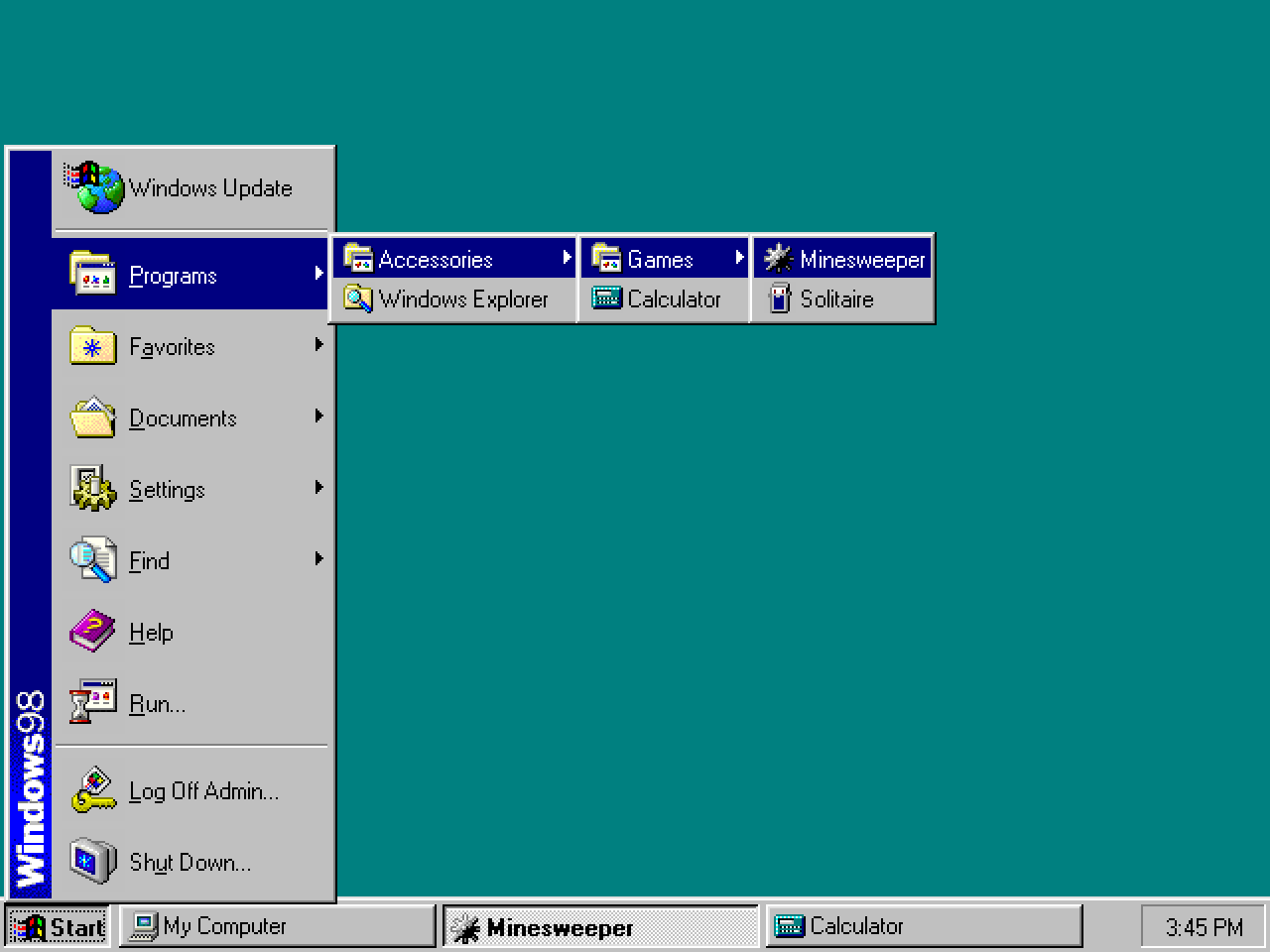
It's called Bevel95. It is not a theme and it doesn't need to patch anything on your system. It's a standalone program that that draws every pixel itself, compared pixel by pixel against real Windows 95, 98 and 2000 versions.
It has the taskbar, Start menu, a classic desktop, folder windows and Windows Explorer (very rough; for fun only), plus Minesweeper, Solitaire and the Calculator. Use Ctrl+Win+T to switch back to Windows' own taskbar at any time. You can see your real app links on the desktop and in the programs folder, and hit the Windows key to search (the one modern feature so far).
It's free and open source, built with help from Claude's Fable 5.2. It is a first release, so expect rough edges.
r/windows98 • u/Small_Score806 • 10d ago

r/windows98 • u/Worried_Telephone178 • 10d ago

One day i couldnt find my windows 98 first steps book and it turned out my mother was put this book on the detergent and since it was in brand new condition. Now i am realy frustrated on what to do
r/windows98 • u/usnraptor • 12d ago
I have noticed several posts recently of Win 9x hobbyists trying to get on the internet. With that, I decided to create a quick video showing (briefly) my Windows ME computer spending its last day on the internet (details in video description).
I have been using Windows ME since the day it premiered on Best Buy shelves, replacing the Win 98 SE I had been using. With the help of Kernel Ex, I was able to get a couple decades of internet use out of it. It will always continue to be my classic gamer so long as I can keep it running.
The list of websites appear in the video description. This is something I pieced together real quickly, so don't expect a quality video. I did mark it as Age 18+ since a couple websites I go to have NSFW content, though I avoided that content appearing in the video.
