r/HomeNetworking • • 16h ago

Advice Ethernet help

1 Upvotes

Hi, in my house there's currently a WiFi box downstairs in our living room, and my pc is upstairs in my own room. The WiFi speed is great (700mbps download and 105mbps upload) but I find that it randomly drops in the middle of games and glitches out often. A wired ethernet cable isn't an option because my parents would kill me running a cable that long through the house, and we don't have internal ethernet cables either. Any suggestions? We have one of those Powerline extenders but it caps at 100mbps and It barely hits 40 Mbps when plugged in.


r/HomeNetworking • • 3h ago

Just upgraded to 1g, recommendations for a mesh system

0 Upvotes

I just upgraded to 1g and my current Linksys WiFi-5 system (3 nodes) is only giving me 300 download/upload. I have 3500 square feet and 2 floors to cover. Is it worth bearing it out or should I upgrade. I was looking around and heard about the Eero 7 pro and the tp-link be63. Any recommendations on what to do?


r/HomeNetworking • • 10h ago

Temporary Wireless Point to Point Bridge

0 Upvotes

Looking for recommendations on an inexpensive wireless point-to-point bridge setup.

Normally I'd buy decent equipment and call it a day, but this particular problem has an expiration date. By next August, fibre will be connected at our new place and whatever I buy now will likely spend the rest of its life in a box labelled "It seemed like a good idea at the time."

We need to get internet from our current house to the new build next door. The signal has to travel about 600 feet across an open field with clear line of sight. Once the house is finished, the plan is to retire this setup and let fibre take over.

For the next eight months, though, I'd like to beam our Starlink connection across the field without taking out a second mortgage or investing in equipment capable of communicating with the International Space Station.

What's working well these days for a short-term, budget-friendly setup?


r/HomeNetworking • • 22h ago

Meme Cable management fail

Thumbnail
gallery
25 Upvotes

Came to my new rack, to find that my electrician in charge of data cables has mounted cables this way, against the tack mounting rails, blocking them.

Edit to add: yes I’m sorting it out


r/HomeNetworking • • 15h ago

Buyer Beware: Before you jump on Breezeline’s 2.5 Gig deal, ask what speed the router can actually give you over Ethernet

0 Upvotes

Even if the upgrade is cheap, don’t say yes until you know what the router they’re giving you can actually do. I paid for 2.5 Gig and found out afterward that the equipment Breezeline supplied tops out at 1 Gig on a single wired device.

I’m a Breezeline Fiber Business customer in Dover, NH. I was on 300 Mbps and upgraded to the fastest plan they offered because it wasn’t that much more. I work with AI models, and when you’re downloading big model files, the extra speed actually saves time. Before I agreed to the upgrade, I asked if their equipment could deliver those speeds. Sales said yes.

HOWEVER… the Adtran SDG 854-6 they supplied has a 2.5 Gig WAN port coming in and four 1 Gig LAN ports going out. The gateway test showed about 2.3 Gbps coming in, but my wired computer was still capped at 1 Gig through their router. I’m not expecting 2.5 Gig over Wi-Fi. I’m trying to download a big file on one wired computer.

Tech Support confirmed the limitation and said they don’t have a faster router to give me. I called Sales again, and they sent me right back to Tech Support. The answer I finally got was that I can buy and use my own router. Fine, but I should’ve known that before I agreed to pay for the upgrade.

For comparison, I have Fidium’s 2 Gig fiber at home, and my setup there has a 2.5 Gig wired LAN port. That’s what I expected when I asked Breezeline if its equipment could handle the upgrade. I should have checked on my own, it's what happens when you make an assumption.

So if you’re looking at the deal, ask: “What exact router model are you giving me, and how fast is the Ethernet port I plug my computer or switch into?” Don’t just ask if the router supports 2.5 Gig. I can only speak to my business install, but I’d ask the same question on a home plan. If you need to buy a router on top of the upgrade, factor that in before saying yes.

Has anyone on Breezeline’s 2.5 Gig plan actually gotten a router from them with a multi-gig LAN port, or did you have to buy your own too?


r/HomeNetworking • • 17h ago

Black Friday challenge: Sub-$200 router, single-point easy install w/no mesh, 60-foot range through walls

0 Upvotes

Uses aren't gamer-demanding: Browsing, streaming video, Zoomy video calls. Thanks for any advices.


r/HomeNetworking • • 10h ago

Need help setting up MOCA for coax internet setup

Post image
0 Upvotes

Currently my internet is hooked into a coax cable that goes directly to my office on the first floor. In there the coax outlet is connected directly to an Xfinity XB8. I'd like to set up an access point in my basement living room where I have another coax outlet. I've been reading a bunch about MOCA coax setups but I'm getting confused. What do I need to keep the XB8 in the office and set up an access point on the basement? I understand that I need some type of splitter to connect the internet to the different rooms as well as the MOCA adapters.

Can I use a regular splitter to connect the internet to my office and my basement? Or do I need a MOCA splitter? In terms of MOCA adapters, do I just need one for the basement? My understanding is that the XB8 is MOCA capable.


r/HomeNetworking • • 6h ago

Advice Is this Ethernet cable good for my gaming pc setup to be connected from my modem down stairs to upstairs setup?

Post image
6 Upvotes

r/HomeNetworking • • 3h ago

Advice How should I setup my home wifi? (concrete walls)

Post image
3 Upvotes

Hello, I need some help and I would really appreciate it if someone can help me plan the best wifi setup.

I am renovating my entire apartment before I move in. My country only has concrete walls for the apartments and wifi gets sharply cut off from room to room, and I want to now prevent that from the getgo.

I am talking to my contractor and we will be setting up an ethernet cable in the central living room where the TV is, and we will have one ethernet cable for my hone office. That’s it.

I am very new to this and despite researching, it’s still very confusing to me. I have heard of mesh wifi systems, but is this what I would want?

Up to this point I have only used the router/wifi combo provided by my ISP. Would it be best to maybe just keep the central wifi router in the living room, and then have another router setup in the office where the ethernet cable is?

Thank you so much 😊


r/HomeNetworking • • 14h ago

Advice Router Recommendation

3 Upvotes

Hello, I posted yesterday about modems and got a lot of great recommendations and I’m back hoping for router recommendations. Tbh I also can’t decide if it’s actually worth upgrading. I have xfinity 400/35 and am using a google onhub tgr1900 from like 2015. My home has a basement, main floor and upstairs and is about 3k sqft.

Currently my router is upstairs in the loft. I wouldn’t really say im having a ton of issues when using devices. Sometimes when gaming I’ll lose connection. My main issue is my doorbell camera(eufy31) takes a long time to load and is offline sometimes. I’m getting a fraction of the speed I’m paying for which seems to most likely be a modem problem since when i reset the modem my speed jumps up for a bit before declining again.

My budget for the router is probably around $220. I’m looking at the tp link deco xe75. Not sure if that’s still good in 2026. One thing im hoping for is the ability to have an IoT ssid


r/HomeNetworking • • 18h ago

My network set up

Post image
0 Upvotes

Hi all. Happy black Friday shopping.

I wanted to ask if my set up looks correct to ensure I did it correctly. And before I get grilled for using Cat 8 I actually got them for same price of Cat 6e retail price so toe worth it. See below details:

1 Rogers Xfinity modem with 1.5gbps speed located in my basement. Rogers speed test usually hits 1.8 or 1.9 though.

2 Xfinity is placed in bridge mode and using the 2.5 port

3 It connects to a tp-link deco be65 unit using 3 foot Cat 8 cable

4 Next from that unit I send using backhaul (cat 8) cables to 2 deco be65 units located on first and second floors and a tp-link 2.5g switch for 3 seperate cat 6e runs to 2 tv's and a Xbox

5 current WiFi speeds are between 680 to as high as 900 Mbps download and around 200 Mbps upload speeds

6 my noted bandwidth is only 1000m when I ran tests and I did try to replace cables with no change

Does this seem like a correct speed expectation for my set up.

Thank you


r/HomeNetworking • • 33m ago

Advice Searching for a WiFi7 modem

0 Upvotes

Looking for a good WiFi7 Modem compatible with Google Fiber. Have 8Gbps connection. I like the Google WiFi7 modem, but there is ZERO admin functions. Any suggestions?


r/HomeNetworking • • 21h ago

UniFi OS upgrades take the WAN down if you run a GPON SFP stick directly in a UCG Fiber or UDM. Happened again with 6.0.19

Thumbnail reddit.com
0 Upvotes

r/HomeNetworking • • 17h ago

Advice Aerwave Service & Home VLAN Setup - Issues?

0 Upvotes

My complex is converting to Aerwave service. From what I have read there may be issues for my setup, but I am not an expert (yet?). I searched here and in Reddit overall and even used AI, but didn't find this adequately addressed...

TLDR:

Would there be issues to address related to the switch to Aerwave service (via ethernet) when using services like TailScale or using a VLAN setup behind the connection?

Background:

I am looking to set up some Agentic workflows and have figured out my setup - to isolate the 2 computers running them from my home internet use.

Implementation:

My current main router would be connected (currently to cable modem) to Aerwave ethernet port. The main router is serving home entertainment, WiFi, etc.

I intend to pick up a Ubiquiti ER-X (which has VLAN & cross VLAN firewall capabilities - probably will flash OpenWRT on it, if stock firmware doesn't support). The main router would be ethernet to that.

The ER-X would then have 3 isolated zones thru its ethernet ports:

  1. docking station that feeds work laptop
  2. computer #1 for AI workflow
  3. computer #2 for AI workflow

And, I will use RustDesk and TailScale to access those other two computers from work laptop.

Questions:

Since the ER-X is behind the main router, I understand that there should be no access issues between devices due to Aerwave internet source. But...

  1. When using TailScale would there be an issue? Particularly, if I am on the road using my laptop?
  2. Are there any other implications or gotchas to consider?

r/HomeNetworking • • 19h ago

Inland Cat6 Quality?

Post image
1 Upvotes

Basement ceiling drywall is down, so running Cat6 for home system. How is Inland Cat6 quality from Micro Center? Any thoughts or other recomendations?


r/HomeNetworking • • 11h ago

Solved! Download speeds way lower than test indicates

Thumbnail
walmart.com
1 Upvotes

When I run an internet speed test on my browser I get around 90 mbps for download and upload. When I’m actually downloading something though I get like 8-20 mbps for my download and 15-24 for my write which is abysmal.

I have a 2.5 gbe ethernet. It plugs from my computer to a TP-Link 5 port gigabit desktop switch (Model: tl-sg105, Power: 5v, 0.6 amps)

It goes downstairs to a TP-Link 8 port gigabit desktop switch (Model: tl-sg108(UN) Power: 9v, 0.6 amps)

That plugs into my router, which is a Verizon. I’ve linked the exact model in this post.

My pc is more than capable Id imagine.
CPU: AMD Ryzen 7 7700x 8-core
GPU: NVIDIA GeForce RTX 4070 Ti Super
Ram: 32 gb DDR5 5200 mt/s
Motherboard: Micro-star PRO B660-VC WIFI (MS-7D78) version 1
Operating System: Windows 11

Our plan is a 100 mbps plan.

Why am I getting such bad speeds?

SOLVED! It was a very strange fix but here’s what i did to solve it:

1. Open start menu and search internet options
2. Click the connections tab, and then click LAN Settings
3. Uncheck Automatically detect settings

I also cleared my cache for both steam, epic games, and any other temp files i could find on my pc. Those helped a little bit, but the biggest help was the LAN Settings. Very strange. But thank you everyone for your help, and hopefully this helps someone else out in the future 🙏


r/HomeNetworking • • 21h ago

Connect portable router to home network

Post image
2 Upvotes

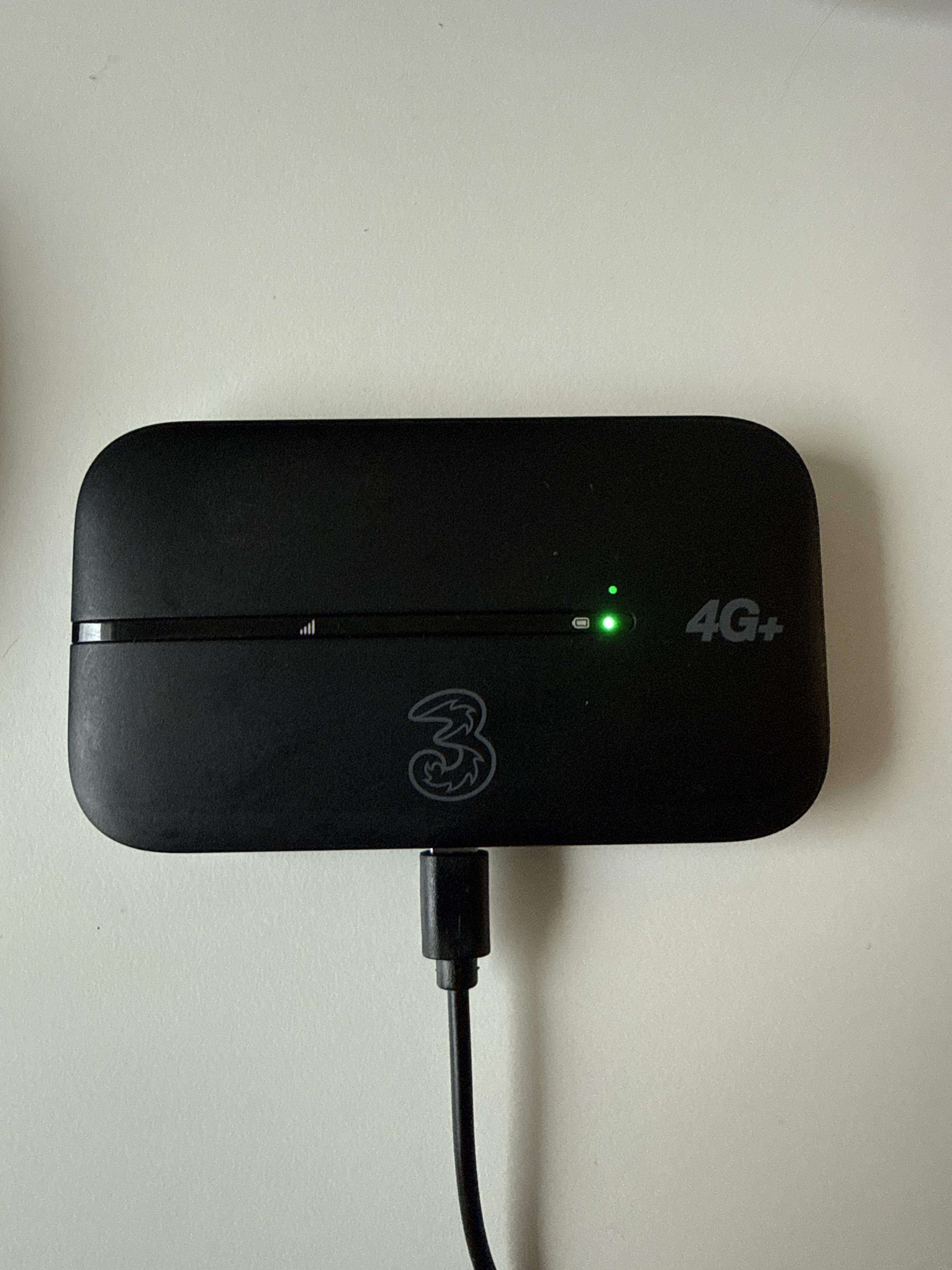
I have a portable 4G GSM router (the small, battery-powered type) and I would like to use it to create a separate network within my home network.
My idea is to connect it to my main home router so that I can connect a specific laptop to this separate network, while still using my existing home internet connection.
I checked the router’s configuration settings, but I couldn’t find any option to configure it this way.
Is this possible with a portable 4G router? Can it be configured to work as a secondary router/access point connected to my main router, creating a separate network (with its own subnet and DHCP) instead of using its 4G mobile connection?
If this isn’t supported by the router’s firmware, is there any alternative solution?


r/HomeNetworking • • 5h ago

Which router to buy?

2 Upvotes

Is the Asus GT-BE98, Tp-Link Archer BE900 or the Nighthawk RS700S better? I'm leaning towards getting the nighthawk but I'm not 100% sure. Thanks.


r/HomeNetworking • • 22h ago

Advice How to manage social media use with network controls

0 Upvotes

I am a little savvy with network jargon as I did the CISCO CCMA prep course just before COVID, I didn't take the assessment as it was not included with my course costs and was too expensive.

I want to reduce my social media use and I know I will be less interested in doomscrolling if I make it inconvenient or slow. I saw a post saying they used a rasberrypi to throttle the unwanted activity but I don't have money to invest in more peripherals. I feel like it might work with an old pentium processor and mobo, although some stuff from the past is just not capable of what modern hardware is? I have an old office PC laying around, I might gut it and string it together in Linux.

For context: I have 2 routers, one is actually handling the traffic and the other is setup to send the traffic to the other router(like a switch with a wireless access point). I can't remember how I did it because I used ChatGPT to give me the command lines, I haven't practised anything since I covered the course material.

So would you say it's doable? I've got a lot of free time and highly motivated to finish this and get it functional.


r/HomeNetworking • • 9h ago

NetWatch 1.0 - a free, MIT-licensed network diagnostics tool that runs in the terminal.

Post image
27 Upvotes

NetWatch, a free, MIT-licensed network diagnostics tool that runs in the terminal.

"The internet dropped again" doesn't tell you much, so NetWatch logs each outage it sees with the start time, duration and which part failed:

- gateway: your router or LAN

- internet: your ISP or beyond

- dns: name resolution only

netwatch uptime --since 30d --md > outages.md writes a report you can attach to an ISP ticket. It only covers time when NetWatch was running, so for a continuous record, run netwatch daemon. The internet check needs third-party probes turned on.

It also does:

- live packet capture with protocol decoding and PCAP export

- connections by process, where the OS and permissions allow it

- per-interface throughput, errors and drops

- traceroute and a topology view

- TLS decryption of your own traffic using SSLKEYLOGFILE

- a one-off check with netwatch diagnose run --budget 30s

It runs on Linux, macOS and Windows (Windows needs Npcap). Some features differ by platform, and capture needs elevated access.

Repo and install instructions: https://github.com/matthart1983/netwatch


r/HomeNetworking • • 10h ago

Have access to miles of this but is it a bad idea?

Post image
140 Upvotes

I need to run FO between 2 buildings 25ft apart but it has to be an aerial run. I know physically this cable will work. I have no terminating equipment but up for the challenge. Or should I just by buy some armored patch cable and lash it around to a steel cable. There will be Ubiquiti switches on either end. Thanks for saving me from myself!


r/HomeNetworking • • 19h ago

Tplink wall mount EAP225

Post image
5 Upvotes

Simple question, is it alright install this in the wall?


r/HomeNetworking • • 21h ago

Hardware Mod: Upgrading my Cudy WR3000 NOR flash from 16MB to 64MB (OpenWrt + VLESS/AWG + Grafana monitoring)

Thumbnail
gallery
40 Upvotes

In a few photos, I’ll show how I replicated a hardware mod from a 4PDA forum member and upgraded the NOR flash on my budget Cudy WR3000 router from 16MB to 64MB.

This extra space allowed me to run VLESS and AmneziaWG (AWG) VPNs directly on the router (which is super relevant for bypassing restrictions in Russia and China), as well as forward metrics and logs to an external monitoring server (logger + stunnel + Grafana Alloy + Loki + Grafana).

Next up, I plan to set up log collection for LuCI and SSH logins (including failed attempts), Wi-Fi connection attempts, and bandwidth utilization metrics for WAN, LAN, and Wi-Fi—broken down per client and more. The cost is 30+3 USD or 2500+250 RUB


r/HomeNetworking • • 15h ago

Advice Crossing a driveway with an ethernet cable - is there a better way?

Thumbnail reddit.com
2 Upvotes