r/appletv • u/OlliePlayz15 • 4h ago
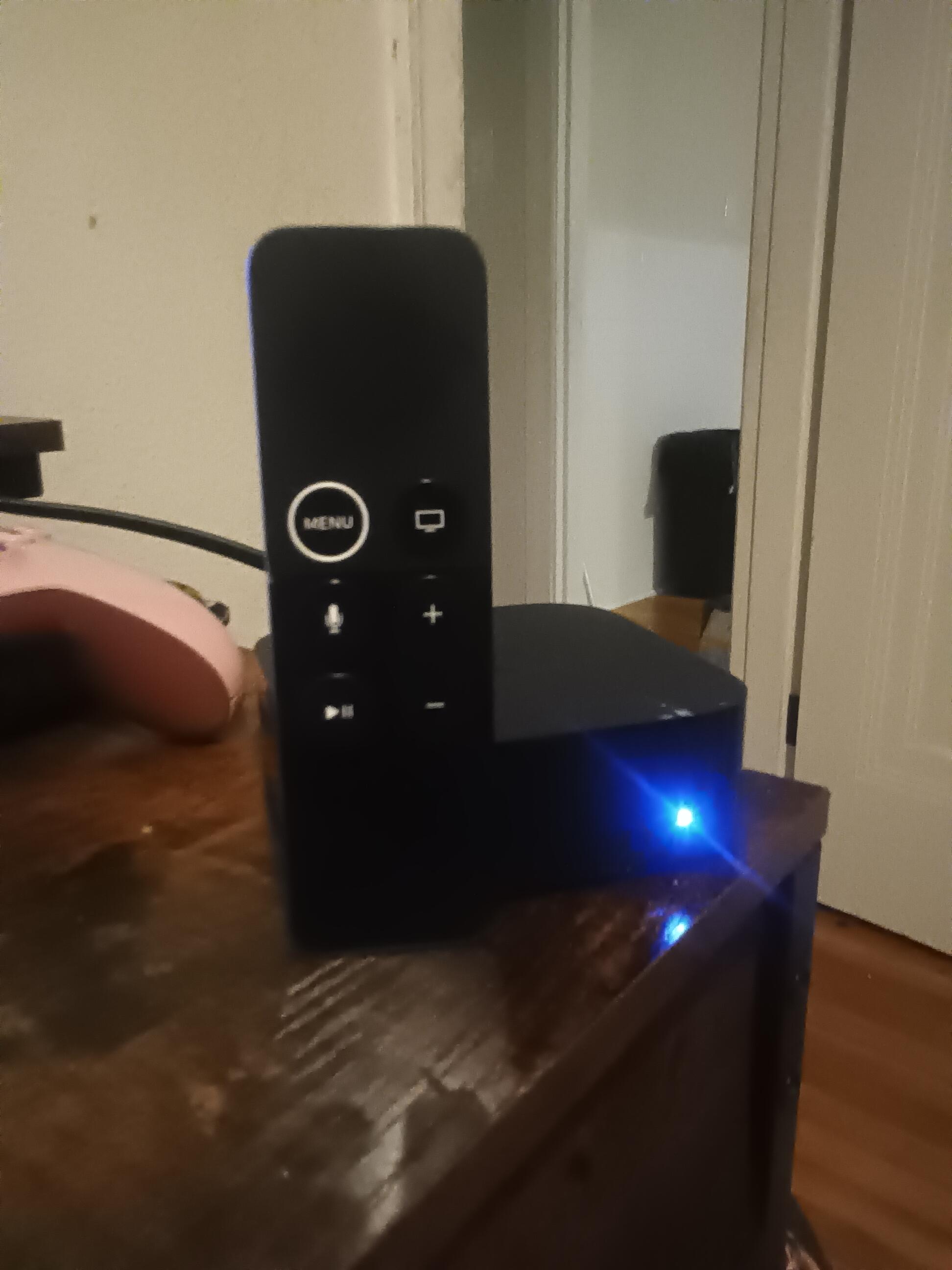
Got my 2015-ish Apple TV up and running!
17
Upvotes
The pricey new Apple TV 4K is still the best streamer around — The Verge
Still great, but drastically more expensive — Engadget
The best gets even better – but there’s a high cost — What Hi*Fi?
The Apple TV 4K Made Me Question Every Other Streaming Device—Here’s Why — Forbes
Hands-Free Siri and an A19 Chip Justify the $300 Price Tag — PC Mag
The best streamer for Apple fans, but I wouldn’t rush to upgrade — ZD Net
The best streamer comes at a cost — 9to5Mac
Speed, Siri, and seriously expensive — Apple Insider
Still waiting on Siri. This is one expensive streaming device — Tom’s Guide
Keep the old one — tbreak
Does a Streaming Box Still Justify a Spot Under Your TV? — Man of Many
-----
YouTube Reviews:
HomePod Home Theater — Stephen Robles
4th Generation with Home Theatre, Siri AI, new Siri Remote and Apple Home -- Apple Home Authority
Apple TV 4K (2026) Review — Trakin Tech English
Can the NEW Apple TV 4K take over your living room? - Eric Welander
New Apple TV Review! - Lon.tv
The New Apple TV 4K is Excellent, Expensive and Frustrating! - Andru Edwards
New Apple TV 4K After 2 Weeks: Don’t Upgrade Unless - Shane Whatley
Is the New Apple TV 4K Worth It? - Craig’s Tech Talk
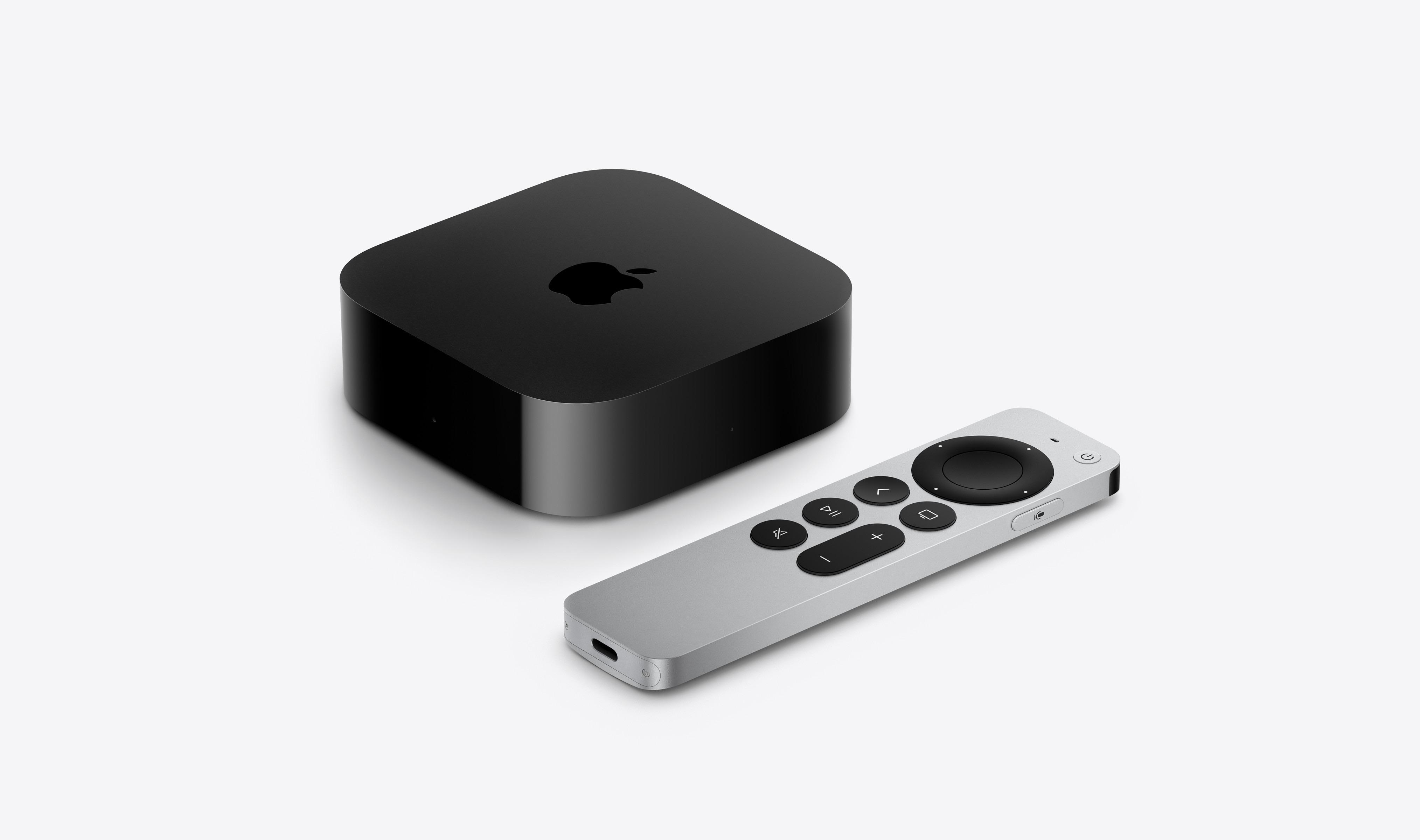
With the new 4th Gen Apple TV 4K arriving this Friday, many of you are already seeing pre-order statuses change and shipping notifications. Whether you pre-ordered, received a shipping notification, picked one up in-store, or finally have the new Apple TV in hand, this is the place to share it.
As always, we want to keep the sub relatively organized and avoid hundreds (or thousands) of individual posts about shipping updates, delivery confirmations, and pictures of the new Apple TV 4K packaging. So we’re consolidating those posts into this megathread.
Feel free to share:
* Pre-order confirmations and shipping updates
* In-store purchases and experiences
* Delivery confirmations and unboxing photos
* Your new Apple TV 4K setup
* General excitement about getting the new device
We know a lot of you have been waiting (patiently) for a new Apple TV 4K, and we’re just as excited. We just don’t need 938 individual posts of your shipping status or of a picture of the new Apple TV box. So, any standalone posts primarily announcing a pre-order, shipping update, delivery, or new purchase will be removed and redirected here. Substantive discussions, questions, reviews, troubleshooting, and other useful content about the new Apple TV 4K are still welcome as individual posts.
Whether you’re upgrading from a previous gen model, buying your first Apple TV 4K, or simply following along to see what everyone thinks, join the conversation.
— r/appletv Mod Team
r/appletv
•
u/Honest-Yesterday-936
•
12h ago
I know this sub gets a new IPTV player every week. Before you leave, I promise Yopla brings something new.
I started using IPTV 5 years ago. Since then, I've continuously tried 30+ iOS/Apple TV apps, and almost instantly uninstalled every single one of them. The reason is always the same:
They're all packed with features, but they neglect the basics and the most important part of an IPTV player: the player. Probably because it's hard.
So I spent the last 4 months trying to close this gap. It's called Yopla, and I need your help to make it the most reliable IPTV player for Apple.
On any paid TV service (YouTube TV, Sky, ESPN...) you can:
This IS the ultimate TV experience for me, and Yopla offers exactly that. (for channels with catch-up)
It also offers:
Every single feature should feel premium, reliable, and smooth. If it doesn't, I want to know about it.
By day, I'm a staff SWE working on query engines, databases, edge proxies. Performance, correctness, and reliability are my job, and I applied all of that to Yopla.
So a ton of work went into trying to make Yopla the fastest and most reliable TV & movie player around. If you're wondering, it uses KSPlayer like most other apps, but only to decode and show the picture. Everything that comes before (downloading, stitching, retrying, caching, skipping, seeking) is code that I polished and battle-tested over the past 4 months. (For the SWE: the whole player was built from the ground up to be fuzz tested under real-world conditions).
When it comes to the UI and the UX, I took inspiration from the big names out there: YouTube, Netflix, Apple's TV app, TiviMate.
That said, Yopla is in beta, and things will break. Every provider behaves differently, and it takes a lot of people to get it right. Which is why I need you. About 30 people are using Yopla at the moment, which is not enough to polish the rough edges.
I need you to break it, and tell me how it sucks. Join the Discord, and let's make Yopla the best IPTV player for Apple together.
Finally, since it's late 2026, I'll address the elephant in the room:
Looking forward to answering your questions, cheers 🫶
r/appletv • u/AndreaCicca • 15h ago
Yes UHD and new Accessibility.
r/appletv • u/jackmodern • 6h ago
Indie dev here. When I posted my space app Everdust here a few weeks ago, a few of you asked for it as a screensaver, so the 1.2 update has Ambient mode.
It picks a nebula or galaxy that's up in your sky tonight, flies in, stays about 45 seconds, then fades to the next one, with live sims of colliding galaxies, a black hole and Saturn's rings mixed in. A small dim caption says what it is and where to look ("Horsehead Nebula, up tonight, 33° up in the south-east"), and you can turn on a dim clock. That's the clip.
It starts by itself after 5 idle minutes on the app's Home screen (or 2, 10, or never), and any button brings you back. For OLED: the picture always drifts, the caption changes corners and every change is a slow fade, so nothing sits still and nothing flashes. Apple doesn't let apps be the real system screensaver, so it runs inside the app.
1.2 also has a Night Sky you look around and click on with the remote, an aurora you can switch on over a lake, and all 90 worlds from the Vision Pro version.
On price, since it came up last time: Ambient mode, the Night Sky and every world are free, no ads, no account. Plus ($4.99/mo, $29.99/yr or $79.99 once) unlocks the rest of the story chapters and game levels. Create credits are optional and you never need them.
https://apps.apple.com/us/app/everdust-space-science-games/id6818004038
What would you want on your TV while it's just sitting there?
r/appletv • u/Bootyhunter003 • 5h ago
I mostly just stream on Netflix or Disney etc. right now i currently own a google tv chromecast. I found that a store is selling it for 250 CAD. Would it be wise to just go for that? Or drop the extra 180CAD and “future proof” my “investment” and get the 4th gen?
I might look into starting my own JellyFin server too later down the road so maybe factoring that in.
r/appletv • u/MasterpieceClassic42 • 10h ago
While having the Apple TV connected via Ethernet the only problem I have is just AirPlay. Everything else works as it should. I’ve ran speed tests and I get the full gigabit speed on down and up.
I’ve been searching online for other people with a similar issue as me. I found someone mention it could be a DHCP issue. I set everything to manual and AirPlay is still hit or miss on an Ethernet connection.
My Apple TV setup is
Internet > Firewalla > MoCA Adapter > Switch > Apple TV 4K Gen 3
To reproduce the issue I have to wait until the Apple TV goes into sleep mode and try to activate AirPlay. Sometimes it will take a few seconds to power on and it works the other few times it will just get an error saying it can’t connect.
To fix the issue all I have to do is connect the Apple TV via Wifi. Why does airplay seem to work better via WiFi vs a Ethernet connection?
If this is a known problem with Airplay then I’m fine with using WiFi. I just like everything to be connected via Ethernet if possible.

Through 12/20 but not in stock anywhere?
r/appletv • u/cheeseburgerfists • 10h ago
Recently our Apple TV stopped being able to control the volume/mute of our TV. I’ve gone into the settings and attempted to set it up again (IR) but even though the white LED turns off (indicating it is seeing a signal from the remote) it doesn’t fill any progress bars of the set up process no matter how long I hold it for.
The TV remote works fine, so where does the issue lie? Reset the whole Apple TV?
r/appletv • u/Bears_Beets-BSG • 11h ago
3rd gen AppleTV going to an LG B5.
Is there an easy way to do this? I would like the AppleTV remote to be able to power on the TV and auto switch to that input, but if I use the regular TV remote, I don’t want it to automatically start AppleTV (even if that was the last input used). Very annoying when I’m trying to use my blu ray player and the AppleTV LED is glaring at me. I don’t understand why this isn’t the default behavior. If I look at the Apple Forum, there’s practically a thesis written for the solution. There has to be an easy way to do this, right? I tried turning CEC off on AppleTV, but that had no effect.
Thanks for any input.
r/appletv • u/roscCowboy • 1d ago
Just got the 4th gen 4k. If the opt in beta available to the public is this bad it will take a year for this to even be decent. Can’t even do simple tasks at 300 dollars.
r/appletv • u/ZoskizosS • 18h ago
Hi everyone,
I've noticed an issue that seems to occur across different apps on tvOS, and I'd like to know if anyone else has experienced something similar or knows whether there's a way to prevent it.
Whenever a moment of pixelation occurs during playback (even if it's just a brief one), the audio and video become noticeably out of sync. Sometimes the audio gets ahead of the video, while other times the video seems to lag behind the audio.
What's particularly frustrating is that the synchronization doesn't seem to recover automatically after the pixelation disappears. The content continues playing, but the audio and video remain out of sync until I restart playback or take some other corrective action.
My question is: Is there any setting in tvOS, either related to audio processing, video playback, HDMI output, or synchronization, that could help prevent this from happening?
Is there perhaps an option I should enable or disable that I might be overlooking? Could settings such as Match Frame Rate, Match Dynamic Range, audio format, HDMI output, or any other system-level configuration have an impact on this behaviour?
I'd really appreciate any suggestions, including lesser-known settings or potential workarounds.
Ideally, I'd like tvOS to be able to recover and resynchronize audio and video automatically after a brief playback interruption, rather than having to restart the content every time this happens.
Thanks in advance for any help!
r/appletv • u/Monterey-Jack • 6h ago

r/appletv • u/Princess_Flow • 6h ago
I literally bought a unit online at best buy 3 days ago. Tested it now i want one for all my 5 tvs, BB sold out solid. Anyone know when the next batch is coming in?
r/appletv • u/prjoni99 • 10h ago
I'm a solo developer and I've spent the past year building the live TV app I wanted on my own Apple TV. It's called Cathode TV and the TestFlight beta opened to everyone today.
It's a player: you add the M3U link or Xtream login from your own provider and it gives you
It uses the system tab bar and focus engine, so it behaves like the rest of tvOS. It's also on iPhone, iPad, Mac and Vision Pro, each with its own layout.
Free during the beta, everything unlocked. At launch it'll be a one-time purchase, no subscription. No account, no analytics.
Screens and the TestFlight link: https://cathodetv.app
I'd really like to hear where it falls over with your provider: channels that won't start, guides that don't match, anything slow.
r/appletv • u/numbski • 1d ago

I have a premium account, so I am an odd duck - but videos that were clearly filmed and uploaded in 4K are only being presented in 1080p, and significant time is spent downscaling the video for my device, and this only seems to have started this morning. Was wondering if anyone else is seeing it.
r/appletv • u/bchooker • 1d ago
My remote for my ATV4K 3rd gen is having an issue where the center button doesn’t press down smoothly. It’s like it’s being pushed off track or something, like it’s shifting slightly when pressed, instead of going straight down. I just bought it back in May and even my 2nd gen remote doesn’t have this issue. Anyone else have this problem and solved it? Should I just spray it out with some Lectra-Motive cleaner?
I do have AppleCare for it, would it be worth the appointment and hassle knowing Apple is likely to just blame me for it and charge me to fix it? 😂
I have an older Apple TV 4k, the first version I think, and I just plugged it in for the first time in a while. It ran a software update, but now I have a problem with dialog boxes.
The remote does not work on any dialog box: I can't scroll any button choice or select anything. The remote will operate the UI underneath the dialog as if the dialog isn't there. It's most annoying when I turn it on, because it brings up a dalog about there being additional settings for the remote that I should choose, but again, the remote does not manipulate the dialog box at all. It sits there for a minute or two before just going away.
Has anyone else experienced this? Is there a fix, or something I should be doing? Been through the settings, didn't run across anything that seemed pertinent.
Hey, so we have 4 iPhones in the house right now. Two 18’s and a 13 and 14. When the 18’s unlock or get a text in, they trigger a “Bloop!” sound from the Apple TV (HD). The other two older phones do not trigger the bloop.
It only started doing this a short while ago. Have played with all the settings of the Apple TV and phones and can’t find anything to disable this bloop sound. Do you have any idea how we can beat the bloop?
r/appletv • u/Shimi269 • 1d ago
Just putting out a feeler thread to see what everyone is currently using as their main player for streaming from Plex, Jellyfin, etc.
We’ve seen an explosion of new players over the last few weeks, and with each one supporting different features, it’s becoming difficult to find the one that ticks the most boxes.
Some support height audio, others offer DV P7 to 8.1 EL conversion and some just have trash UI.
I've tried a few:
Which one are you using as your daily driver, and what made you choose it?
r/appletv • u/Conflict_NZ • 1d ago
I went to start up my copy of Christmas Vacation in the Apple TV App and found an HD badge greeting me instead of the usual 4K. Confirmed across multiple devices. It still has Dolby Vision which is strange.
Despite only ever buying 4K DV/HDR titles on Apple TV, support has tried to convince me that Christmas Vacation is and has only ever been HD on there, despite other digital services like HBO Max showing 4K DV.
Anyone else have an issue like this?
Edit: Steps taken to resolve this issue:
https://tv.apple.com/us/movie/national-lampoons-christmas-vacation/umc.cmc.7fbk8jjftv8jhrc1ixirf54gd
https://tv.apple.com/nz/movie/national-lampoons-christmas-vacation/umc.cmc.7fbk8jjftv8jhrc1ixirf54gd
Edit 2: The Apple engineer called and reiterated that I purchased an HD copy and that’s all that was ever available. After sending them a picture of the movie info showing 4K and the urls to other stores they conceded that something weird was happening and made a ticket to escalate which I am waiting to hear back about.
r/appletv • u/poweranimals • 2d ago

So recently I watched Shang-Chi on Disney Plus and now my continue watching section is displaying Black Widow to "Watch Next". I can delete it, but it's gonna get annoying if this keeps happening. Is there a way to disable this feature?
r/appletv • u/Educational-Read4794 • 2d ago
I preordered the day it became available, then I found this group and was worried as everyone was scrambling for the old model. i Like the interface much better than my lg that is filled with crap and ads. My picture quality is way better too, other than Apple shows because they were always great.
I also decided, after an ai search discussion, to get a mini pc to run scripted so I could add my ring cameras and sensors into Home. I had no idea how to do it but ai through some bumps guided me through the whole process. Having an Apple cloud plan allows for a certain amount of additional security footage storage too. Anyway it is occasionally slow transfer on events but not bad or often and live seems flawless. I even had ai write me a script that captures my sunsets 1 minute prior each day to save onto the mini pc. I am considering more boxes for other tvs