r/appletv • u/OlliePlayz15 • 14h ago
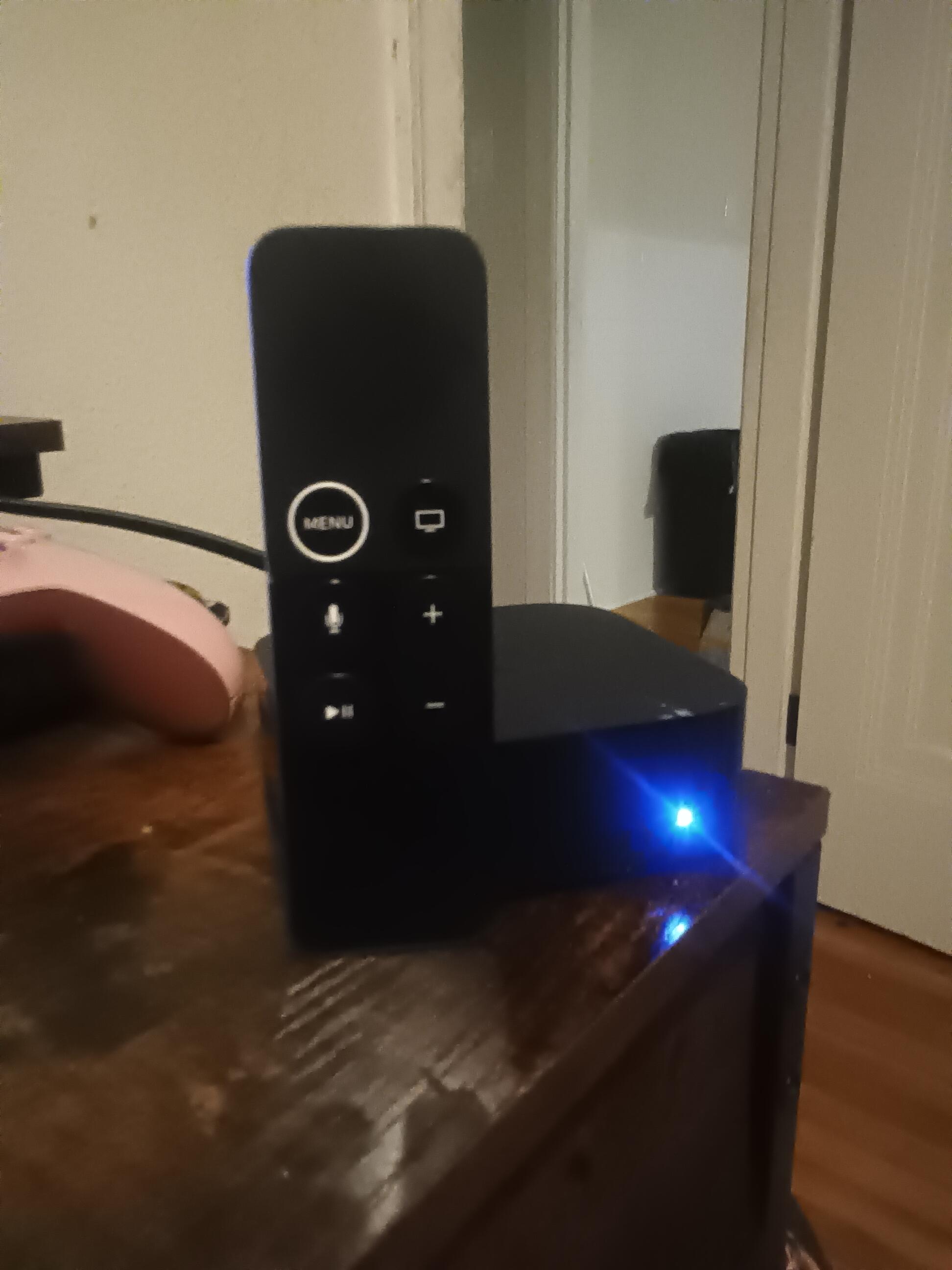
Got my 2015-ish Apple TV up and running!
35
Upvotes
r/appletv
•
u/Honest-Yesterday-936
•
23h ago
I know this sub gets a new IPTV player every week. Before you leave, I promise Yopla brings something new.
I started using IPTV 5 years ago. Since then, I've continuously tried 30+ iOS/Apple TV apps, and almost instantly uninstalled every single one of them. The reason is always the same:
They're all packed with features, but they neglect the basics and the most important part of an IPTV player: the player. Probably because it's hard.
So I spent the last 4 months trying to close this gap. It's called Yopla, and I need your help to make it the most reliable IPTV player for Apple.
On any paid TV service (YouTube TV, Sky, ESPN...) you can:
This IS the ultimate TV experience for me, and Yopla offers exactly that. (for channels with catch-up)
It also offers:
Every single feature should feel premium, reliable, and smooth. If it doesn't, I want to know about it.
By day, I'm a staff SWE working on query engines, databases, edge proxies. Performance, correctness, and reliability are my job, and I applied all of that to Yopla.
So a ton of work went into trying to make Yopla the fastest and most reliable TV & movie player around. If you're wondering, it uses KSPlayer like most other apps, but only to decode and show the picture. Everything that comes before (downloading, stitching, retrying, caching, skipping, seeking) is code that I polished and battle-tested over the past 4 months. (For the SWE: the whole player was built from the ground up to be fuzz tested under real-world conditions).
When it comes to the UI and the UX, I took inspiration from the big names out there: YouTube, Netflix, Apple's TV app, TiviMate.
That said, Yopla is in beta, and things will break. Every provider behaves differently, and it takes a lot of people to get it right. Which is why I need you. About 30 people are using Yopla at the moment, which is not enough to polish the rough edges.
I need you to break it, and tell me how it sucks. Join the Discord, and let's make Yopla the best IPTV player for Apple together.
Finally, since it's late 2026, I'll address the elephant in the room:
Looking forward to answering your questions, cheers 🫶
r/appletv • u/ihollaback • 2h ago
If you've bought movies on Apple TV, you know it's a pain to export a list of them with any details, or even a simple count of how many movies and shows you own. And if a movie ever disappears from your library, it's hard to notice when you have a lot of them.
This has annoyed me for years, so I built a way to export the whole library to a spreadsheet, with a lot more than just the titles. Save a copy now and then, and it's easy to check if anything went missing.
- Export tool (free, no account): https://www.moviecellar.app/?utm_source=r-tv
- It runs in your browser and never asks for your Apple ID. You'll need a Mac or PC.
What's in the spreadsheet
Every movie and TV episode gets its own row with:
- the date you bought it and when you last played it
- whether you bought it in HD or SD
- for movies, whether it's available in 4K or HDR
- the director, cast, genre, studio and runtime
Mine has about 1,300 movies and 1,500 TV episodes. Your library file stays on your computer unless you check the box to send me a copy for troubleshooting (some people have rather large libraries).
It's part of MovieCellar, an app I'm building on my own (in beta). Happy to answer any questions.
r/appletv • u/jackmodern • 16h ago
Indie dev here. When I posted my space app Everdust here a few weeks ago, a few of you asked for it as a screensaver, so the 1.2 update has Ambient mode.
It picks a nebula or galaxy that's up in your sky tonight, flies in, stays about 45 seconds, then fades to the next one, with live sims of colliding galaxies, a black hole and Saturn's rings mixed in. A small dim caption says what it is and where to look ("Horsehead Nebula, up tonight, 33° up in the south-east"), and you can turn on a dim clock. That's the clip.
It starts by itself after 5 idle minutes on the app's Home screen (or 2, 10, or never), and any button brings you back. For OLED: the picture always drifts, the caption changes corners and every change is a slow fade, so nothing sits still and nothing flashes. Apple doesn't let apps be the real system screensaver, so it runs inside the app.
1.2 also has a Night Sky you look around and click on with the remote, an aurora you can switch on over a lake, and all 90 worlds from the Vision Pro version.
On price, since it came up last time: Ambient mode, the Night Sky and every world are free, no ads, no account. Plus ($4.99/mo, $29.99/yr or $79.99 once) unlocks the rest of the story chapters and game levels. Create credits are optional and you never need them.
https://apps.apple.com/us/app/everdust-space-science-games/id6818004038
What would you want on your TV while it's just sitting there?
Rule 2 has me concerned this is the wrong sub. Please let me know if this is the wrong place. I don't mean streaming, though, just downloaded content to my AppleTV.
I bought season 1 of Bob's Burgers individually in 2019.
I bought seasons 1-9 of Bob's Burgers as a box set in 2020.
My actual AppleTV connected to my television has individual season cover art for the series, and when I open that, I have two tabs for season 1. Both are just season 1 and don't extend past that. I have never been able to watch 2-9 on my actual television. I don't remember what I did, but I assumed that I probably bought the series on an iPad or iPhone, never downloaded it to my actual AppleTV, and they've since gotten rid of the 1-9 box set in their store. I am still able to download the 1-9 box set on my iPhones and iPads, but never my TV. I gave up on this a long time ago and just accepted it would only be on my other devices.
I tried buying seasons 11-15 last week, again via iPhone. The box set isn't in my library on my iPhone/iPad or AppleTV. It looks like the episodes are randomly dispersed throughout the season 1-9 box set on my phone. My phone does have the cover art for the box set 1-9, but it does not have the cover art for box set 11-15. I don't know if I can watch any of them in order at this point since the episodes are just randomly placed throughout. The store will not let me purchase the box set 11-15 again.
I've been contacting Apple since Wednesday and it doesn't seem like they know how to help. Their solution Friday was to download each episode of 11-15 individually so I could at least store it locally. I wasn't thrilled with that but was doing it just to have them, but even downloading them that way does not give me local access to 11-15 on my phone. I still only have a box set for 1-9 in my library. I now can't access 2-15 on my actual TV.
It seems like there have been indexing/coding issues I've read about throughout AppleTV, but is it title-specific, or could it just randomly not work for individual users? Is there anything I can do?
r/appletv • u/MasterpieceClassic42 • 21h ago
While having the Apple TV connected via Ethernet the only problem I have is just AirPlay. Everything else works as it should. I’ve ran speed tests and I get the full gigabit speed on down and up.
I’ve been searching online for other people with a similar issue as me. I found someone mention it could be a DHCP issue. I set everything to manual and AirPlay is still hit or miss on an Ethernet connection.
My Apple TV setup is
Internet > Firewalla > MoCA Adapter > Switch > Apple TV 4K Gen 3
To reproduce the issue I have to wait until the Apple TV goes into sleep mode and try to activate AirPlay. Sometimes it will take a few seconds to power on and it works the other few times it will just get an error saying it can’t connect.
To fix the issue all I have to do is connect the Apple TV via Wifi. Why does airplay seem to work better via WiFi vs a Ethernet connection?
If this is a known problem with Airplay then I’m fine with using WiFi. I just like everything to be connected via Ethernet if possible.
r/appletv • u/cheeseburgerfists • 21h ago
Recently our Apple TV stopped being able to control the volume/mute of our TV. I’ve gone into the settings and attempted to set it up again (IR) but even though the white LED turns off (indicating it is seeing a signal from the remote) it doesn’t fill any progress bars of the set up process no matter how long I hold it for.
The TV remote works fine, so where does the issue lie? Reset the whole Apple TV?
r/appletv • u/Bootyhunter003 • 15h ago
I mostly just stream on Netflix or Disney etc. right now i currently own a google tv chromecast. I found that a store is selling it for 250 CAD. Would it be wise to just go for that? Or drop the extra 180CAD and “future proof” my “investment” and get the 4th gen?
I might look into starting my own JellyFin server too later down the road so maybe factoring that in.
r/appletv • u/ConclusionNice3389 • 1h ago
Thoughts on upgrading to the 4th gen box from the 3rd. I’ve been having drops/crashes during races and group rides. Would the 4gb to 8gb help solve that issue on ROUVY?
r/appletv • u/Bears_Beets-BSG • 21h ago
3rd gen AppleTV going to an LG B5.
Is there an easy way to do this? I would like the AppleTV remote to be able to power on the TV and auto switch to that input, but if I use the regular TV remote, I don’t want it to automatically start AppleTV (even if that was the last input used). Very annoying when I’m trying to use my blu ray player and the AppleTV LED is glaring at me. I don’t understand why this isn’t the default behavior. If I look at the Apple Forum, there’s practically a thesis written for the solution. There has to be an easy way to do this, right? I tried turning CEC off on AppleTV, but that had no effect.
Thanks for any input.
r/appletv • u/TeethAreBiting • 1h ago
I switched from Fire TV, how do I ask tv Siri to play a sound on the remote? im trying to find the remote without needing to locate my phone first every time.
r/appletv • u/Traveller-28907 • 10h ago
I have an A1469 model Apple TV and the podcasts library loads up but nothing plays I just get a never ending spiral in the middle of the screen, I am unable to use the reset identifier fix as this model doesn’t have the apps menu in the settings.
I have reset and restarted everything, including my password for iTunes, everything loads but nothing plays.
Any help appreciated
r/appletv • u/prjoni99 • 20h ago
I'm a solo developer and I've spent the past year building the live TV app I wanted on my own Apple TV. It's called Cathode TV and the TestFlight beta opened to everyone today.
It's a player: you add the M3U link or Xtream login from your own provider and it gives you
It uses the system tab bar and focus engine, so it behaves like the rest of tvOS. It's also on iPhone, iPad, Mac and Vision Pro, each with its own layout.
Free during the beta, everything unlocked. At launch it'll be a one-time purchase, no subscription. No account, no analytics.
Screens and the TestFlight link: https://cathodetv.app
I'd really like to hear where it falls over with your provider: channels that won't start, guides that don't match, anything slow.
r/appletv • u/MtnXfreeride • 6h ago

Heads up.. without an iphone you cannot enable siri ai or use the find my remote functionality.
You cannot simply ask siri classic where your remote is without first setting up "Find My" which requires an iphone.
There goes a selling point (siri ai) and also a basic function roku does better with a button on the box to find remote.
I have an ipad, but no iphone.