I've got Kodi installed on my FireTV, as well as a few add-ons - Prism, a4kScrapers, and Mad Titan. I'm trying to get the basics: TV, movies, and sports. Live TV would be great, but not a must.
Right now everything looks so... clunky? I'm guessing that's the best way to describe it.
I've been looking for info - videos, blogs, articles, anything to help me figure this out.
I've gone through quite a few videos and articles all ready. Most of them only explain how to download and install, but none really explain how to set them up and make everything run smoothly and cohesively.
I know there's got to be a better way to use this then what I have now.
If anyone can direct me to instructions and information I'd greatly appreciate it! Also, if there are better add-ons let me know. I'm open to any recommendations and learning as much as I can.
Also, if I'm using the wrong terms, forgive me. I'm trying to learn.
I run CoreELEC on an old Phicomm N1 TV box. Kodi's RetroPlayer can already run ROMs there, but the built-in game browser only shows file names: no titles, no covers, no descriptions, and big folders take a long time to load. I couldn't find an add-on that fixed this, so I wrote one: **Game Visuals**.
It reads the `gamelist.xml` files already sitting in your ROM folders (the EmulationStation / RecalBox format), shows the artwork, metadata and trailers, and launches the game with RetroPlayer. If you have a ROM folder from EmuELEC or ES-DE, you can point the add-on at it as it is.
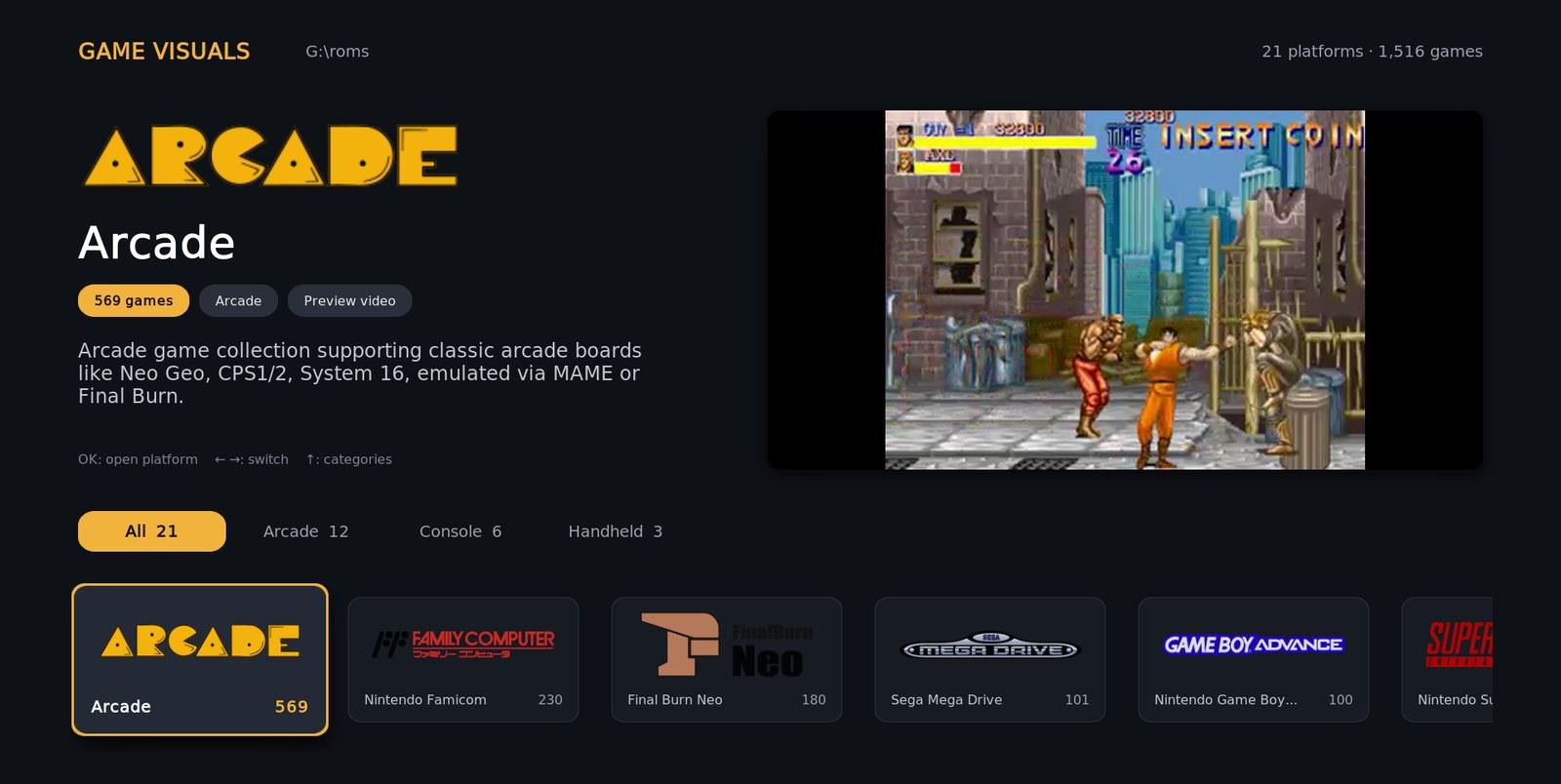
Platform screen
**Platform screen**
Platforms are shown as cards with logo, game count and description, grouped into arcade, console, handheld and computer. Stay on a platform and it plays a random trailer from that platform.
**Four browse layouts**
Trailers start automatically when a game stays selected for a moment.
- **A: Classic two-column** – list on the left; trailer, cover and description on the right.
- **B: Immersive hero** – full-screen screenshot with a cover carousel at the bottom.
- **C: Poster wall** – seven covers per row.
- **D: Retro TV** – trailers play inside an old CRT with scanlines; the game list looks like cartridges.
You can also keep your skin's own views with the "Kodi default list" option.
**Game details screen**
Press X or hold A on a gamepad (`I` or `C` on a keyboard) to see cover, year, genre, developer, players, rating and description on one page, with the trailer playing.
The first version was a plain Kodi list. The current layouts were redesigned with help from an AI tool. Feedback, bug reports and requests for layouts or missing platform logos are welcome.